This document provides an instruction manual for a series of dehumidifiers, including models OL50-503W, OL90-903W, and OL-1503W. The manual covers features, specifications, warnings, product drawings, drainage, machine setup and operation, error codes, maintenance, and storage.
Function Description
These dehumidifiers are designed to remove moisture from the air, making them suitable for various environments. Key functions include:
- Dehumidification: Reducing ambient humidity to a desired level.
- Automatic Defrost: A built-in system protects internal components by initiating defrost cycles when temperatures are low.
- Adjustable Humidity: Users can set a target humidity level.
- Timed Operation: The unit can be programmed to start or stop after a set period.
- Continuous Mode: Allows the machine to run continuously, regardless of the set humidity, primarily for rapid dehumidification.
- Forced Drainage: A drain button allows users to manually activate the pump to empty collected water.
Important Technical Specifications
The dehumidifiers come in three models with varying capacities and power requirements:
| Model# |
Rated capacity |
Power supply |
Rated input current |
Rated input power |
Max condenser pressure |
Max evaporator pressure |
Freon type & Capacity |
Drainage Type |
Net Weight |
Gross Weight |
Test conditions |
| OL50-503W |
50L/Day |
220~240V/50Hz |
3.2A |
710W |
1.2 MPa |
3.6 MPa |
R410a/370g |
Water Pump |
36kg |
39.5kg |
(30°C, 80%RH) |
| OL90-903W |
90L/Day |
220~240V/50Hz |
5.8A |
1250W |
1.2 MPa |
3.6 MPa |
R410a/780g |
Water Pump |
53kg |
57kg |
(30°C, 80%RH) |
| OL-1503W |
150L/Day |
220~240V/50Hz |
9.4A |
1970W |
1.2 MPa |
3.6 MPa |
R410a/1050g |
Water Pump |
72kg |
83kg |
(30°C, 80%RH) |
Usage Features
Design and Portability
- Large Capacity: Suitable for significant moisture removal.
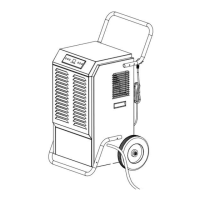
- Movable and Easy to Store: Equipped with wheels and a pushing handle (or built-in handle for some models) for easy transport.
- Quiet Running: Designed for reduced noise during operation.
- Energy-saving design: Optimized for efficient power consumption.
Control Panel and Operation
The control panel features several buttons:
- POWER: Turns the unit on/off. When on, it defaults to continuous mode, displaying environmental humidity. Pressing it again stops the compressor and puts the machine in standby.
- TIMER: Sets the time for the machine to start or stop. A long press (3 seconds) displays the current temperature for 10 seconds before returning to humidity display.
- ADD (+): Increases the target humidity by 5%RH with each press. Holding for 1 second increases continuously. Also used to set time after pressing TIMER.
- MINUS (-): Decreases the target humidity by 5%RH with each press. Holding for 1 second decreases continuously. Also used to set time after pressing TIMER.
- CONT (Continuous): Toggles between continuous mode (machine runs constantly, humidity setting is invalid) and normal dehumidification mode (humidity setting is operational).
- DRAIN: Activates the pump for forced water drainage. The "FULL" indicator turns on for 30 seconds while draining.
Drainage System
- Water Pump: All models utilize a water pump for drainage.
- Drain Pipe Installation: The included drain pipe must be installed to the draining nozzle and directed downwards to a suitable area.
- Automatic Pump Operation: When the pump is full, the "FULL" light turns on, the pump works for 30 seconds, then stops.
- Error Condition (E4): If the pump is full for 1 minute and the water level switch detects a problem, "E4" will display, the buzzer will sound 15 times, and the dehumidifier will stop.
- Warning: The drainage hose must not be blocked, and its end should not be higher than the outlet hole to prevent water backup and damage.
Memory Function
The system has an auto-memory feature. If power is interrupted, the unit will store its current settings and resume operation in the same mode once power is restored.
Defrost Function
- Conditions: Defrosting activates when the compressor has run for 30 minutes and the temperature sensor detects ≤-1°C for 10 seconds.
- Process: The solenoid valve starts defrosting, the fan and compressor continue to run, and the defrost light illuminates.
- Termination: Defrosting stops when the pipe temperature reaches 5°C or after 15 minutes. The defrost light remains on until the cycle is complete.
Error Codes
The display shows specific codes for various issues:
- E1: Temperature sensor failure. The system cycles between 30 minutes of dehumidification and 15 minutes of defrosting. Sensor replacement is needed.
- E2: Humidity sensor failure. Humidity adjustment buttons will not work. The system cycles between 30 minutes of dehumidification and 15 minutes of defrosting. Sensor replacement is needed.
- CL: Room temperature < 0°C. Machine stops running.
- CH: Room temperature > 38°C. Machine stops running.
- LO: Room humidity < 20%RH. Machine stops running.
- HI: Room humidity ≥ 95%RH. Machine operates normally.
- E4: Water is full or pump failure.
Maintenance Features
Cleaning
- Exterior: Clean the machine with a soft, wet cloth.
- Filter Mesh:
- Pull out the louver on the front panel to access the filter.
- Remove the filter mesh from the unit.
- Use a clean rag to remove surface dust.
- For extremely dirty filters, flush with tap water.
- Ensure the filter is completely dry before reinserting it into the air inlet fence. A clean filter improves machine capacity.
Storage
For extended periods of non-use, follow these steps:
- Clean the filter mesh.
- Dry the evaporator: This is crucial to prevent damage and mold. Unplug the unit and place it in a dry, open area for several days to air dry. Alternatively, set the target humidity 2% higher than the ambient humidity to force the fan to dry the evaporator for a few hours.
- Store the power cord: Bunch the power cord and hang it in the designated pocket at the back of the unit.
- Environment: Store the unit in a clean, dry environment.
Troubleshooting
The manual provides a troubleshooting guide for common issues:
- Machine does not run: Check if the unit is plugged in. Ensure ambient temperature is between 5°C and 35°C, as the machine is designed to operate within this range for protection.
- Machine runs but does not dehumidify: Reset the humidity to a lower set point, or power off if the humidity has been satisfied.
- Reduced dehumidifier capacity: Clean the filter mesh.
- No air inlet: Clear any blockages from the air-in and/or air-out louvers. Clean the filter.
- Loud Operation: Move the machine to a flat ground. Clean the filter mesh.


 To Next Page
 General