3- HOW TO GET CPPM AND RSSI FROM R4-B
If CH3 and CH4 are connected by a jumper, CH1 will output CPPM for CH1-CH8 and CH2 will output RSSI (PWM).
USER’S MANUAL
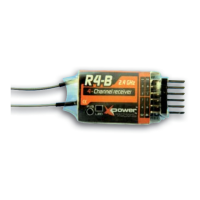
FOR XPower R4-B RECEIVER
1- INTRODUCTION
Please, note there are several differences between other brands and XPower receivers, especially in binding procedure
and Fail Safe settings. Before using your new receiver, please read this manual thoroughly and use the system properly
and safely. After reading this manual, store it in a safe place.
1-1 Compatibility:
FASST 2.4GHz: Air Systems ( 7CH Mode/Multi Mode)
1-2 Technical specifications:
Number of channels: 4 »
Mode: 2.4GHz PPM FASST »
Range: visual »
Operating voltage range: (DC): 3.5-10V »
Operating temperature range: -10 à +80°C »
Weight: 5.2g »
Dimensions: 42x22.2x7mm approx. »
2- SETTINGS
2-1 Bind procedure:
2-3 LED status:
RED LED GREEN LED MODE
Off On Normal
On On Waiting to be bound
Flashing On Signal lost
On Flashing twice Set Fail Safe
R4-B supports two selectable Fail Safe
setting options, either use native Fail
Safe position preset on the transmitter
side or set Fail Safe on R4-B.
2-2-1 Use native Fail Safe position preset
on the transmitter side:
If not disabling Fail Safe on the transmitter
side, R4-B will use native Fail Safe position
preset on the transmitter side.
2-2-2 Set Fail Safe on R4-B side:
R4-B supports Fail Safe function for all
channels. Follow the steps below to set
Fail Safe on R4-B:
1) Bind the receiver fi rst and disable Fail
Safe on the transmitter side
2) Set all transmitter controls to the
desired Fail Safe position
3) Press briefl y the F/S key of the receiver,
the green LED will fl ash twice indicating
the Fail Safe is set up sucessfully.
If you do not need the Fail Safe function
anymore, just re-bind the receiver to set
default Fail Safe mode.
1) Turn on the transmitter
2) Press and maintain
pressed key F/S (with a
stylus)
3) Connect the battery pack
4) After the red LED is off
and green LED is solid,
release key F/S
5) The binding process is
completed and the receiver
is operating normally.
2-2 Fail Safe (F/S):
No part of this manual may be reproduced in any form without prior permission. The contents of this manual are subject to change without prior
notice. While this manual has been carefully written, there may be inadvertent errors or omissions. Please contact our service center if you feel
that any corrections or clarifi cations should be made.
XPower is a commercial trademark of:
TOPMODEL S.A.S. - Le jardin d’entreprises de Sologne- 41300 SELLES SAINT DENIS - FRANCE
www.topmodel.fr / e-mail: technique@topmodel.fr / © Copyright 2012 V1-2 FEB 2012
POLARITY
NOTES:
The Rx battery pack can be plugged into
any free input of the receiver.
If you want to use all 4 channels, then use
a Y cord to connect the Rx battery pack.
GLOSSARY
CPPM: Combined PPM signal
RSSI: Receiver Signal Strength Indicator
PWM: Pulse Width Modulation
Rx BATTERY PACK
CH1
CH2
electable Fail Safe
ail
afe on R4-B:
e
F/S


 To Previous Page
 Loading...