Operate
8
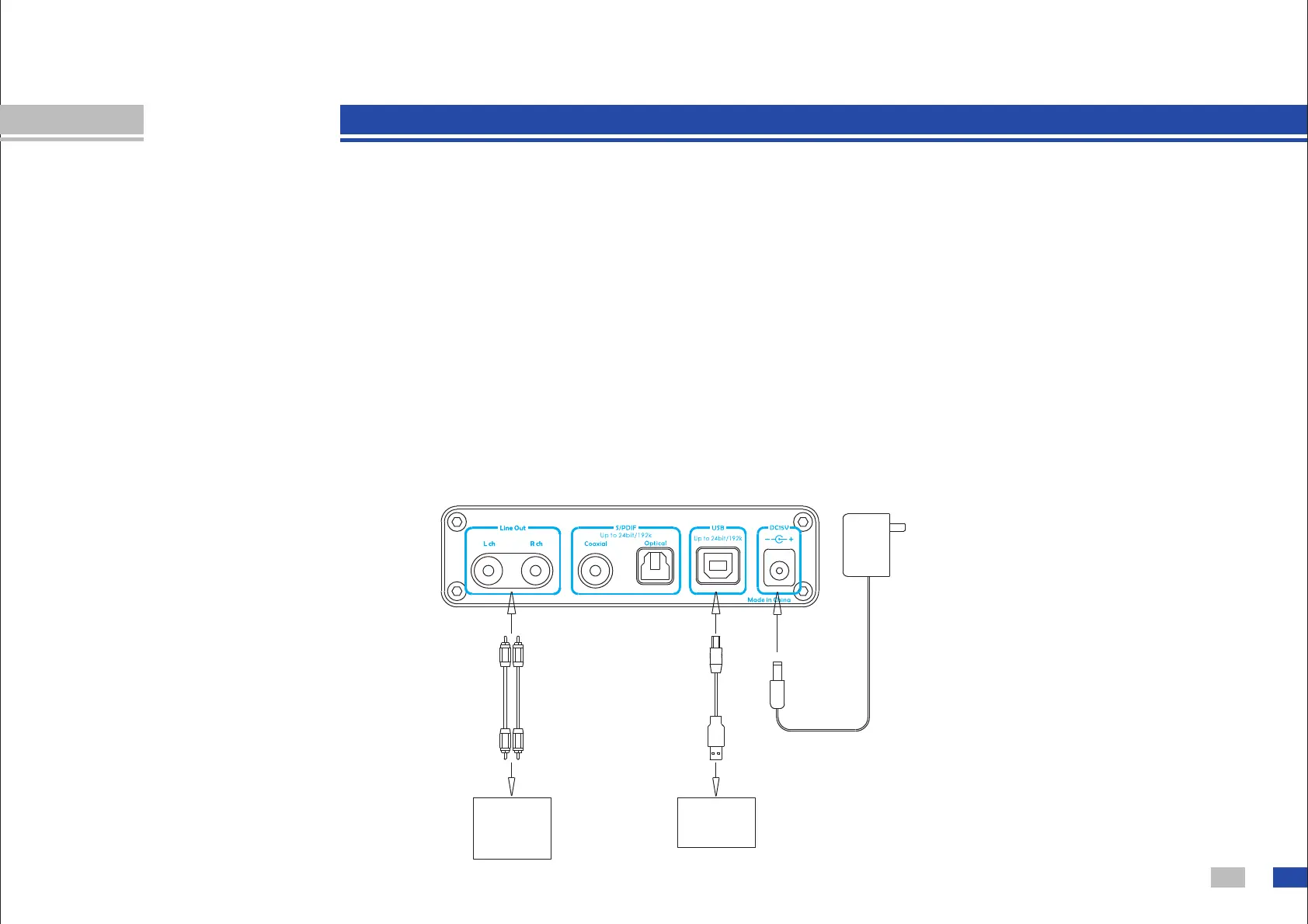
Computer
A m p l i f i e r,
P o w e r e d
S p e a k e r ,
EQ, etc
Output
Input
AC110V
-240V
USB DAC:
1. Connect D30 to your PC as below.
2. Turn on D30 and select to USB input (You need to install driver of D30 at the first time you
use on Window OS, you can find the tutorial in this USB disk. Mac OS X 10.6.4 and higher
version needn't a driver). Check Unlock LED to judge signal is OK or abnormal.
3. Connect Line out to amplifier or other device you need.
4. Play music at your computer. (You can find the tutorial of setting a Foobar2000 player or a
JRiver player in this USB disk)
You can connect D30's USB to some mobile phone, you can find the tutorial in this USB
disk.


 To Next Page