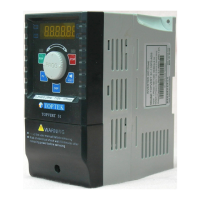
TOPVERT L1 Series
E-
27
Group 8: Fan & Pump Control Parameters
Parame
ters
Functions Settings
Factory
Setting
User
★
Pr8-00
V/F Curve Selection
0: V/F Curve determined by Parameter Group 1
0
1: 1.5 Power Curve
2: Square Power Curve
Pr8-01
Start-Up Frequency of the
Auxiliary Motor
0.00~600.00 Hz
0.00
Pr8-02
Stop Frequency of the Auxiliary
Motor
5.00~600.00 Hz
5.00
Pr8-03
Time Delay before Stopping the
Auxiliary Motor
0.0~6000.0 Sec 0.00
Pr8-04
Time Delay before Stopping the
Auxiliary Motor
0.0~6000.0 Sec 0.00
Pr8-05
Sleep Frequency
0.00~600.00 Hz
0.00
Pr8-06
Wake-up Frequency
0.00~600.00 Hz
0.00
Pr8-07
Sleep Time 0.0~6000.0 Sec 0.0
Optional Digital Keypad only the features
ERROR MESSAGE AND TROUBLESHOOTING
The drive has a comprehensive fault diagnostic system that includes various alarms and fault
messages such as over-voltage, low-voltage and over-current….etc. Once a fault is detected, the
corresponding protective functions will be activated, and the drive will stop the output and the motor
will then coast to stop. The following faults are displayed as shown on the drive digital keypad panel.
Once the fault occurred, eliminate it first, and wait for 5 seconds (oC,GF,SC are 15 seconds) then
execute RESET action to reactivate the operation.
User may either by depress RESET key on the keypad or apply a external reset signal from Mix to
execute RESET action.
Problems and Solutions
Fault symbol
Fault descriptions
(Name) {Error code}
Treatments
Over- current
(oC) {01}
The drive detects an
abnormal increase in output
current.
Check the wiring connections between the driver
motor for possible short circuits.
Increase the Acceleration time (Pr1-11, Pr1-12)
Check for possible excessive loading conditions at
the motor.
Replace the drive with the next higher power model
Wait for 15 seconds then execute RESET action to
reactivate the operation.
Over-voltage on DC-Bus
(oU) {02}
The drive detects that the DC
bus voltage has exceeded its
maximum allowable value.
115/230 V class: about 400V
460 V class: about 800V
Check whether the input voltage falls within the rated
drive input voltage range.
Check for possible voltage transients.
If DC Bus over-voltage due to regenerative voltage,
please increase the Deceleration time or add an
brake unit and brake resistor (optional)



 To Next Page
 Loading...