EasyManua.ls Logo

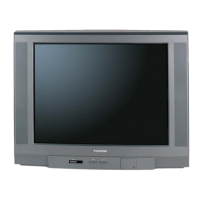
Toshiba 20AF43 - User Manual

Toshiba 20AF43
72 pages
Print Icon
To Next Page IconTo Next Page
Loading...
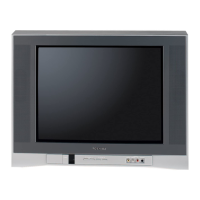
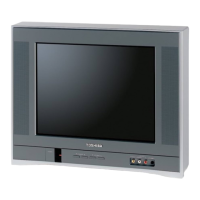
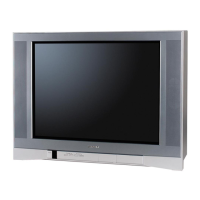
14AF43
20AF43
24AF43
Appendix
Using the TV’s
Features
Setting up
your TV
Using the
Remote Control
Connecting
your TV
Welcome to
Toshiba
Important
Safeguards
3M70801A/E COVER 23:4:03, 15:051

Table of Contents

Other manuals for Toshiba 20AF43

Questions and Answers

  • L
    lunaveronicaAug 18, 2025
    Why is my Toshiba 20AF43 CRT TV remote control not operating?
    • C
      Chelsey CurryAug 19, 2025
      If your Toshiba CRT TV's remote control isn't working, first, ensure the TV/VCR/DVD/CABLE mode is set correctly. Remove any obstructions between the remote and the TV. Finally, replace the remote control batteries, as they may be dead.
  • A
    Alan EspinozaAug 21, 2025
    How to fix a Toshiba CRT TV that will not turn on?
    • D
      Dustin DavisAug 21, 2025
      If your Toshiba CRT TV isn't turning on, ensure it's properly plugged into a power outlet and then press the POWER button. Also, check the remote control batteries and replace them if necessary.
  • M
    Mr. Robert RogersAug 23, 2025
    Why is there no sound on my Toshiba 20AF43, but the picture is OK?
    • W
      Wayne KleinAug 25, 2025
      If your Toshiba CRT TV has no sound but the picture is fine, first, ensure the sound isn't muted by pressing the VOLUME button. If that doesn't work, the broadcasting station might be experiencing difficulties, so try changing the channel. Also, check if the MTS feature is in SAP mode, and if so, press the MTS button on the remote until STEREO (or MONO) mode is active.
  • P
    Paul StuartAug 26, 2025
    What to do if my Toshiba 20AF43 CRT TV has poor picture quality but the sound is OK?
    • C
      Charles BerryAug 26, 2025
      If your Toshiba CRT TV shows a poor picture but the sound is fine, check the antenna connections first. The broadcasting station might be experiencing difficulties, so try changing the channel. You can also try adjusting the PICTURE menu settings. If you are using ColorStream inputs, ensure that the connected device's output is set to 480i interlaced mode, as this TV does not support 480p, 720p, or 1080i signals through ColorStream.
  • V
    vspencerAug 27, 2025
    Why does my Toshiba 20AF43 have no picture and no sound?
    • J
      johnprattAug 28, 2025
      If your Toshiba CRT TV has no picture and no sound, start by checking the antenna/cable connections. Also, be aware that this TV does not support 480p, 720p, or 1080i signals through its ColorStream inputs. If you are using such a device, switch its output to 480i interlaced mode.
  • V
    vsmithAug 30, 2025
    How to improve poor reception on Toshiba 20AF43 broadcast channels?
    • K
      Kimberly WallaceAug 30, 2025
      If you are experiencing poor reception of broadcast channels on your Toshiba CRT TV, try switching to another channel as the station may have broadcast difficulties. Also, check your antenna connections to ensure they are secure. If you're using a VCR, make sure the TV/VCR button is set correctly.
  • S
    Stephen BrownSep 1, 2025
    Why is the sound poor on my Toshiba CRT TV, but the picture is OK?
    • A
      Alexander GreeneSep 1, 2025
      If the sound quality on your Toshiba CRT TV is poor but the picture is OK, the broadcasting station might be experiencing difficulties, so try changing the channel. Also, check if the MTS feature is in SAP mode, and if so, press the MTS button on the remote until STEREO (or MONO) mode is active.
  • D
    David DawsonSep 4, 2025
    Why am I seeing multiple images on my Toshiba CRT TV?
    • L
      Leslie MackSep 4, 2025
      If you are experiencing multiple images on your Toshiba CRT TV, the broadcasting station may have broadcast difficulties, so try another channel. You can also try using a highly directional outdoor antenna.
  • T
    tmonroeSep 6, 2025
    How to fix poor color or no color on Toshiba 20AF43 CRT TV?
    • S
      Steven NealSep 6, 2025
      If your Toshiba CRT TV is displaying poor color or no color, try switching to another channel, as the broadcasting station may have difficulties. Also, adjust the TINT and/or COLOR settings in the PICTURE menu. If you've recently moved the TV while it was on, turn it off and allow it to cool for several hours before turning it on again.
  • J
    Jeffery TaylorSep 8, 2025
    How to fix Toshiba CRT TV that cannot receive above channel 13?
    • K
      Krystal OwensSep 8, 2025
      If your Toshiba CRT TV cannot receive channels above channel 13, make sure the TV/CABLE setting is set to CABLE mode.

Summary

Owners Manual and Model Identification

Owners Record

Record TV model and serial numbers for dealer communication.

Important Safety Information and Warnings

General Safety Precautions

Essential safety advice, electrical shock, and installation guidelines.

TV Stability and Picture Tube Damage Warnings

Warnings about TV stand instability and permanent image engraving on the picture tube.

Child Safety and Safe TV Placement

Advice on safe TV placement and handling to prevent child injury.

General Safety and Installation Guidelines

Installation and Operational Safety

Guidelines for safe TV installation, placement, and operation to prevent hazards.

Electrical, Environmental, and Service Safety

Antenna Grounding and Lightning Protection

Instructions for proper antenna grounding and safety during lightning.

TV Usage, Care, and Cleaning

Recommendations for optimal viewing distance, care, and cleaning of the TV.

Servicing and Proper TV Disposal

Guidelines for servicing by qualified personnel and safe disposal of the TV.

Welcome to Toshiba and TV Overview

Exploring Your Toshiba TV Features

Identifies TV front and back panel inputs and controls for connectivity.

Selecting an Optimal TV Location for Use

Guidance on choosing a suitable location for the TV for ventilation and viewing.

Connecting External Devices to Your TV

Connecting a VCR for Viewing and Recording

Instructions for connecting a VCR to watch, play, or record programs.

Connecting a Cable Converter Box for Service

Steps to connect basic or scrambled cable TV services using a converter box.

Connecting DVD;Satellite Receiver and VCR

How to connect DVD/satellite receivers and VCRs simultaneously.

Connecting DVD Player with ColorStream (Component Video)

Guide for connecting component video devices for enhanced picture quality.

Connecting Multiple VCRs for Dubbing

Instructions for dubbing or recording between two VCRs.

Connecting a Camcorder for Playback

How to connect a camcorder to view recorded video materials.

Connecting an Audio Amplifier for Enhanced Sound

Steps to connect an audio amplifier for improved sound quality.

Using the Universal Remote Control

Remote Control Setup and Battery Installation

How to prepare the remote and install batteries correctly.

Operating External Devices with the Remote

Using the remote to control VCRs, DVD players, and cable converters.

Programming the Remote for External Devices

Universal Remote Control Codes

A comprehensive list of codes for various VCR, DVD, and cable converter brands.

Understanding Remote Control Button Functions

Initial TV Setup and Configuration

Changing the On-Screen Display Language

How to select the language for on-screen menus and messages.

Channel Setup and Management

Automatic Channel Programming

Automatically scans and stores all available TV channels.

Manual Channel Addition and Erasure

Method for manually adding or removing specific channels from memory.

Navigating Through Channels

How to navigate between programmed or specific channels.

Advanced TV Features and Settings

Quick Channel Switching

Quickly toggle between two selected channels.

Setting Up and Selecting Favorite Channels

Set up a list of preferred channels for quick access.

Parental Controls, Channel Locking, and V-Chip

Enabling the V-Chip Parental Control Feature

Enables blocking of programs based on TV ratings.

Setting a PIN Code for Parental Controls

Setting a personal identification number for parental controls.

Blocking TV Programs by Rating System

How to block TV programs based on MPAA and TV rating systems.

Understanding Program Rating Systems (MPAA, TV)

Explanation of MPAA, Youth TV, and TV rating categories and their meanings.

Blocking Unrated TV Programs and Movies

Method to block movies and programs that do not have a rating.

Locking Functions and Menu Access

Accessing the LOCK Menu Options

Access to channel lock, video lock, game timer, and PIN code functions.

Locking Specific TV Channels

How to prevent access to selected TV or cable channels.

Locking Video Input Sources and Channels

Restricting access to specific video input ports and channels.

Setting the Game Timer for Channel Control

Setting a time limit for TV games, which can automatically change channels.

Channel Labeling and Management

Creating and Erasing Custom Channel Labels

Assigning custom four-character labels to channels for identification.

Setting the TV Clock and Timers

Setting the Internal TV Clock

How to set the internal clock for accurate timer functions.

Programming On;Off Timers for TV Operation

Setting the TV to turn on or off automatically at a scheduled time.

Setting the Automatic TV Off Timer

Instructions for programming the TV to automatically turn off.

Picture Settings and Input Management

Adjusting Picture Quality Settings

Customizing contrast, brightness, color, tint, and sharpness settings.

Selecting Video Input Sources

Switching between connected external video devices.

Selecting the ColorStream Input Mode

Choosing the appropriate input for component video connections.

Displaying On-Screen Information Status

How to view current TV status like clock, channel, and audio mode.

Sleep Timer and Closed Captioning Features

Setting the Sleep Timer for Automatic Shut-off

Automatically turns off the TV after a set period.

Using the Closed Caption Display Feature

How to enable and view captions or text for programs.

Changing the Picture Size Format (4:3;16:9)

Switching between 4:3 and 16:9 widescreen picture formats.

Audio Settings and Broadcast Modes

Muting Sound and Selecting Stereo;SAP Broadcasts

Options for muting sound and selecting stereo, SAP, or mono audio.

Advanced Audio Settings

Adjusting Bass, Treble, and Balance

Fine-tuning audio output by adjusting bass, treble, and balance.

Utilizing the BBE Sound Enhancement Feature

Enhances sound clarity and naturalness by correcting phase and distortion.

Using the Surround Sound Feature

Expands audio field for a wider, deeper sound experience.

Using the StableSound Feature

Prevents extreme volume changes by limiting peak output.

Auto Power Off and Power Return Functionality

Automatic TV turn-off and automatic turn-on after power restoration.

Troubleshooting Common TV Issues

Technical Specifications of TV Models

Limited United States Warranty Information

US Warranty Terms, Conditions, and Service

Details warranty coverage, limitations, and service procedures for US customers.

Limited Canada Warranty Information

Canada Warranty Terms, Conditions, and Service

Details warranty coverage, limitations, and service procedures for Canadian customers.

Toshiba 20AF43 Specifications

General IconGeneral
Screen Size20 inches
Resolution480i
Aspect Ratio4:3
Weight25.4 lbs
Dimensions19.5 x 17.6 x 18.8 inches
Display TechnologyCRT
InputsComposite, S-Video, RF
Display TypeCRT

Related product manuals