EasyManua.ls Logo

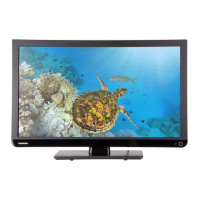
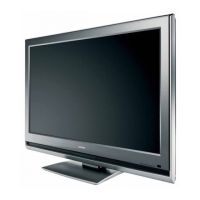
Toshiba 32DL66Ps - User Manual

Toshiba 32DL66Ps
147 pages
Print Icon
To Next Page IconTo Next Page
Loading...
SERVICE MANUAL
LCD Color Television
32DL66Ps
Ver. 1
This model is classified as a green product
(*1), as indicated by the underlined serial number.
This Service Manual describes replacement parts for the green product. When repairing this
green product, use the part(s) described in this manual and lead-free solder (*2).
For (*1) and (*2), refer to GREEN PRODUCT PROCUREMENT and LEAD-FREE
SOLDER.
©
TOSHIBA CORPORATION
Question and Answer IconNeed help?

Do you have a question about the Toshiba 32DL66Ps and is the answer not in the manual?

Overview

This document provides a service manual for the TOSHIBA 32DL66Ps LCD Color Television, designated as a "green product" due to its use of lead-free solder and adherence to environmental procurement guidelines.

Function Description:

The 32DL66Ps is an LCD Color Television designed for home entertainment. It supports various input sources and broadcast systems, offering a range of functionalities for viewing and audio output. The television incorporates a digital receiving board and a signal board (FLI8548 Cortez Plus w HDMI) for processing video and audio signals. It features a micro-processor for control and management of its operations, including standby mode and user interface interactions.

Important Technical Specifications:

  • Model: 32DL66Ps
  • Display Type: LCD Color Television
  • Visible Screen Size (approx.): 32DL (80cm)
  • Display Aspect Ratio: 16:9
  • Stereo System: Nicam, 2 carrier system
  • Sound Output (at 10% distortion): Main 10W + 10W
  • Power Consumption (as specified in EN60107-1:1997): 32DL 153W
  • Standby (approx.): 32DL <1W
  • Dimensions (approx.): 32DL 61cm (H) 80cm (W) 30cm (D) [Height dimension includes front stand]
  • Weight (approx.): 32DL 19kg
  • Headphone Socket: 3.5mm stereo
  • Accessories: Remote control (CT-865), 2 batteries (AAA, IEC R03 1.5V)

Broadcast Systems/Channels:

  • PAL-I: UHF UK21-UK69
  • PAL-B/G: UHF E21-E69, VHF B2-E12, S1-S41
  • SECAM-L: UHF F21-F69, VHF F1-F10, B-Q
  • SECAM-D/K: UHF R21-R69, VHF B1-B12

Video Input:

  • PAL, SECAM, NTSC 3.58/4.43

External Connections:

  • EXT1 Input: 21-pin SCART (RGB, A/V)
  • EXT2 Input: 21-pin SCART (A/V, S-Video)
  • EXT3 Input: Phono jacks (Y/PB/PR, A/V)
  • EXT3 Input (Side): Phono jack (Video), Phono jacks (Audio L + R)
  • HDMI 1/2 Input: HDMI connector
  • PC Input: Mini D-sub 15-pin (Analog RGB signal)
  • PC/HDMI1 Audio: Phono jacks (Audio L + R)
  • Audio Output/Fixed/Variable: Phono jacks (Audio L + R)

Usage Features:

  • Remote Control: The television is primarily operated via a remote control (CT-865) which provides comprehensive control over functions such as volume, channel selection, input source switching, picture preferences, and on-screen menus. The remote control uses AAA, IEC R03 1.5V batteries.
  • On-Screen Menus: The television features an intuitive on-screen menu system for adjustments and settings. Navigation is done using the remote control's navigation ring (up, down, left, right, OK).
  • Quick Setup: A quick setup process guides users through initial configuration, including language selection and auto-tuning for stations.
  • Manual Tune: Users can manually tune in stations, which is useful if the television cannot be connected to a media recorder/decoder with a SCART lead or for tuning in stations on different systems. This feature allows for specific program allocation and station identification.
  • Programme Skip: The television allows users to skip certain programs or channels, preventing them from being viewed. Skipped programs are still accessible via the numbered buttons on the remote control but will not appear in the normal channel sequence.
  • Hotel Mode: A "Hotel Mode" menu provides specific settings for use in hotel environments, allowing control over various functionalities like stored program appearance, front key disablement, and user remote control operation.
  • Input Selection: The television supports multiple external input sources, including SCART, HDMI, and PC, which can be selected via the remote control.
  • Headphone Output: A 3.5mm stereo headphone socket is provided for private listening.

Maintenance Features:

  • Service Mode: The television includes a "Service Mode" for technical adjustments and diagnostics. This mode is accessed by a specific sequence of remote control and TV button presses (VOLUME to minimum, Mute button once, Mute button again and hold, then MENU button on TV).
  • Adjustment Menu: Within the Service Mode, an adjustment menu allows technicians to modify various parameters such as RCUT, GCUT, BCUT, RDRV, GDRV, BDRV, BRTC, COLC, UVTT, CNTX, VOLUX, PLLW0-PLLW5, and OPT2 (Hotel Mode). Data values are adjusted using the VOLUME +/- buttons.
  • Memory Initialization: The manual specifies a procedure for initializing memory data (QA02) after replacing the memory IC, emphasizing the importance of performing this only when necessary.
  • Test Signal Selection: The Service Mode offers built-in test patterns (Red, Green, Blue raster, All Black, All White) for diagnostic purposes, accessible by pressing the "9" button on the remote control.
  • Self Diagnostic Function: A self-diagnostic function, activated by pressing the "9" button twice in Service Mode, checks the interface among ICs and displays information such as firmware version, total TV on-time, bus line status, and block information (TV reception mode, video input modes, PC, YUV, DTV).
  • Version Check Mode: This mode, accessed by pressing the "9" button twice, displays version information for the main MPU, EEPROM, SUB MPU, option information, HDMI ID, SW Ver, and MW Ver. It also shows LCD Panel Vendor and screen size.
  • Status Check Mode: Activated by pressing the "9" button thrice, this mode checks the status of the model, displaying information about main source, main format, main PLL, sub source, sub format, sub PLL, and screen size.
  • LED Indications: The Green and Red LEDs on the TV provide status indications, such as power cord connection, on-timer operation, and abnormal operation (e.g., continuous blinking at 0.5-second or 1-second intervals for general abnormal operation or BUS line issues, respectively).
  • Lead-Free Solder: As a "green product," the television is manufactured using lead-free solder. The manual explicitly warns against using lead-based solder for repairs, noting the higher melting temperature of lead-free solder and the potential for damage if incorrect soldering techniques are used.
  • Safety Precautions: The manual includes extensive safety instructions for servicing, emphasizing the use of an isolation transformer, disconnecting power, proper reassembly of protective devices, keeping tools away from children, using specified replacement parts, and performing touch current checks.
  • LCD Module Handling: Specific precautions are provided for handling the LCD module, including avoiding contact with liquid crystal fluid, careful alignment during assembly, and protection against static electricity, direct sunlight, and extreme temperatures. Disassembly of the LCD module is discouraged.

Toshiba 32DL66Ps Specifications

General IconGeneral
BrandToshiba
Model32DL66Ps
CategoryLCD TV
LanguageEnglish

Related product manuals