This document is an owner's manual for Toshiba LED TVs, specifically the 32L5069, 43L5069, and 49L5069 series. The manual provides comprehensive information on the device's functions, technical specifications, usage, and maintenance.
Function Description
The Toshiba LED TV is a high-definition multimedia interface (HDMI) device designed for home entertainment. It supports various input sources, including antenna, satellite, HDMI, USB, and LAN, allowing users to access a wide range of content. The TV is equipped with DVB-T/T2/C and DVB-S/S2 tuners for receiving digital terrestrial, cable, and satellite broadcasts. It also features a Common Interface (CI+) slot for watching scrambled pay-TV channels.
The TV supports multimedia playback from USB devices, including photos, music, and videos. It can connect to a network via LAN or Wi-Fi, enabling access to smart TV features such as Google Assistant, Google Search, and various apps. The TV also supports screen mirroring and Bluetooth connectivity for connecting external devices like headphones.
Key features include:
- LED TV with HDMI: Provides high-definition visual and audio experience.
- Dolby Audio: Enhances sound quality for an immersive audio experience.
- Multimedia Playback: Supports various media formats from USB.
- Smart TV Capabilities: Access to apps, streaming services, and voice control via Google Assistant.
- Network Connectivity: Wired (LAN) and wireless (Wi-Fi) options for internet access.
- PVR (Personal Video Recorder) and T.Shift (Time Shift): Allows recording of TV programs and pausing/rewinding live TV.
- Parental Controls: Enables blocking of programs by channels or content ratings.
Important Technical Specifications
The manual provides detailed specifications for each model series:
32L5069 Series:
- Dimension (W × H × D): Without Stand: 730 × 442 × 73 mm; With Stand: 730 × 478 × 186 mm.
- Weight: Without Stand: 4.2 kg; With Stand: 4.3 kg.
- Active Screen Size (Diagonal): 80 cm.
- Screen Resolution: 1366 × 768.
- Audio Power: 6 W + 6 W.
- Operating Mode Power Density: 0.019 W/cm².
- Power Consumption: In standby mode: < 0.5 W; When turned off: < 0.5 W; Normal operation: 50 W.
- Power Supply: 100-240V~ 50/60Hz.
- Receiving Systems: Analog: PAL-D/K, B/G, I, SECAM-D/K, B/G; Digital: DVB-T/T2, DVB-C, DVB-S/S2.
- Wireless LAN Module Specifications: Frequency Range: 2.4-2.4835GHz; Output Power (Max.): 2.4-2.4835GHz 17dBm.
- Bluetooth Module Specifications: Frequency Range: 2.4-2.4835GHz; Output Power (Max.): 2.4-2.4835GHz Class1 6dBm.
- Environmental Conditions: Temperature: 5°C - 45°C; Humidity: 20% - 80% RH; Atmospheric Pressure: 86 kPa - 106 kPa.
- HDMI Input: YUV / 60 Hz (480i, 480 P, 720 P, 1080 I, 1080 P), YUV / 50Hz (576 I, 720 P, 1080 I, 1080 P).
43L5069 Series:
- Dimension (W × H × D): Without Stand: 969 × 575 × 84 mm; With Stand: 969 × 616 × 201 mm.
- Weight: Without Stand: 6.9 kg; With Stand: 7.1 kg.
- Active Screen Size (Diagonal): 108 cm.
- Screen Resolution: 1920 × 1080.
- Audio Power: 7 W + 7 W.
- Operating Mode Power Density: 0.019 W/cm².
- Power Consumption: In standby mode: < 0.5 W; When turned off: < 0.5 W; Normal operation: 75 W.
- Power Supply: 100-240V~ 50/60Hz.
- Receiving Systems: Analog: PAL-D/K, B/G, I, SECAM-D/K, B/G; Digital: DVB-T/T2, DVB-C, DVB-S/S2.
- Wireless LAN Module Specifications: Frequency Range: 2.4-2.4835GHz; Output Power (Max.): 2.4-2.4835GHz 17dBm.
- Bluetooth Module Specifications: Frequency Range: 2.4-2.4835GHz; Output Power (Max.): 2.4-2.4835GHz Class1 6dBm.
- Environmental Conditions: Temperature: 5°C - 45°C; Humidity: 20% - 80% RH; Atmospheric Pressure: 86 kPa - 106 kPa.
- HDMI Input: YUV / 60 Hz (480i, 480 P, 720 P, 1080 I, 1080 P), YUV / 50Hz (576 I, 720 P, 1080 I, 1080 P).
49L5069 Series:
- Dimension (W × H × D): Without Stand: 1103 × 653 × 87 mm; With Stand: 1103 × 698 × 217 mm.
- Weight: Without Stand: 9.8 kg; With Stand: 10.2 kg.
- Active Screen Size (Diagonal): 123 cm.
- Screen Resolution: 1920 × 1080.
- Audio Power: 8 W + 8 W.
- Operating Mode Power Density: 0.019 W/cm².
- Power Consumption: In standby mode: < 0.5 W; When turned off: < 0.5 W; Normal operation: 120 W.
- Power Supply: 100-240V~ 50/60Hz.
- Receiving Systems: Analog: PAL-D/K, B/G, I, SECAM-D/K, B/G; Digital: DVB-T/T2, DVB-C, DVB-S/S2.
- Wireless LAN Module Specifications: Frequency Range: 2.4-2.4835GHz; Output Power (Max.): 2.4-2.4835GHz 17dBm.
- Bluetooth Module Specifications: Frequency Range: 2.4-2.4835GHz; Output Power (Max.): 2.4-2.4835GHz Class1 6dBm.
- Environmental Conditions: Temperature: 5°C - 45°C; Humidity: 20% - 80% RH; Atmospheric Pressure: 86 kPa - 106 kPa.
- HDMI Input: YUV / 60 Hz (480i, 480 P, 720 P, 1080 I, 1080 P), YUV / 50Hz (576 I, 720 P, 1080 I, 1080 P).
Usage Features
The manual details various usage features, including installation, remote control operation, general operation, settings, smart functions, and troubleshooting.
Installation:
- Stand Installation: Instructions for attaching the base stand to the TV, ensuring stability and preventing damage.
- Wall Mount Installation: Guidelines for mounting the TV on a wall, including screw specifications and hole patterns.
- P-Clip Installation: Instructions for attaching P-Clips to manage cables.
- Safety Precautions: Emphasizes the importance of stable installation, proper ventilation, and avoiding hazardous locations.
Remote Control:
- Two remote control models are described: CT-95007 and CT-95010.
- Both remotes feature buttons for power, input selection, channel navigation, volume control, menu access, smart TV functions (Netflix, YouTube, Google Play), and media playback controls.
- Instructions for installing and replacing batteries are provided.
General Operation:
- Turning TV On/Off: Simple steps to power the TV on and off.
- Selecting Input Source: How to choose between various input sources like HDMI, AV, USB, and tuners.
- Using Live TV: Scanning channels, viewing channel information, and creating favorite channel lists.
- EPG (Electronic Program Guide): Accessing program information, setting reminders, and scheduling recordings.
- PVR and T.Shift: Recording TV programs to a USB device and pausing/rewinding live TV.
- Picture and Sound Settings: Adjusting picture modes (User, Standard, Vivid, Sport, Movie, Game, Energy Saving), backlight, brightness, contrast, saturation, hue, sharpness, gamma, color temperature, and sound modes (User, Standard, Vivid, Sport, Movie, Music, News).
- Advanced Picture Settings: Includes 11 Point White Balance Correction and Reset to Default options.
- Advanced Sound Settings: Equalizer Detail, ARC, S/PDIF Delay, Auto Volume Control, Downmix Mode, DTS-StudioSound, and Reset to Default.
Settings:
- Network & Internet: Connecting to Wi-Fi or wired networks, scanning for available networks, and setting proxy configurations.
- Channels: Scanning for channels (single RF scan, etc.) and managing channel lists.
- Channel Installation Mode: Selecting antenna, satellite, or cable.
- Auto Channel Update: Enabling automatic updates for channel lists.
- Parental Controls: Setting up PINs, blocking programs, and managing input and content restrictions.
- Accounts & Sign In: Managing Google accounts and other app accounts.
- Device Preferences: Setting language, keyboard, inputs, CEC (Consumer Electronic Control) options, date & time, timer, picture, sound, storage, home screen, apps, device preferences, remotes & accessories, and reset options.
- Accessibility: Audio Description, Visually Impaired, Hearing Impaired, Captions, and High Contrast Text options.
Smart Functions:
- Home Screen: Navigating the home screen, accessing Google Assistant, Google Search, notifications, inputs, settings, and time.
- Media Playback: Playing media content from USB devices.
- Apps: Accessing and managing installed applications.
- Customize Channels: Adding and removing channels from the home screen.
Troubleshooting:
- Provides solutions for common issues such as no sound/picture, remote control not working, external source issues, sound delay, and picture/sound distortion.
- Offers guidance on checking power connections, input settings, cable connections, and factory reset procedures.
Maintenance Features
The manual emphasizes safety and proper care for the TV.
Safety Precautions:
- Stable Installation: Always install the TV on a stable, horizontal surface or securely wall-mount it to prevent falls.
- Ventilation: Ensure adequate ventilation to prevent overheating. Do not cover ventilation openings.
- Power Cord: Use the provided power cord and ensure it is not damaged or pinched. Unplug the TV during thunderstorms or when not in use for extended periods.
- Cleaning: Use a soft, dry cloth to clean the TV. Avoid using abrasive cleaners, waxes, or solvents.
- Liquid and Objects: Do not expose the TV to dripping or splashing liquids. Do not place objects filled with liquids on the TV. Prevent small objects from falling into the TV.
- Heat Sources: Keep the TV away from heat sources like radiators, heat registers, stoves, or other heat-producing apparatus.
- Children: Do not allow children to play on or climb the TV.
- Battery Care: Properly install batteries in the remote control, observing polarity. Do not mix old and new batteries or different types. Dispose of used batteries responsibly.
- Servicing: Do not attempt to service the TV yourself. Refer all servicing to qualified service personnel.
Recording and USB Storage Device:
- USB Device Compatibility: Use USB 2.0 compatible devices with sufficient storage capacity (4GB to 1TB for HDD).
- Formatting: Ensure the USB device is formatted correctly (FAT32).
- Recording Limitations: Recording may be interrupted if the USB device is slow or if the program is encrypted.
- Copyright: Be aware of copyright laws when recording content.
Disposal:
- The TV and its components should be recycled responsibly. Do not dispose of electrical and electronic equipment with household waste.
- The crossed-out wheeled bin symbol indicates that the product should be handed over to an applicable collection point for the recycling of electrical and electronic equipment.
By following these guidelines, users can ensure the safe and optimal performance of their Toshiba LED TV.

 Need help?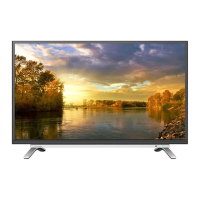






 To Next Page
 General