
 Need help?
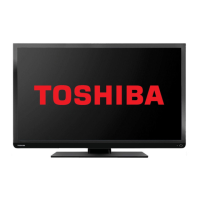
Do you have a question about the Toshiba 40L1353B and is the answer not in the manual?
Essential safety instructions covering circulation, heat, mains, and fire prevention.
Key actions to take and avoid for safe operation and handling.
Identification and function of all buttons on the remote control.
Steps for connecting devices with HDMI output, including cable types.
How to connect devices with DVI output using HDMI inputs and audio cables.
Procedures for switching the TV on, off, and entering standby mode.
Using the remote control and physical buttons to operate the TV.
Initial setup steps for language, country, and digital channel search type.
Performing an automatic scan for digital aerial or cable channels.
Guide to automatically retuning the TV for new channels and services.
Understanding digital, analogue, and full scan options for channel searching.
Manually searching for digital channels using specific frequencies.
Manually tuning digital cable channels with specified parameters.
Step-by-step guide to re-tuning TOSHIBA Freeview products.
Controlling volume, muting sound, and understanding standby notifications.
Navigating, moving, deleting, renaming, and locking channels in the list.
Setting parental restrictions and locking TV buttons for child safety.
Locking access to menus and managing the TV's PIN code.
Configuring Picture Mode, Brightness, Contrast, Sharpness, and Colour.
Adjusting contrast, brightness, and color for PC input.
Fine-tuning H/V position, Dot Clock, and Phase for PC display clarity.
Adjusting volume, speaker balance, and sound profiles via equalizer.
Solutions for common issues related to picture quality and audio output.
 General
| Screen Size | 40 inches |
|---|---|
| Resolution | 1920 x 1080 pixels |
| Display Type | LED |
| HDMI Ports | 3 |
| USB Ports | 1 |
| Weight | 8.5 kg |
| Backlight Type | LED |
| Refresh Rate | 50 Hz |
| Built-in Wi-Fi | No |
| Smart TV | No |
| Energy Efficiency Class | A+ |

 To Next Page