6
Toshiba 40" 1080p 60Hz LED TV
U.S.: http://support.toshiba.com Canada: http://support.toshiba.ca/support/ceg/
Installing the stand or wall-mount bracket
• If you want to place your TV on a table or in an entertainment center, go to Installing the stand.
• If you want to mount your TV on a wall, go to Installing a wall-mount bracket.
Installing the stand
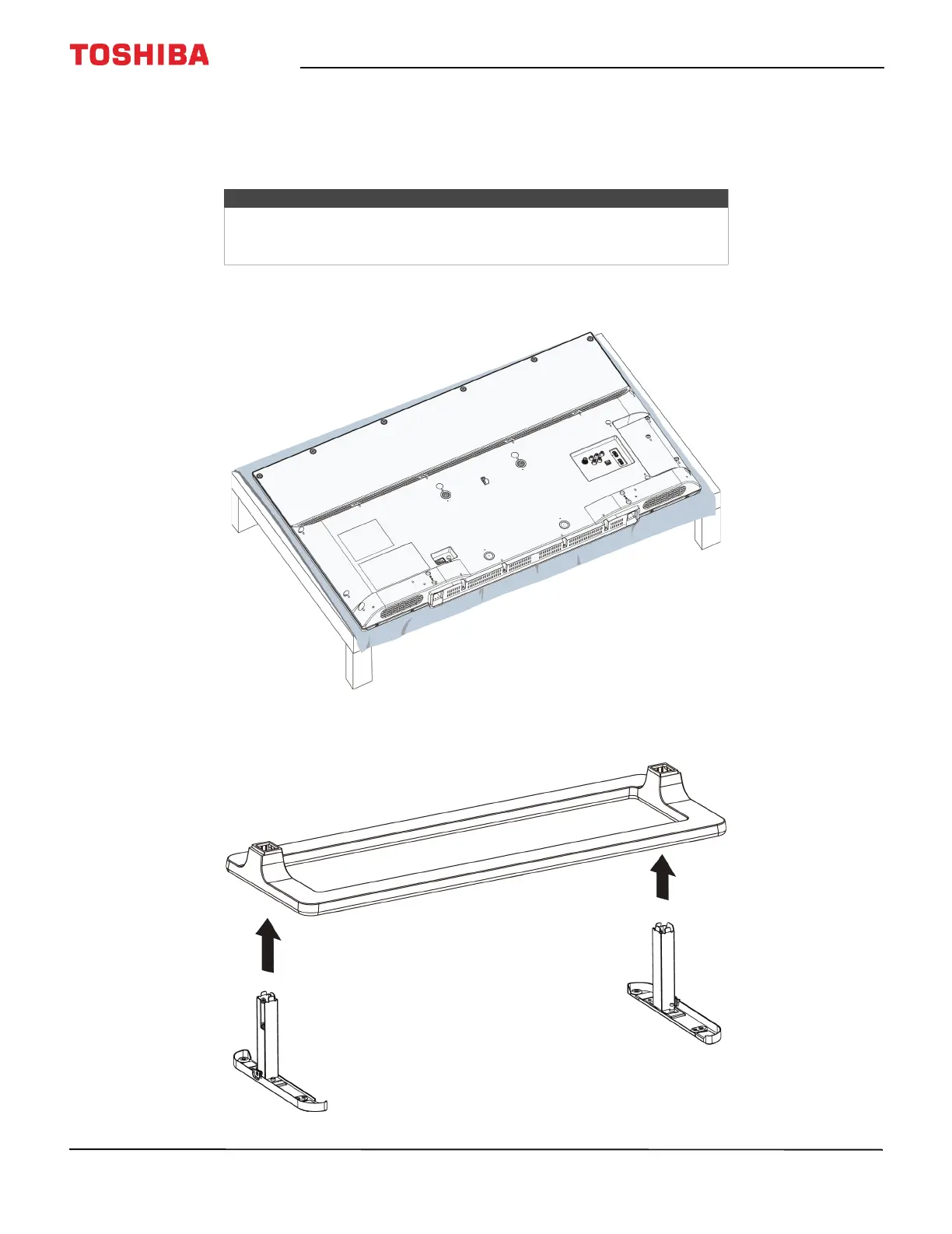
1 Carefully place your TV face-down on a cushioned, clean surface to protect the screen from damages and scratches.
2 Slide the TV stand over the stand legs. Make sure that the long parts of the TV stand and stand legs point in the same
direction.
Notes
• If you plan to wall-mount your TV, do not install the stand.
• Store the stand and stand screws in case you decide to use the stand in
the future.


 To Next Page
 Loading...