EasyManua.ls Logo

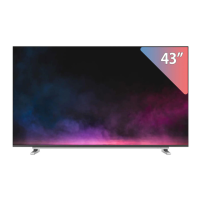
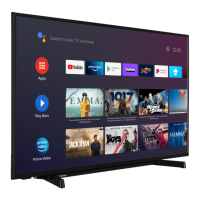
Toshiba 43V35KP - User Manual

Toshiba 43V35KP
25 pages
Print Icon
To Next Page IconTo Next Page
Loading...
32V35KP / 32E35KP
43V35KP / 43E35KP
Owner's Record
You will find the model number and serial
number on the back of the TV. Record these
numbers in the spaces provided below. Refer
to them whenever you call upon your Toshiba
dealer regarding this product.
Model number:
Serial number:
ES-A21080Z-1
Question and Answer IconNeed help?

Do you have a question about the Toshiba 43V35KP and is the answer not in the manual?

Summary

Important Safety Precautions

Installation Safety

Detailed instructions for secure TV installation, including stand and wall mounting.

General Usage Safety

Guidelines for safe placement of objects, liquid spills, and general usage precautions.

Service and Repair Safety

Procedures for self-repair prohibition, handling malfunctions, and contacting service technicians.

Getting Started

Accessories and Installation

List of included accessories and instructions for stand/wall mount installation.

Remote Control

Remote Control Buttons

Identifies and explains the function of each button on the remote control.

General Operation

Basic TV Operations

Powering the TV on/off, selecting input sources, and using the menu.

Picture and Sound Settings

Adjusting picture modes, display modes, and audio output options.

Settings

Display & Sound Configuration

Adjustments for picture modes, brightness, contrast, sound styles, and audio output.

Smart Functions

Troubleshooting

Self Diagnosis

Provides a table of common symptoms and their possible solutions for TV issues.

Toshiba 43V35KP Specifications

General IconGeneral
BrandToshiba
Model43V35KP
CategoryLCD TV
LanguageEnglish

Related product manuals