
 Need help?
Do you have a question about the Toshiba 55SL412U and is the answer not in the manual?
Read, keep, heed warnings, follow instructions, cleaning, ventilation, heat sources.
Precautions if the TV is dropped or damaged, including unplugging and contacting service.
Warnings about plugs, cords, and preventing electric shock.
Installation guidelines, avoiding heat, and product care instructions.
Proper TV placement, ventilation, securing, and cord management.
Warnings against self-servicing and referring to authorized providers.
Identifies and explains the function of buttons on the TV's front and side.
Details and diagrams of various input/output terminals on the TV's rear panel.
Covers fire, shock, moisture, ventilation, and handling warnings.
Tips for safe placement and use of flat panel displays to prevent injury.
Recommendations for safe wall mounting procedures and bracket selection.
Placement, ventilation, power cord routing, and equipment modification warnings.
Dangers of electrical shock, liquid spills, and touching cables during thunder.
Guidelines for selecting a suitable location for the TV, considering light and ventilation.
Descriptions of coaxial, A/V, component video, and HDMI cables and their uses.
Instructions for connecting VCRs, antennas, and camcorders to the TV.
Guide for connecting multiple devices like DVD players, VCRs, and satellite receivers.
Steps for connecting devices with HDMI or DVI outputs to the TV's HDMI input.
How to connect and control compatible audio/video devices using REGZA-LINK via HDMI.
Instructions for connecting external audio systems via the DIGITAL AUDIO OUT terminal.
Guide for connecting external analog audio amplifiers using standard audio cables.
How to connect a PC to the TV via PC IN or HDMI terminals for display and sound.
Explanation of each button on the remote control for TV operation.
Step-by-step guide for the first-time TV setup wizard.
How to select the correct input source for antenna or cable signals.
Process for scanning and storing available TV channels into memory.
Options for selecting audio output mode when using HDMI input.
How to switch between different connected video sources.
Accessing features like rating blocking, input lock, and panel lock via PIN.
Setting up V-Chip to block TV programs and movies based on ratings.
Accessing and viewing photos and playing music from a USB storage device.
Controlling connected A/V devices via HDMI using the TV remote.
Fine-tuning picture quality with Dynamic Contrast and Static Gamma.
Common issues like black screen, unresponsive controls, no power, and general picture problems.
Troubleshooting audio issues, including muted sound, MTS settings, and stereo/SAP problems.
Solutions for issues with the remote control, including battery replacement and responsiveness.
Resolving issues with channel memory, blocked channels, and digital channel tuning.
Three basic ways to receive an HDTV signal: Over-the-Air, Cable/Phone, and Satellite.
Instructions for connecting to TV's HD inputs using Antenna, HDMI, DVI, or Component Video.
 General
| Display diagonal | 55 \ |
|---|---|
| Native aspect ratio | 16:9 |
| Supported video modes | 1080p |
| 3D | No |
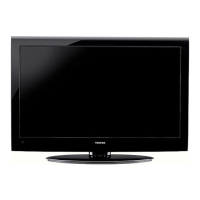
| Product color | Black |
| Panel mounting interface | 400 x 400 mm |
| Analog signal format system | - |
| RMS rated power | 7 W |
| Number of speakers | 2 |
| HDMI ports quantity | 3 |
| USB 2.0 ports quantity | 1 |
| Consumer Electronics Control (CEC) | Anynet+ |
| Sustainability certificates | ENERGY STAR |
| Package weight | 29500 g |
 Weight and Dimensions
| Depth (with stand) | 311.1 mm |
|---|---|
| Height (with stand) | 824.5 mm |
| Weight (with stand) | 26200 g |
| Depth (without stand) | 35.05 mm |
| Width (without stand) | 1287 mm |
| Height (without stand) | 780 mm |
| Weight (without stand) | 19500 g |


 To Next Page