EasyManua.ls Logo

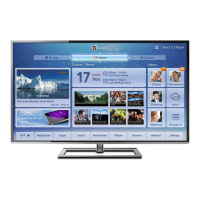
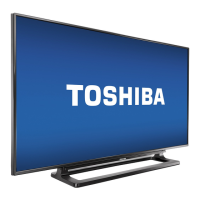
Toshiba 65L7300U - User Manual

Toshiba 65L7300U
186 pages
Print Icon
To Next Page IconTo Next Page
Loading...
Integrated High Definition LED
Television User’s Guide:
32L4300U / 39L4300U / 50L4300U
50L7300U / 58L7300U / 65L7300U
If you need assistance:
Toshiba's Support Web site support.toshiba.com
For more information, see “Troubleshooting” on page 160 in this guide.
Owner's Record
The model number and serial number are on the back and side of your television.
Record these numbers, whenever you communicate with your Toshiba dealer about
this Television.
Model name:
Serial number:
Register your Toshiba Television at register.toshiba.com
Note: To display a High Denition
picture, the TV must be receiving a
High Denition signal (such as an over-
the-air High Denition TV broadcast, a
High Denition digital cable program,
or a High Denition digital satellite
program). For details, contact your TV
antenna installer, cable provider, or
satellite provider
GMA300019010
3/13

Table of Contents

Other manuals for Toshiba 65L7300U

Questions and Answers

  • R
    Robin SandersAug 20, 2025
    What to do if my Toshiba 65L7300U LED TV will not turn on?
    • C
      Cynthia HopkinsAug 20, 2025
      If your Toshiba LED TV won't turn on, try these steps: First, test the AC wall outlet with another device. Second, ensure the power cord is properly plugged in, then press the POWER button. Third, replace the batteries in the remote. Finally, try the control panel buttons on the TV.
  • S
    Sonia ArmstrongAug 22, 2025
    What to do if my Toshiba 65L7300U LED TV remote control is not working?
    • T
      Tyler TaylorAug 22, 2025
      If your Toshiba LED TV remote control is not working, first remove any obstructions between the remote and the TV. Then, replace the remote's batteries. Ensure you are using the remote control that came with the device. As a last resort, perform the Reset Factory Defaults procedure.
  • M
    Mr. Kenneth HernandezAug 25, 2025
    Why does my Toshiba 65L7300U LED TV have picture problems?
    • D
      Derek DurhamAug 25, 2025
      If you are experiencing picture problems with your Toshiba LED TV, try the following: Check the antenna/cable connections. Press the INPUT button on the remote or TV to select a valid video input source. If applicable, use a highly directional outdoor antenna. Try another channel. Adjust the picture quality, and change the Sharpness value to increase the sharpness level.
  • S
    Sarah LunaAug 26, 2025
    How to fix sound problems on Toshiba 65L7300U LED TV?
    • W
      William HoffmanAug 27, 2025
      To fix sound problems on your Toshiba LED TV, check the antenna/cable connections. Try another channel. Also, make sure to press the VOL (+ -) buttons or the MUTE button.
  • M
    mkleinAug 28, 2025
    Why are the picture and sound out of sync on my Toshiba 65L7300U?
    • A
      Angela RasmussenAug 28, 2025
      If the picture and sound on your Toshiba LED TV are out of sync, try the following: Use the programmable audio delay feature to synchronize the sound to the picture. You may also inform your local broadcast, cable, or satellite provider. Check the settings of PC/HDMI 2 Audio. As a last resort, turn off and unplug the TV from the AC wall outlet for a few seconds, then plug it back in.
  • R
    Ronnie ConwayAug 30, 2025
    How to fix unstable network connection on Toshiba LED TV?
    • J
      Julie BuckAug 30, 2025
      To fix an unstable network connection on your Toshiba LED TV: Unplug and reconnect the LAN cables. Reboot the router. If possible, connect with LAN cables to check connection stability. Repeat the wireless network setup procedure and check connection stability.
  • D
    Donna GarciaSep 1, 2025
    What to do if Toshiba 65L7300U stops responding to controls?
    • G
      Gwendolyn RojasSep 1, 2025
      If your Toshiba LED TV stops responding to controls, unplug the TV from the AC wall outlet and plug it back in.
  • C
    Christine WilkersonSep 3, 2025
    Why does my Toshiba 65L7300U LED TV have poor or no color?
    • S
      Sabrina MarshallSep 3, 2025
      If your Toshiba LED TV has poor display color or no color, check for proper hookup connections between your devices. You can also try another channel.
  • T
    Tracy HendersonSep 5, 2025
    What to do if I have video input selection problems on Toshiba 65L7300U LED TV?
    • J
      Jonathan WhiteSep 5, 2025
      If you are experiencing video input selection problems on your Toshiba LED TV, press the INPUT button a second time.
  • D
    Dawn RogersSep 7, 2025
    How to fix closed caption problems on Toshiba 65L7300U?
    • T
      Thomas MckenzieSep 7, 2025
      To fix closed caption problems on your Toshiba LED TV, turn off the closed caption feature.

Summary

CHILD SAFETY: PROPER TELEVISION PLACEMENT MATTERS

Safety Precautions

WARNING: TO REDUCE THE RISK OF FIRE OR ELECTRIC SHOCK

Crucial warnings about protecting the appliance from moisture and avoiding electric shock.

Important Safety Instructions

A list of essential instructions for safe operation and maintenance of the TV.

Chapter 2: Connecting Your TV

Connecting an HDMI or DVI device to the HDMI input

Explains how to connect devices with HDMI or DVI outputs to the TV.

Connecting to a home network

Guides on connecting the TV to a home network via wired or wireless connections.

Chapter 4: Initial Setup and Menu

Performing the initial setup

Step-by-step guide for setting up the TV, including language and country selection.

Navigating the menu system

How to access and navigate the TV's on-screen menu system.

Chapter 5: Setting up your TV

Chapter 8: Advanced features

Using your home network

Connecting the TV to a home network for sharing media and accessing online content.

Setting up the Network

Step-by-step guide for configuring wired or wireless network connections.

Chapter 10: Troubleshooting

General troubleshooting

Initial steps to resolve common TV issues before calling service.

Picture problems

Solutions for common issues related to picture display and quality.

Network problems

Troubleshooting network connectivity and setup issues.

Toshiba 65L7300U Specifications

General IconGeneral
Display diagonal65 \
Native aspect ratio16:9
LED backlighting type-
Supported video modes1080p
Supported graphics resolutions1920 x 1080 (HD 1080)
3DNo
HDMI ports quantity4
DVI-D ports quantity0
USB 2.0 ports quantity2
Component video (YPbPr/YCbCr) in1
Smart modesDynamic, Game
Lifestyle appsSkype
Product colorBlack
Panel mounting interface400 x 400 mm
Power consumption (standby)0.3 W
Power consumption (typical)94.3 W
Sustainability certificatesENERGY STAR
Package depth966 mm
Package width1728 mm
Package height176 mm
Package weight43550 g
Cables includedAC
Weight and Dimensions IconWeight and Dimensions
Depth (with stand)359 mm
Height (with stand)938 mm
Weight (with stand)36150 g
Depth (without stand)74 mm
Width (without stand)1471 mm
Height (without stand)854 mm
Weight (without stand)33570 g

Related product manuals