71
Getting Started
Hard Drive Recovery Utilities
5.375 x 8.375 ver 2.3
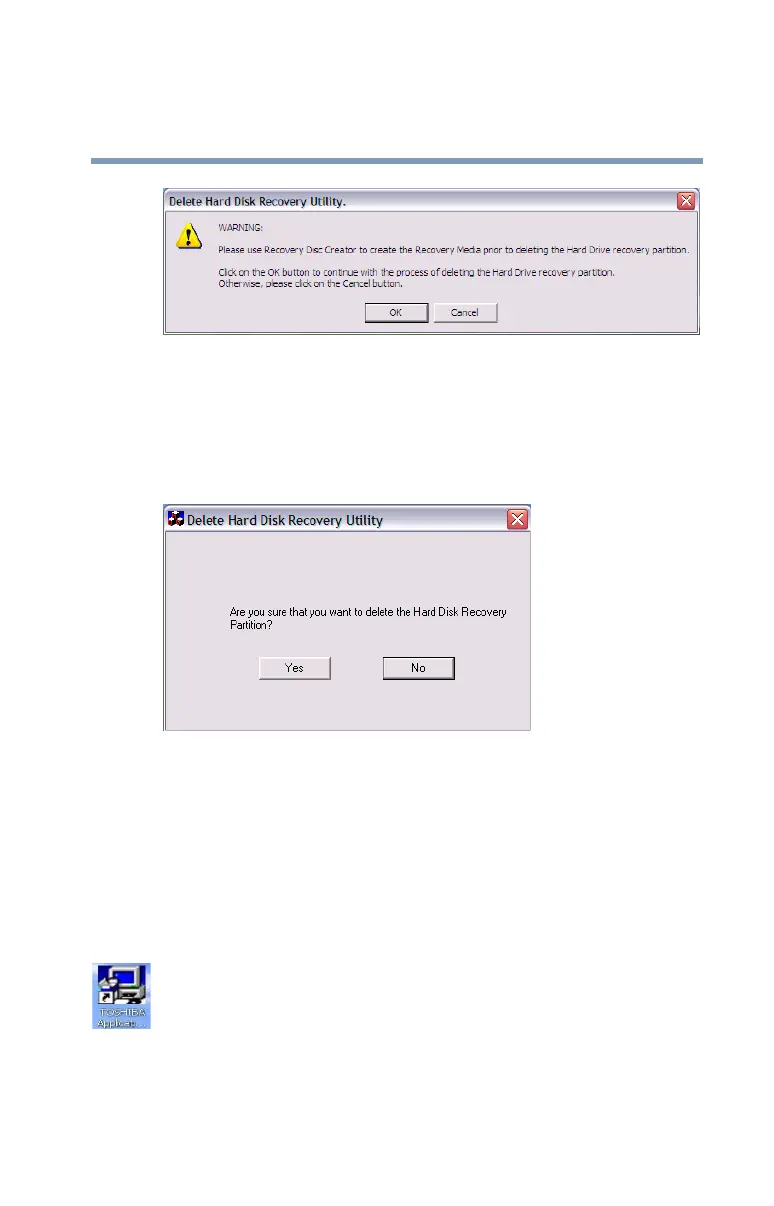
Sample Delete Hard Disk Recovery Utility screen
2 Click OK to continue.
3 When the following warning screen displays, click OK to
confirm.
Sample Delete Hard Disk Recovery Utility confirmation
screen
Installing drivers and applications
The TOSHIBA Application Installer allows you to reinstall
the drivers and applications that were originally bundled with
your computer.
To reinstall drivers and applications:
1 Double-click the Toshiba Application Installer icon on the
Windows desktop. You can also launch the application by
clicking Start, All Programs, then Hard Disk Recovery
Utilities.


 To Next Page