This document is the owner's manual for a Toshiba fully automatic washing machine, model AW-K731APH. It provides comprehensive instructions for installation, operation, and maintenance of the appliance, ensuring safe and efficient use.
Function Description
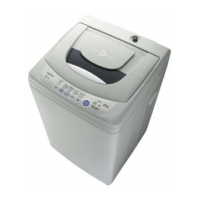
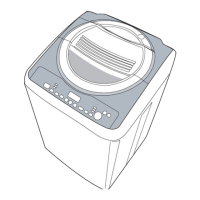
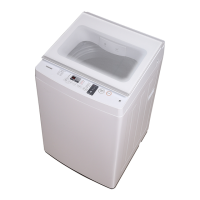
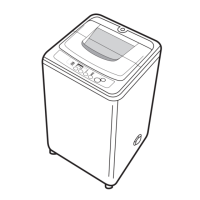
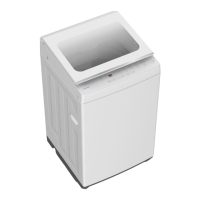
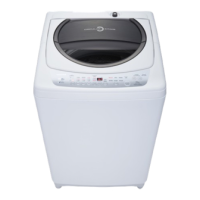
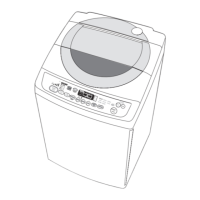
The Toshiba AW-K731APH is a fully automatic washing machine designed for household use. It automates the entire laundry process, from washing to spinning, with various customizable settings to suit different fabric types and user preferences. The machine features a top-loading design with a glass lid, a control panel for program selection, and a softener case for dispensing fabric softener during the rinse cycle.
Usage Features
The washing machine offers a range of features to enhance the user experience and optimize washing performance:
Control Panel and Display:
The control panel includes buttons for "On/Off," "Start/Hold," "Course1 & Course2," "Option," "Water Level," "Preset," and "Process." A digital display shows current settings, estimated remaining time, selected options, and status messages throughout the cycle.
Washing Courses:
The machine provides several washing courses tailored to different laundry needs:
- SPEED: Suitable for lightly stained clothes.
- DELICATE: Features mid/high/low water level selection, soft tempo, and slow washing/spinning speeds to minimize wear and deformation for delicate fabrics.
- MEMORY: Allows users to recall their last chosen settings. After powering on, selecting the memory course will bring up the previously stored cycle.
- TUB CLEAN: Designed for cleaning the inner and outer surfaces of the drum and the pulsator through intermittent spinning, removing dirt and residue.
- REGULAR: A standard fabric washing program with one wash, two rinses, and a longer spin time.
- JEANS: Specifically designed for washing denim fabrics.
- BLANKET: Offers a longer wash time and stronger water action for better cleaning of blankets.
- HEAVY WASH: Intended for heavily stained or thick clothes.
Personalized Settings:
Users can personalize various settings to match their specific needs:
- Water Level: Manually adjustable according to clothing categories, weight, and washing preferences.
- Set (Soak/Wash/Spin Time, Rinses): Allows selection of soaking time, washing time, number of rinses, and spinning time.
- Process (Soak, Wash, Rinse, Spin): Users can choose to perform individual processes like soaking, washing, rinsing, or spinning, or combine them as desired. The manual provides detailed steps for setting these combinations, including parameters for soak (0-60 minutes), wash (15-20 minutes), rinse (1-4 times), and spin (1-9 minutes).
Fuzzy Weighting Function:
The machine automatically selects the appropriate water level based on the load weight. This function is not available if there is already water in the tub or if the user manually selected the water level before pressing "Start/Hold." It is active for "REGULAR," "JEANS," "MEMORY," and "HEAVY WASH" courses.
Preset Function:
Allows users to set a delayed start time for the washing operation. The preset time must be set before starting the course. If the course has already started, the "On/Off" button must be pressed to reset the course and then set the preset time.
Child Proof Function:
To prevent accidental operation by children, this function can be activated by pressing two specific buttons simultaneously. When active, all buttons except "On/Off" are locked. If the lid is opened during operation with "CHILD PROOF" on, the buzzer will beep, water supply will stop, wash/spin operations will cease, and water will drain from the tub for approximately 20 seconds.
Detergent and Softener Usage:
The manual provides guidelines for recommended detergent amounts based on load capacity and water level. For powder detergent that may form clusters, it is suggested to dilute it with water before pouring to prevent clogging. Fabric softener should be added to the dedicated softener case, and it will be automatically dispensed during the final rinse. Concentrated softener should be diluted before use.
Preparation Before Washing:
Before starting a wash cycle, users are advised to:
- Check clothing labels and detergent instructions.
- Use low-density detergent suitable for washing machines.
- Empty all pockets of sharp or rigid items to prevent damage.
- Tie tassels into knots, fasten zippers and buttons.
- Put small clothes into a laundry net.
- Turn clothes inside out if they easily form fiber or have long strands.
- Segregate clothes by texture or material.
- Avoid washing single pieces of clothing to prevent imbalance; add one or two more items for smoother spinning.
- Do not wash clothes stained with flammable materials like kerosene, gasoline, or alcohol.
Maintenance Features
Regular maintenance is crucial for extending the washing machine's lifespan and ensuring optimal performance:
Cleaning and Care:
- Safety First: Always unplug the machine and close the tap before any maintenance.
- Cabinet Cleaning: The exterior can be cleaned with diluted non-abrasive neutral detergents. Any water overflow should be wiped immediately with a wet cloth. Avoid using formic acid, alcohol, solvents, or chemical products.
- Inlet Filter Cleaning: If water pressure drops, the inlet filter needs cleaning. This involves unscrewing the inlet hose, pulling out the filter with pliers, cleaning it with a brush, and then reconnecting the hose.
- Lint Filter Cleaning: The built-in lint filter should be cleaned every 10 cycles. It needs to be taken out, cleaned with water, and then placed back into the washer.
Troubleshooting:
The manual includes a comprehensive troubleshooting guide to address common issues:
- No Washing: Checks for power, sufficient water level, and "Preset" mode activation.
- No Water Flow: Checks for power, fuse, water supply, water pressure, proper inlet hose connection, open water tap, and clogged inlet valve filter.
- Abnormal Draining: Checks for the drain hose being placed too high or immersed/blocked in a pool of water.
- Abnormal Spin: Checks for a closed top lid, unbalanced load, too many clothes, or an unstable/inclined machine.
- Error Codes (E1-E5, FXX): Provides specific solutions for alarm codes related to abnormal water filling (E1), unfinished water draining (E2), open lid (E3), unbalanced wash load (E4), and dangerous faults (E7-1 to E7-5). For E7 errors, users are advised to call for service. If problems persist after checking, contact the service center. Some E1-E4 alarms may require pressing the "Start" button to clear.



 To Next Page
 General