1 TROUBLESHOOTING FOR THE HARDWARE
26 Clearing a Paper Misfeed
4
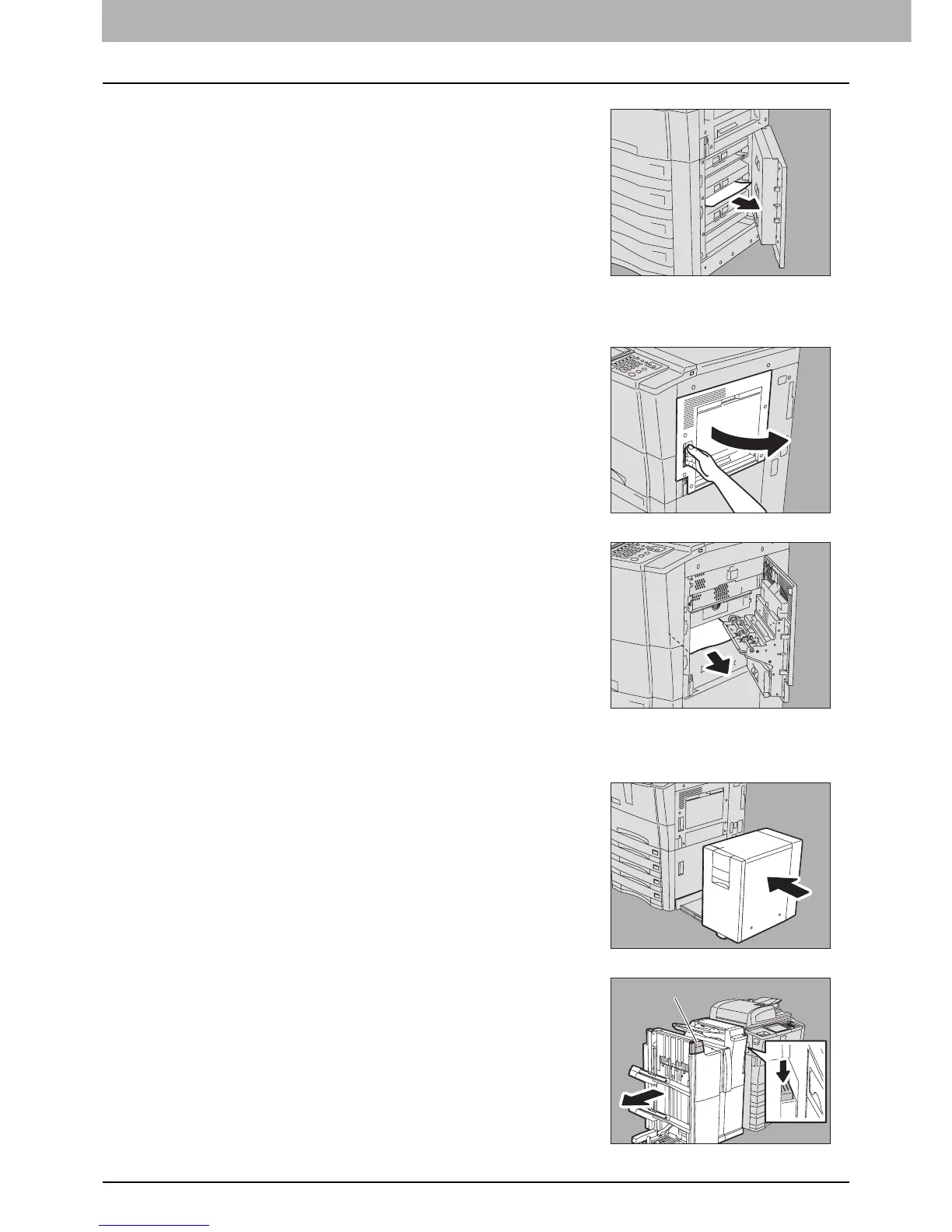
Close the feeder cover.
7
Close the bypass cover.
3
Remove the misfed paper from the drawer.
5
Open the bypass cover on the upper right of the
equipment.
6
Remove the misfed paper.
8
When the External Large Capacity Feeder (optional)
is installed, connect it with the equipment.
Move it slowly placing your hands on the point shown in the figure.
9
When the finisher (optional) is installed, separate it
from the equipment while pushing the lock lever.
Place your hand on portion A in the figure and then move the finisher
carefully.
A



 To Next Page
 Loading...
