EasyManua.ls Logo

Toshiba FT-8801A - User Manual

Toshiba FT-8801A
37 pages
Print Icon
To Next Page IconTo Next Page
Loading...
Preparation Basics Caller ID/Call waiting
Additional Information
2
FT-8801A.qxd 7/13/1 10:40 AM Page 1

Other manuals for Toshiba FT-8801A

Questions and Answers

  • J
    Jamie WhiteheadAug 20, 2025
    How to fix noise and interference on Toshiba Cordless Telephone?
    • P
      Peter PenaAug 20, 2025
      Noise or interference on your Toshiba Cordless Telephone can stem from several sources. Try these solutions: * Move the handset closer to the base unit. * Recharge the handset by placing it on the base unit. * Relocate the base unit to another outlet to avoid interference. * Press CH to select a clearer channel, or relocate the base unit away from potential sources of interference like TVs, microwave ovens, computers, and other electrical appliances. * Check with another telephone to rule out excessive line noise. * Reduce the volume to a lower setting. * Ensure the base antenna is in a vertical position.
  • K
    Kayla MoralesAug 22, 2025
    What to do if Toshiba Cordless Telephone handset doesn't ring?
    • J
      jonesashleyAug 22, 2025
      If your Toshiba Cordless Telephone handset does not ring or receive a page, it might be due to the handset being too far from the base or the battery being discharged; return the handset to the base to charge when you are finished with your call. Alternatively, the digital security code might have changed; remove the handset from the base unit, press and hold the PAGE button, and while the handset is emitting a signal, return it to the base unit.
  • J
    Jason ChungAug 26, 2025
    Why does the battery pack on my Toshiba Cordless Telephone drain quickly?
    • R
      Ronald AdamsAug 26, 2025
      If the battery pack on your Toshiba Cordless Telephone becomes low quickly, it could be because the battery was not fully charged during the initial charging. To resolve this, charge the battery for 12 to 16 hours without any interruption. If the battery is several years old, it may also be the cause; in this case, replace it with a new battery.
  • C
    Christopher GonzalesAug 28, 2025
    How to troubleshoot Toshiba Cordless Telephone handset battery not charging?
    • L
      leonardmorganAug 28, 2025
      If your Toshiba Cordless Telephone handset battery pack is not charging, start by cleaning the charging contacts of both the handset and the base with a dry cloth. Ensure that the battery is installed correctly, paying attention to the polarity. If the battery is old (several years), consider replacing it with a new one.
  • M
    Michael ZimmermanAug 31, 2025
    What to do if CHARGE LED doesn't light on Toshiba Cordless Telephone?
    • R
      Rebecca WrightAug 31, 2025
      If the CHARGE LED does not light up when you place the handset on the base of your Toshiba Cordless Telephone, first, ensure that the charging contacts on both the handset and the base are clean; if they are not, clean them with a dry cloth. Also, check that the AC adapter of the base unit is firmly plugged into both the base unit and a working AC 120V outlet. Finally, make sure the handset is properly placed on the base.
  • A
    Anna WhiteSep 2, 2025
    Why doesn't my Toshiba Cordless Telephone show Caller ID?
    • D
      Dr. Sherri LesterSep 2, 2025
      The Toshiba Cordless Telephone may not display Caller ID/Call Waiting data for several reasons. First, ensure that you have subscribed to Caller ID/Caller ID on Call Waiting services with your local telephone company. You might also be answering the call too quickly; let the phone ring twice before answering. Additionally, the battery may not be fully charged; ensure the battery is fully charged.
  • D
    Daniel BurnettSep 5, 2025
    What does it mean when the low battery light is blinking on my Toshiba Cordless Telephone?
    • J
      Jessica JacksonSep 5, 2025
      If the low battery indicator is blinking on the display of your Toshiba Cordless Telephone, it means the battery is low. Return the handset to the base to recharge it.
  • J
    Jeffrey ReynoldsSep 8, 2025
    How to reset Toshiba Cordless Telephone that is not working?
    • P
      Paige BanksSep 8, 2025
      If your Toshiba Cordless Telephone unit is not operating properly, try resetting it. Disconnect the AC adapter and then reconnect it after a few seconds.
  • N
    nancydavisSep 12, 2025
    Why aren't Auto talk and Any-key features working on Toshiba Cordless Telephone?
    • J
      jenkinsjamieSep 12, 2025
      If the Auto talk and Any-key features are not working on your Toshiba Cordless Telephone, the Auto talk feature may have been set to OFF. Set this feature to ON, which will automatically set the Any-key feature to ON as well.
  • J
    James ClarkSep 13, 2025
    Why does my Toshiba Cordless Telephone squeal when I return it to the base?
    • M
      Michele DavidsonSep 13, 2025
      A momentary squeal or howling sound may be heard when the handset of your Toshiba Cordless Telephone is returned to the base unit with the volume level set at High, this is normal. You can prevent this by changing the volume setting to Medium or Low before returning the handset to the base unit.

Summary

Preparation

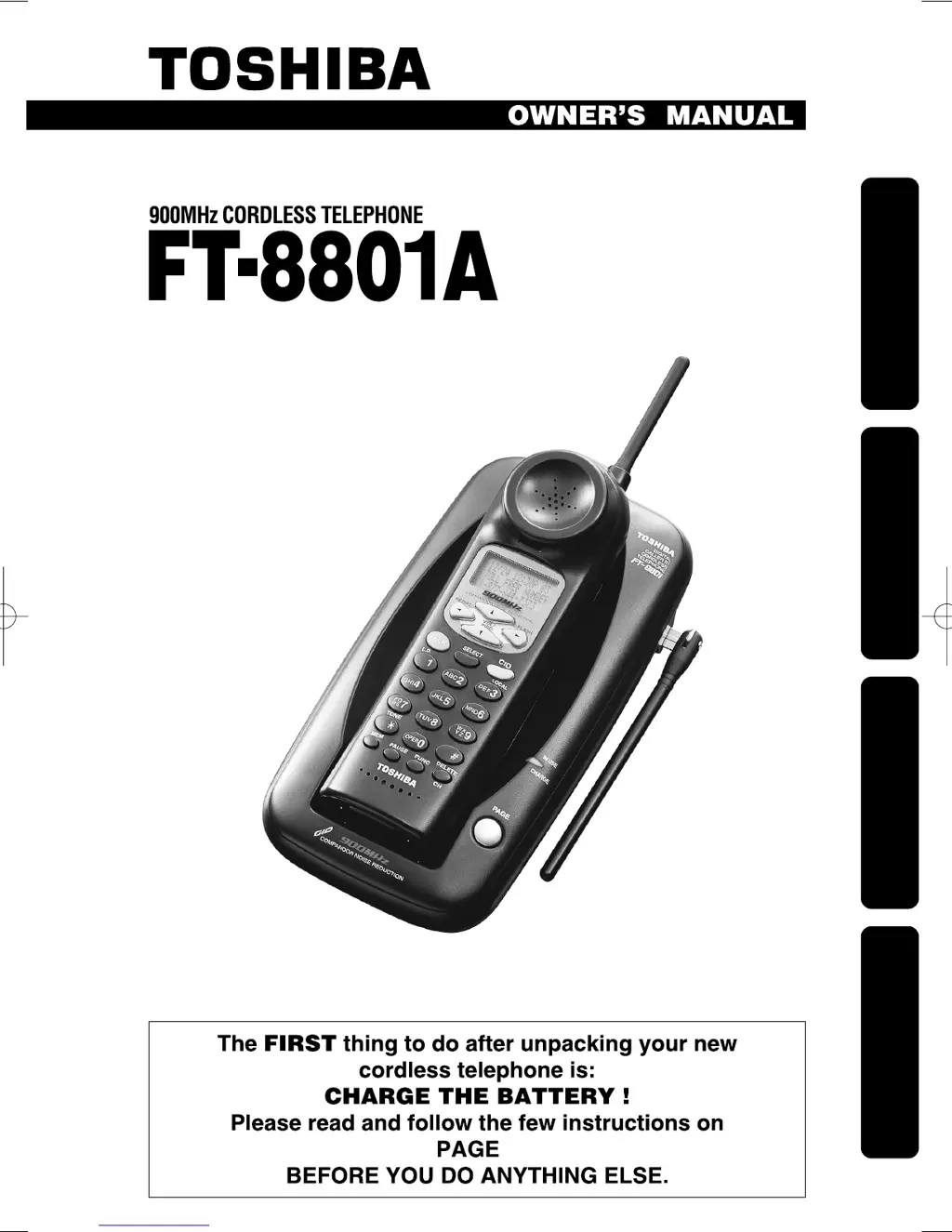
Introduction to the Toshiba FT-8801 A

Overview of the Toshiba 900 MHz cordless telephone, its features, and design.

Key Features of the FT-8801 A

Lists the primary features of the 900 MHz cordless telephone, including display, channels, and memory.

Essential Safety Precautions

Provides critical safety guidelines to reduce risks of fire, electric shock, and injury during operation.

Handset and Base Unit Controls

Identifies and explains the buttons and indicators on the handset and base unit.

Setting Up the Base Unit (Desk Top)

Instructions for setting up the base unit for desk mounting and AC adapter connection.

Setting Up the Base Unit (Wall Mount)

Step-by-step guide for mounting the telephone base unit on a wall plate.

Charging the Battery Pack

Detailed procedure for charging the cordless telephone's battery pack before first use.

Setting the Dial Mode

Guide on how to set the telephone for tone or pulse dialing based on your service.

Configuring Auto Talk and Caller ID

Instructions for enabling/disabling Auto Talk and Caller ID on Call Waiting features.

Setting the Area Code

Procedure to program the local area code for proper Caller ID display.

Basics

Making and Receiving Calls

Explains how to initiate and answer calls using the handset on or off the base unit.

Redial, Out of Range, and Call Waiting

Details redialing, handling out-of-range situations, and using the call waiting feature.

Handset Volume Settings

Instructions on adjusting earpiece and ringer volumes on the handset.

Tone;Pause and Interference Management

How to use tone dialing, pauses, and manage interference or static.

Paging the Handset

Guide on how to locate the misplaced handset using the page function.

Storing Numbers in Memory

Steps to store up to 10 telephone numbers with names into memory.

Entering Names and Special Characters

Guide on using the keypad to enter names and special characters for memory storage.

Dialing Stored Numbers

How to retrieve and dial numbers stored in the memory.

Editing and Deleting Stored Numbers

Instructions for modifying or removing entries from the memory.

Caller ID;Call Waiting

Answering Calls with Caller ID

How to view and manage incoming calls using Caller ID service.

Overview of CIDCW Service

Explains Caller ID on Call Waiting (CIDCW) and its service requirements.

Searching Caller ID Memory

How to review the list of received calls and their Caller ID information.

Calling Back from Caller ID List

Procedure to call back a number directly from the Caller ID list.

Editing Caller ID Data

How to modify Caller ID information before making a call or storing it.

Storing Caller ID to Speed-Dial

Guide to save Caller ID numbers into the phone's speed-dial memory.

Deleting Caller ID Data

Instructions on how to delete individual or all Caller ID records.

Using Call Waiting Feature

How to switch between calls when using the Call Waiting feature.

Additional Information

Troubleshooting Common Issues

Provides solutions for frequent problems like battery charging, call reception, and low battery indicators.

Service Requirements and Instructions

Details service requirements, user responsibilities, and general instructions for telephone equipment.

FCC Compliance and Interference Notes

Explains FCC regulations, connection to phone lines, and potential interference issues.

Limited Warranty and Service Procedures

Outlines the one-year limited warranty for parts and labor, and how to obtain service.

Toshiba FT-8801A Specifications

General IconGeneral
Frequency900 MHz
Number of Handsets1
Caller IDYes
DisplayLCD
Battery LifeUp to 7 hours talk time, 5 days standby
Answering MachineYes

Related product manuals