Need help?
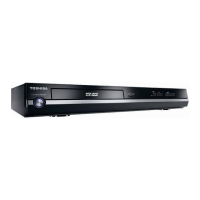
Do you have a question about the Toshiba HD-A2KU and is the answer not in the manual?
Guidance on safely handling the player and discs.
Instructions for short and prolonged periods of non-use.
Advice on proper placement to ensure optimal performance and safety.
Recommendations for cleaning the player's exterior surfaces.
Information on preventing damage from moisture buildup inside the unit.
Legal information regarding unauthorized use and distribution of content.
Details on playing high-density HD DVD video discs.
List of disc formats supported for playback.
Information on accessing special HD DVD sites via broadband.
Description of HDMI and Component output connections.
Important considerations for disc and connection compatibility.
Essential requirements and restrictions for optimal performance.
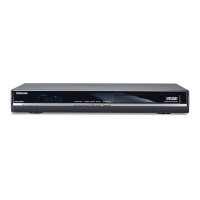
Identification and function of buttons and indicators on the front panel.
Overview of all input and output ports on the rear of the unit.
Explanation of symbols and information shown on the player's display.
Diagram and description of the remote control buttons and their functions.
Step-by-step instructions for inserting batteries into the remote.
Guidelines for effective use of the remote control.
How to set up the remote to control your TV.
Instructions for using the remote to control the TV.
Guide on how to connect the player to your television set.
Instructions for connecting the player to an AV receiver or amplifier.
Information on playable disc types and formats.
Steps for powering up the unit and inserting discs.
Basic instructions for starting and controlling disc playback.
How to choose different audio languages or formats.
Guide on enabling and choosing subtitle languages.
How to change camera angles for scenes with multiple views.
Options for fast forward, rewind, slow motion, and frame-by-frame playback.
How to resume playback from the last stopped position.
How to set up repeat playback for sections or the entire disc.
Information on the player's extension ports for future use.
How to use the cursor for interactive disc content.
How to view current operational status and settings.
Overview of the player's internet capabilities and usage.
Steps for connecting the player to a network.
How to use the player's internet features.
How to adjust player settings for personalized performance.
Adjusting video output shape, black level, and picture mode.
Configuring digital audio output formats and enhancements.
Selecting preferred languages for menus, subtitles, and audio.
Configuring network settings for internet connectivity.
Managing parental lock, clock, and remote control sounds.
Setting the player's clock and screen saver options.
Options for initializing, updating firmware, and handling twin format discs.
A list of language abbreviations used in the manual.
Chart detailing audio output formats for different discs and connections.
Legal information regarding software components included with the player.
Solutions for common problems encountered during use.
Technical details and specifications of the HD DVD player.
Details of the warranty coverage for the product.
Steps to follow for obtaining warranty repair or service.
Contact details for obtaining customer support and updated information.
 General
| Brand | Toshiba |
|---|---|
| Model | HD-A2KU |
| Category | DVD Player |
| Language | English |

 To Next Page