
 Need help?
Do you have a question about the Toshiba IK-CU44A and is the answer not in the manual?
Instructions for customer to record serial number for reference.
FCC compliance and user cautions regarding operation and modifications.
Explains warning, caution symbols, and graphic symbol meanings for safe operation.
Lists critical safety instructions for stopping operation, avoiding water, and self-repair.
Cautions on product placement, environment, and avoiding misuse.
Legal disclaimer on liability and copyright notice regarding image use.
Lists the camera control unit and included accessories.
Detailed specifications for power, sensor, resolution, output, and physical dimensions.
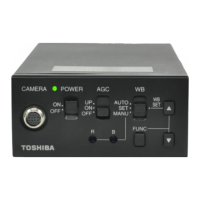
Diagram and labels of the camera control unit's front panel controls and terminals.
Detailed explanations of each terminal on the camera control unit.
Explanations of the functions of controls like POWER, AGC, WB, and FUNC buttons.
Illustrates a typical setup for connecting the camera control unit to a monitor and power.
Important notes for connecting cables, power supply, and preventing damage.
Shows the layout and function of back panel terminals.
Details pin assignments for DC IN, S-VIDEO, REMOTE, and IRIS connectors.
Specific instructions and table for connecting an auto-iris lens.
Instructions on how to securely mount the camera control unit using screws.
Explanation of AGC modes (OFF, ON, UP) and their impact on sensitivity and noise.
Guide to setting white balance using AUTO, SET, and MANU modes for correct color tone.
Detailed steps for setting white balance in SET and MANU modes.
Details how the FUNC LOCK switch protects settings from accidental changes.
Overview of using the FUNC button and UP/DOWN buttons to navigate the menu.
How to select and manage Scene Files A and B for different shooting conditions.
Configuration of electronic shutter (AUTO, manual speeds, SS) and backlight correction.
Details for LEVEL, BLC, and PEAK:AVE settings within AUTO shutter mode.
Explains how to set synchronized scan timing for the electronic shutter.
How to adjust the pedestal level for video signal output.
How to adjust phase matching for external sync signals.
How to set a common measurement area for AGC and auto electronic shutter.
How to set measurement area independently for white balance.
How to set measurement area for AGC and auto electronic shutter.
Adjusting white balance offset for color shifts in SET mode.
Resetting scene file settings to factory defaults.
How to exit the menu and store settings in the camera.
Specifies input signal conditions and frequency range for external synchronization.
Guidance on adjusting H and SC phases for synchronized camera operation.
Cautions on careful handling, proper environment, and storage of the unit.
Guidelines for cleaning the unit and lens, and avoiding specific cleaning agents.
Guide to diagnosing and resolving common problems like no picture or poor color.
Lists available optional camera heads for purchase.
Diagram showing the physical dimensions and mounting hole details of the unit.
Instructions for setting the internal switch for different camera head compatibility.
Step-by-step guide on how to claim warranty service and required documentation.
Details user responsibilities, warranty exclusions, and legal limitations.
 General
| Brand | Toshiba |
|---|---|
| Model | IK-CU44A |
| Category | Control Units |
| Language | English |

 To Next Page