This document is an owner's manual for a Toshiba R32 or R410A Inverter Air Conditioner (Split Type), designed for general public use. It covers both indoor and outdoor units, with specific model numbers listed for each. The manual provides essential information on safety precautions, unit display, preparation before use, various operation modes, maintenance, troubleshooting, and remote control settings.
Safety Precautions
The manual emphasizes safety with sections classified as DANGER, WARNING, and CAUTION. It states that the appliance is filled with R32 refrigerant. Key safety instructions include:
- Keeping the manual accessible.
- The appliance is intended for expert or trained users in shops, light industry, farms, or commercial use by lay persons.
- Do not install, repair, open, or remove the cover due to dangerous voltages; this should be done by a dealer or specialist.
- Turning off the power supply does not prevent electric shock.
- Installation must comply with national wiring regulations, including a disconnection means with at least 3 mm contact separation in all poles.
- The appliance must be stored in a room without continuous ignition sources (e.g., open flames, gas appliances, electric heaters).
- Do not operate the unit near harmful gases (flammable or corrosive) to avoid fire, explosion, or injury.
- Avoid prolonged direct exposure to cool or warm air.
- Do not insert fingers or objects into the air inlet/outlet.
- In case of abnormality (e.g., burning smell), stop the unit and disconnect power.
- The appliance can be used by children aged 8 and above, and persons with reduced physical, sensory, or mental capabilities, or lack of experience, if supervised and instructed on safe use and understanding of hazards. Children should not play with the appliance or perform cleaning/maintenance without supervision.
- Installation, maintenance, repair, and removal must be performed by a qualified installer or service person.
- Do not use refrigerants different from the specified outdoor unit to prevent abnormally high pressure, product failure, explosion, or injury.
- Do not use means to accelerate defrosting or clean other than those recommended by the manufacturer.
- Be aware that refrigerants may not have an odor.
- Do not pierce or burn the pressurized appliance. Avoid exposing it to heat, flames, sparks, or other ignition sources to prevent explosion, injury, or death.
- Do not wash the unit with water to avoid electric shock.
- Do not use the air conditioner for purposes like preserving food or breeding animals.
- Do not step or place objects on the indoor/outdoor unit to prevent injury or damage.
- Avoid touching aluminum fins to prevent injury.
- Turn off the main switch or circuit breaker before cleaning or when the unit will not be used for a long time.
- Maintenance by a specialist is recommended for units operated for a long time.
- The manufacturer is not liable for damage caused by not following the manual's instructions.
Function Description
The Toshiba air conditioner offers various operation modes and features to ensure comfort and energy efficiency.
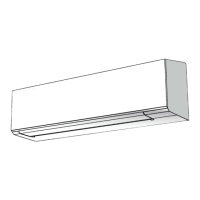
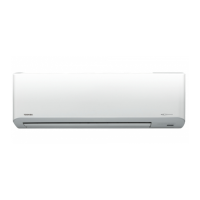
Indoor Unit Display:
The indoor unit features indicator lights for:
- ECO (White)
- Wi-Fi access (White) (requires a Wireless LAN connecting adapter)
- Hi-Power (White)
- Timer (White)
- Operation (White)
Display brightness can be adjusted.
Preparation Before Use:
- Filters: Open the air inlet grille, remove, attach, and reinstall the air filters as detailed in the accessory sheet.
- Remote Control: Load two AAA batteries into the remote control, observing polarity. To reset the remote control, remove batteries, press the reset button, and reinsert batteries.
Air Flow Direction:
- Vertical: Use the "FIX" button on the remote control to move the louver to the desired vertical direction.
- Swing: Use the "SWING" button to automatically swing the air; press again to stop.
- Horizontal: Adjust manually.
- Note: Do not manually move the louver. The louver may automatically position itself in some operation modes.
Remote Control:
The remote control features buttons for:
- Infrared signal emitter
- Start/Stop
- Mode select (MODE)
- Temperature (TEMP)
- Fan speed (FAN)
- Swing louver (SWING)
- Set louver (FIX)
- Off timer (OFF)
- High power (Hi-POWER)
- ECO/SILENT
- Clear (CLEAR)
- Check (CHECK)
Automatic Operation:
- Select "A" mode using the MODE button.
- Set the desired temperature (Min. 17°C, Max. 30°C).
- Select AUTO, LOW, LOW+, MED, MED+, HIGH, or QUIET fan speed.
Cooling / Heating / Fan Only Operation:
- Select Cool, Heat, or Fan only mode using the MODE button.
- Set the desired temperature (Min. 17°C, Max. 30°C for Cooling/Heating; no temperature for Fan Only).
- Select AUTO, LOW, LOW+, MED, MED+, HIGH, or QUIET fan speed.
Dry Operation:
- Select Dry mode using the MODE button for dehumidification.
- Set the desired temperature (Min. 17°C, Max. 30°C).
- Note: Fan speed is automatically set to Auto in Dry mode.
Hi-Power Operation:
- Press the Hi-POWER button to automatically control room temperature and airflow for faster cooling or heating (except in DRY and FAN ONLY mode).
- The Hi-POWER symbol will appear on the remote control display.
ECO / Silent Operation:
- ECO Operation: Press the ECO/SILENT button to activate energy-saving control (except in DRY and FAN ONLY mode).
- Cooling: Set temperature increases by 1 degree/hour for 2 hours (max 2 degrees).
- Heating: Set temperature decreases.
- Silent Operation: Press the ECO/SILENT button to reduce outdoor sound level (except in DRY and FAN ONLY mode).
- Note: Heating or Cooling capacity is still prioritized for comfort.
- The ECO and SILENT operation symbols will appear on the remote control display.
Timer Operation:
- Setting the OFF timer:
- Press OFF to enter OFF timer setting.
- Press TEMP to select the desired timer duration (0.5 - 12 hours).
- Press OFF to set the OFF timer.
- Press OFF again to cancel the OFF timer.
- The TIMER OPERATION symbol will appear on the remote control display.
Display Lamp Brightness Adjustment:
- Press and hold FAN for 3 seconds until brightness levels (d0, d1, d2, or d3) are shown on the remote control LCD.
- Use TEMP buttons to adjust brightness in 4 levels (100%, 50%, 50% with operation lamp off, or all lamps off).
- For d1 and d0, the lamp illuminates for 5 seconds before turning off.
Temporary Operation:
- If the remote control is misplaced or discharged, press the RESET button on the indoor unit to start or stop the unit.
- Operation mode is set to AUTOMATIC, preset temperature to 24°C, and fan speed to automatic.
Auto Restart Operation:
- This feature automatically restarts the air conditioner after a power failure (if the unit's power is on).
- Setting: Press and hold the RESET button on the indoor unit for 3 seconds (3 beeps, OPERATION lamp blinks 5 times/sec for 5 seconds).
- Canceling: Press and hold the RESET button on the indoor unit for 3 seconds (3 beeps, but OPERATION lamp does not blink).
- Note: Auto Restart Operation does not activate if ON or OFF timers are set.
Self Cleaning Operation (Cool and Dry Operation Only):
- To prevent bad smells caused by humidity in the indoor unit:
- If theن button is pressed once during "Cool" or "Dry" mode, the fan will continue to run for 30 minutes, then turn off automatically, reducing moisture in the indoor unit.
- To stop the unit immediately, press theن button more than 2 times within 30 seconds.
Manual Defrost Operation:
- To defrost the outdoor unit's heat exchanger during Heating operation:
- Press and hold HIPOWER for 5 seconds. The remote control display will show "dF" for 2 seconds.
Maintenance Features
General Maintenance:
- Circuit Breaker: Always turn off the circuit breaker first.
- Indoor Unit and Remote Control: Clean with a wet cloth when needed. Do not use benzine, thinner, polishing powder, or chemically-treated duster.
- Air Filters: Clean every 2 weeks.
- Open the air inlet grille.
- Remove the air filters.
- Vacuum or wash and then dry them.
- Reinstall the air filters and close the air inlet grille.
Troubleshooting (Check Point)
The manual provides a troubleshooting guide for common issues:
Unit Does Not Operate:
- Check if the power main switch is off.
- Check if the circuit breaker is activated.
- Check for electric current stoppage.
- Check if the ON timer is set.
Cooling or Heating Is Abnormally Low:
- Check if filters are blocked with dust.
- Check if the temperature has been set improperly.
- Check if windows or doors are open.
- Check if the air inlet or outlet of the outdoor unit is blocked.
- Check if the fan speed is too low.
- Check if the operation mode is FAN or DRY.
- Check if POWER SELECTION function is set to 75% or 50% (this function depends on the remote controller).
Remote Control A-B Selection
This feature allows two air conditioners installed nearby to be controlled separately by different remote controls.
Remote Control B Setup:
- Press the RESET button on the indoor unit to turn the air conditioner ON.
- Point the remote control at the indoor unit.
- Push and hold the CHECK button on the remote control with a pencil tip. "00" will be shown on the display.
- Press MODE while holding CHECK. "B" will show on the display, "00" will disappear, and the air conditioner will turn OFF. Remote Control B is now memorized.
- Note: Repeat the above steps to reset the Remote Control to A. Remote Control A does not display "A". The default setting from the factory is A.

 Need help?
 General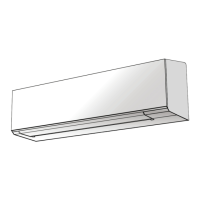



 To Next Page

