This document describes the TOSHIBA DVD VIDEO PLAYER models SD-270EKB and SD-270EKE, an owner's manual detailing its functions, specifications, and usage.
Function Description:
The Toshiba DVD Video Player is designed for playing various disc formats, including DVD Video, DVD±R/RW (Recordable/Rewritable), DVD±R DL (Dual Layer), CD-R (CD-Recordable), Audio CD, Video CD (Formats 1.0, 1.1, 2.0), Super Video CD, MP3-Disc, and DivX® Discs (DivX® 3.11, 4.x, 5.x and 6.0). It supports both standard and progressive scan video output, offering enhanced picture quality on compatible televisions. The player includes features for basic playback control, special DVD and VCD/SVCD features, and various menu options for language, video, audio, rating, and miscellaneous settings. It also features a tray lock function for security.
Important Technical Specifications:
- Power Supply: 110 V - 240V AC, 50/60 Hz
- Power Consumption: 12W
- Mass: SD-270EKB: 2.6 kg, SD-270EKE: 2.85kg
- External Dimensions (W/H/D): 430 X 43 X 268 mm
- Signal System: PAL, NTSC
- Laser: Semiconductor laser, wavelength 650/780 nm
- Frequency Range:
- DVD linear sound: 48 kHz sampling 4 Hz to 22 kHz
- 96 kHz sampling 4 Hz to 44 kHz
- Signal-to-noise ratio: More than 90 dB
- Audio dynamic range: More than 80 dB
- Harmonic distortion: Less than 65 dB
- Wow and flutter: Below measurable level [(less than ± 0.001 % (W.PEAK)]
- Operating conditions: Temperature: 5°C to 35°C, Operation status: Horizontal
- Outputs:
- Video output (SCART): 1.0 V (p-p), 75 Ω, SCART socket x 1
- Video output (phone type): 1.0 V (p-p), 75 Ω negative sync., pin jack x 1
- Component video output (Y PB PR): (Y) 1.0 (p-p), 75 Ω negative sync., pin jack x 1; (PB)/(PR) 700 mV (p-p), 75 Ω, pin jack x 2
- Audio output (SCART): 2.0 (rms), 680 Ω, SCART socket x 1
- Audio output (COAXIAL DIGITAL): 0.5 V (p-p) 75 Ω pin jack x 1
- Audio output (ANALOG): 2.0 V (rms), 680 Ω, pin jacks (L/R) x 1
- Supported Formats:
- MP3 tracks: File extensions '.mp3', JPEG/ISO format, Maximum 15 characters display, Supported sampling frequencies & bit-rates (32kHz, 64-320 kbps; 44.1kHz, 48kHz, 80-320 kbps).
- JPEG/Pictures: File extensions '.JPG' (not '.JPEG.'), JPEG/ISO format, DCF-standard still pictures or JPEG pictures such as TIFF.
- DivX® movies: File extensions '.AVI,' '.MPG,' or '.MPEG.', DivX® 3.11, 4.x, 5.x and 6.0, Q-pel accurate motion compensation, Global Motion Compensation (GMC) playback.
- Disc sessions: Maximum 100 sessions for CD and 10 multi border for DVD are supported.
Usage Features:
- Connections: The player offers multiple connection options to a television, stereo system, or digital AV receiver, including Composite Video (CVBS), SCART, Component Video (Y PB PR), Coaxial Digital Audio, and Analog Audio (L/R). An RF modulator can be used for TVs with only an Antenna In jack.
- Progressive Scan: For compatible TVs, the progressive scan feature can be set up via the Video menu, offering higher picture resolution.
- Language Settings: Users can select their preferred On-Screen Display (OSD) language, as well as audio, subtitle, and DVD menu languages from a wide range of options (English, French, Spanish, German, Italian, Swedish, Portuguese, Dutch, Finnish, Albanian, Croat, Czech, Hungarian, Irish, Polish, Romanian, Slovak, Slovene, Sorbian, Bulgarian, Belorussian, Macedonian, Moldavian, Russian, Serbian, Greek, Hebrew).
- Disc Playback: Discs are loaded into the disc tray, and playback can start automatically or by pressing PLAY/PAUSE. Parental control requires a four-digit password for restricted discs.
- Basic Playback Control: Includes play, pause, stop, skipping chapters/tracks, fast forward/reverse searching (2X, 4X, 8X, 16X), and slow motion (1/2, 1/4, 1/8 forward only).
- Program Playback: Users can program a sequence of titles/chapters/tracks for playback.
- Zooming In: Enlarge the picture on the TV screen and pan through the enlarged view during playback.
- Repeat Functions: Various repeat modes are available depending on the disc type (Repeat Chapter, Repeat Title for DVD; Repeat Single, Repeat All for Video CD/Audio CD; Repeat Single, Repeat Folder, Repeat All for MP3/JPEG/DivX®).
- A-B Repeat: Repeat a specific section within a chapter or track.
- Disc Information Display: View current title/chapter/track number, total playing time, or remaining time on the disc without interrupting playback.
- Special DVD Features: Access disc title menus and change audio languages or subtitle languages.
- Special VCD and SVCD Features: Toggle Playback Control (PBC) mode on/off and navigate disc menus.
- DivX® Playback: Supports DivX® movie playback with subtitle support (files with .srt, .smi, .sub, .ssa, .txt extensions).
- MP3/JPEG/Kodak Picture CD Playback: Navigate folders and files, view JPEG previews, and use play modes (Filter, Repeat, Edit Mode, Program View) for audio/photo/video files.
- Picture Rotation (JPEG): Rotate JPEG pictures by 90 degrees clockwise or anti-clockwise, or flip vertically by 180 degrees.
- Video Setup Options: Adjust Aspect Ratio (4:3, 16:9), View Mode (Fill, Original, Height Fit, Width Fit, Auto Fit, Pan Scan), TV System (NTSC, PAL, Multi), Video Out (Component, RGB, P-Scan), and Smart Picture settings (Standard, Vivid, Cool, Personal with adjustable Brightness, Contrast, Tint, Color).
- Audio Setup Options: Configure Digital Output (All, PCM, Off), Night Mode (On, Off), Down Sampling (Off for 96 kHz PCM compatible, On for 48 kHz), and 3D (On, Off for virtual surround sound).
- Rating Setup Options: Set parental control levels (Kid Safe, G, PG, PG-13, PG-R, R, NC-17, Adult) and change the four-digit password.
- Tray Lock: Lock the disc tray using a specific number sequence (2006) to prevent opening.
Maintenance Features:
- Safety Precautions: Emphasizes reading instructions, proper electrical connections, consulting dealers for doubts, and avoiding obstruction of ventilation openings. Warns against exposure to moisture, heat sources, and physical damage.
- Cleaning Discs: Recommends regular cleaning of discs with a microfibre cloth, wiping from the center to the edge in a straight line, to prevent frozen pictures, sound disruptions, and picture distortions.
- Moisture Condensation: Advises removing the disc, connecting the power cord, turning on the player, and leaving it for two to three hours to evaporate any moisture that may condense on the optical pick-up lens.
- Battery Replacement: Instructions for inserting and replacing R03 or AAA batteries in the remote control, with warnings against mixing old and new batteries or different types, and proper disposal of chemical substances.
- Troubleshooting Guide: Provides solutions for common issues such as no power, no picture, distorted picture, no sound, disc playback problems, remote control unresponsiveness, and DivX® playback issues.
- Restoring to Original Settings: A function to reset all options and personal settings to factory defaults, except password and rating level.

 Need help?
 General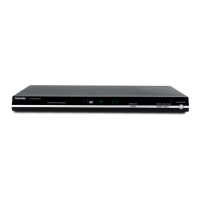

 To Next Page