EasyManua.ls Logo

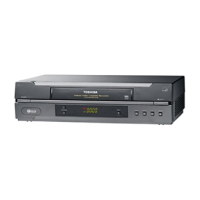
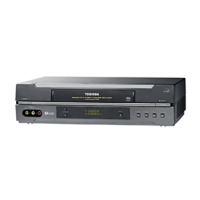
Toshiba SD-33VB - User Manual

Toshiba SD-33VB
197 pages
Print Icon
To Next Page IconTo Next Page
Loading...
SERVICE MANUAL
DVD VIDEO PLAYER &
VIDEO CASSETTE RECORDER
FILE NO. 810-200311X
MARCH, 2003
SD-33VB
SD-33VE
SD-33VL
PAL
Hi-Fi

Questions and Answers

  • R
    ruthayalaAug 15, 2025
    Why is there no sound coming from my Toshiba SD-33VB VCR?
    • C
      Curtis GardnerAug 15, 2025
      If you're not getting any sound from your Toshiba VCR, there are several things to check: * Ensure that the equipment connected with the audio cable is set to receive the DVD signal output. Select the correct input mode on your audio receiver. * Make sure the audio cables are securely connected to the jacks. * Verify that the equipment connected with the audio cable is turned on. * Check that the Digital Audio Output is set to the correct position. Turn on the DVD player again by pressing ++++////1111.
  • B
    Beverly RamseyAug 18, 2025
    What to do if there is no picture on my Toshiba VCR?
    • C
      Christopher ClarkAug 18, 2025
      If you are experiencing a 'no picture' issue with your Toshiba VCR, ensure that the TV is set to receive the DVD signal output by selecting the appropriate video input mode. Also, verify that the video cable is securely connected to the jacks.
  • M
    Mr. Curtis PooleAug 22, 2025
    How to fix a Toshiba SD-33VB VCR remote control that is not working?
    • C
      Chloe SilvaAug 22, 2025
      If the remote control for your Toshiba VCR isn't working correctly, first make sure there are no obstacles blocking the path between the remote and the unit. If that's not the issue, try replacing the batteries in the remote with new ones.
  • J
    jgainesAug 26, 2025
    Why won't my Toshiba SD-33VB DVD player start playback?
    • M
      matthew65Aug 26, 2025
      If your Toshiba VCR's DVD player won't start playback, consider the following: * Ensure that you've inserted a playable disc, checking both the disc type and regional code. * Make sure the disc is placed with the playback side down. * Confirm the disc is correctly placed within the guide on the disc tray. * Clean the disc if it's dirty. * If a rating level is set, try canceling the rating function or changing the rating level.
  • K
    Kathleen PayneAug 29, 2025
    What to do if my Toshiba SD-33VB VCR has no power?
    • W
      William RobinsonAug 29, 2025
      If your Toshiba VCR has no power, make sure the power cord is securely plugged into the wall outlet.
  • C
    Christopher ChavezSep 1, 2025
    What to do if the Toshiba SD-33VB VCR DVD player is not working but the power is on?
    • R
      Reginald ProctorSep 1, 2025
      If the power is on but the DVD player of your Toshiba VCR isn't working, make sure a disc is inserted. The DVD or audio CD indicator in the display window should be lit.
  • D
    Dana TuckerSep 4, 2025
    How to restore Hi-Fi sound on my Toshiba SD-33VB?
    • A
      amandasantosSep 4, 2025
      If you're not getting Hi-Fi sound from your Toshiba VCR, select 'STEREO' by repeatedly pressing 'AUDIO' on the remote control.
  • T
    teresaperezSep 7, 2025
    What to do if video tape cannot be inserted into my Toshiba SD-33VB?
    • A
      avilabrittneySep 8, 2025
      If you cannot insert a video tape into your Toshiba VCR, ensure that the cassette compartment is empty. Eject the tape if there is one inside.
  • B
    Benjamin MillerSep 12, 2025
    How to enable NICAM sound recording on my Toshiba SD-33VB?
    • R
      Randy BallSep 12, 2025
      If you're not getting NICAM sound recording on your Toshiba VCR, make sure NICAM in the menu is set to AUTO for the station you're trying to record.

Summary

SECTION 1 SUMMARY

Owners Manual Overview

Provides comprehensive instructions for product usage.

Product Safety and Servicing Guidelines

Crucial safety guidelines for product use and servicing.

Safe Equipment Usage Dos and Donts

General recommendations for safe operation and handling.

SECTION 2 CABINET & MAIN CHASSIS

Exploded Views of Cabinet and Chassis

Visual breakdown of the unit's cabinet and main chassis components.

Packing and Accessory Details

Information on packaging and included accessories.

SECTION 3 ELECTRICAL

VCR Part Electrical Adjustment Procedures

Procedures for adjusting VCR electrical settings.

VCR Part Electrical Troubleshooting

Guide for diagnosing and fixing VCR electrical issues.

VCR Part Block Diagrams

High-level diagrams of VCR electrical systems.

DVD Part Troubleshooting and Waveforms

Covers DVD troubleshooting, system tests, and waveforms.

DVD Part Circuit Diagrams

Circuit diagrams for DVD electrical components.

SECTION 4 MECHANISM OF VCR PART

VCR Deck Mechanism Parts Locations

Identifies and lists the parts of the VCR deck mechanism.

VCR Deck Mechanism Disassembly

Step-by-step instructions for disassembling the VCR deck mechanism.

VCR Deck Mechanism Adjustment

Procedures for adjusting the VCR deck mechanism components.

VCR Mechanism Maintenance and Troubleshooting

Guidelines for maintaining and troubleshooting the VCR mechanism.

SECTION 5 MECHANISM OF DVD PART

DVD Mechanism Exploded View

Visual breakdown of the DVD mechanism components.

SECTION 6 REPLACEMENT PARTS LIST

DVD Video Player Parts List

Comprehensive list of replacement parts for the DVD video player.

Toshiba SD-33VB Specifications

General IconGeneral
Number of Heads4
Playback SpeedsSP, LP, EP
TunerYes
Remote ControlYes
Weight7.7 lbs
TypeVCR/DVD Combo
Playable MediaVHS
DVD Player TypeProgressive Scan
InputsComposite Video
OutputsComposite Video

Related product manuals