EasyManua.ls Logo

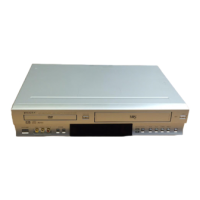
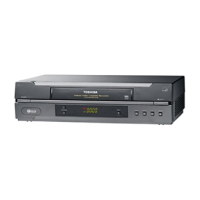
Toshiba SD-33VE - User Manual

Toshiba SD-33VE
197 pages
Print Icon
To Next Page IconTo Next Page
Loading...
SERVICE MANUAL
DVD VIDEO PLAYER &
VIDEO CASSETTE RECORDER
FILE NO. 810-200311X
MARCH, 2003
SD-33VB
SD-33VE
SD-33VL
PAL
Hi-Fi

Questions and Answers

  • K
    Kimberly PerezAug 14, 2025
    Why is there no sound coming from my Toshiba VCR?
    • J
      Joe HowellAug 14, 2025
      If you're not getting any sound from your Toshiba VCR, there are several things to check: * Ensure that the equipment connected with the audio cable is set to receive the DVD signal output. Select the correct input mode on your audio receiver. * Make sure the audio cables are securely connected to the jacks. * Verify that the equipment connected with the audio cable is turned on. * Check that the Digital Audio Output is set to the correct position. Turn on the DVD player again by pressing ++++////1111.
  • J
    Jimmy RichardsonAug 18, 2025
    What to do if there is no picture on my Toshiba VCR?
    • G
      gquinnAug 18, 2025
      If you are experiencing a 'no picture' issue with your Toshiba VCR, ensure that the TV is set to receive the DVD signal output by selecting the appropriate video input mode. Also, verify that the video cable is securely connected to the jacks.
  • J
    Jacob JordanAug 20, 2025
    How to fix a Toshiba VCR remote control that is not working?
    • W
      Wendy BurnettAug 21, 2025
      If the remote control for your Toshiba VCR isn't working correctly, first make sure there are no obstacles blocking the path between the remote and the unit. If that's not the issue, try replacing the batteries in the remote with new ones.
  • D
    Daniel ContrerasAug 25, 2025
    Why won't my Toshiba SD-33VE VCR DVD player start playback?
    • L
      Loretta JohnsonAug 25, 2025
      If your Toshiba VCR's DVD player won't start playback, consider the following: * Ensure that you've inserted a playable disc, checking both the disc type and regional code. * Make sure the disc is placed with the playback side down. * Confirm the disc is correctly placed within the guide on the disc tray. * Clean the disc if it's dirty. * If a rating level is set, try canceling the rating function or changing the rating level.
  • J
    jwarnerAug 28, 2025
    What to do if my Toshiba SD-33VE has no power?
    • F
      fordannetteAug 28, 2025
      If your Toshiba VCR has no power, make sure the power cord is securely plugged into the wall outlet.
  • T
    torresjasmineAug 31, 2025
    What to do if the Toshiba SD-33VE VCR DVD player is not working but the power is on?
    • A
      Ashley BlanchardAug 31, 2025
      If the power is on but the DVD player of your Toshiba VCR isn't working, make sure a disc is inserted. The DVD or audio CD indicator in the display window should be lit.
  • J
    jbensonSep 3, 2025
    How to restore Hi-Fi sound on my Toshiba SD-33VE?
    • D
      dhoffmanSep 3, 2025
      If you're not getting Hi-Fi sound from your Toshiba VCR, select 'STEREO' by repeatedly pressing 'AUDIO' on the remote control.
  • C
    Colleen Tate MDSep 7, 2025
    What to do if video tape cannot be inserted into my Toshiba VCR?
    • P
      Patricia SmithSep 7, 2025
      If you cannot insert a video tape into your Toshiba VCR, ensure that the cassette compartment is empty. Eject the tape if there is one inside.
  • H
    Heidi DanielSep 12, 2025
    How to enable NICAM sound recording on my Toshiba SD-33VE VCR?
    • L
      lisafloresSep 12, 2025
      If you're not getting NICAM sound recording on your Toshiba VCR, make sure NICAM in the menu is set to AUTO for the station you're trying to record.

Summary

SECTION 1 SUMMARY

Safety Precautions

Important warnings and guidelines for safe operation and servicing.

Remote Control

Details on remote control buttons and their operations.

SECTION 2 CABINET & MAIN CHASSIS

Exploded Views

Visual breakdown of the unit's internal and external components.

SECTION 3 ELECTRICAL

VCR Part Electrical Troubleshooting

Guide for diagnosing and resolving VCR operational issues.

DVD Part Electrical Troubleshooting

Guide for diagnosing and resolving DVD operational issues.

Deck Mechanism Adjustment

Mechanism Alignment Position Check

Procedure to ensure correct mechanical positioning of components.

Checking Torque

Method for measuring and ensuring proper tape transport torque.

Guide Roller Height Adjustment

Steps to regulate tape height for proper running on the drum.

Maintenance;Inspection Procedure

Mechanism Troubleshooting Guide

Deck Mechanism Troubleshooting

Diagnostic flowcharts for VCR deck mechanism issues.

Front Loading Mechanism Troubleshooting

Diagnostic flowcharts for front loading mechanism issues.

SECTION 5 MECHANISM OF DVD PART

Toshiba SD-33VE Specifications

General IconGeneral
TypeVCR
Number of heads4
Playable video formatsVHS
Remote controlYes
TunerYes
Playback SpeedsSP, LP
InputsComposite video
OutputsComposite video

Related product manuals