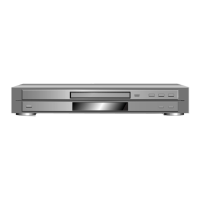
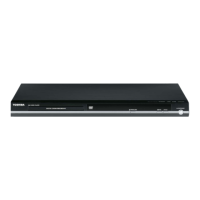
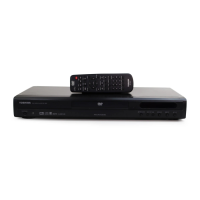
This document describes the Toshiba SD-K220U DVD Video Player & Video Cassette Recorder, a versatile home entertainment device combining DVD playback and VCR recording/playback capabilities.
Function Description
The SD-K220U serves as a dual-format player and recorder. It can play DVD video discs, Video CDs, and audio CDs, as well as record and play VHS video cassette tapes. The device supports various digital audio formats, including Dolby Digital and DTS, and features a built-in tuner for TV channel reception and recording. It is designed for NTSC color systems.
Important Technical Specifications
General:
- Power Supply: AC 120V 60Hz
- Power Consumption: 18W (Operation), 2W (Standby)
- Weight: 7.9 lbs (3.6 kg)
- Dimensions (W x H x D): 16-15/16 inches (430 mm) x 3-7/8 inches (99 mm) x 9-7/8 inches (251.5 mm)
- Operating Conditions Temperature: 5°C - 40°C (41°F - 104°F)
- Operating Humidity: Less than 80% RH
DVD System:
- Color System: NTSC
- Disc Types: DVD, CD-DA, CD-R/RW, Video CD
- Disc Diameter: 120 mm, 80 mm
- Playback Time (Max):
- DVD 1-Layer: 135 min (4.7GB)
- DVD 2-Layer: 245 min (8.5GB)
- CD: 74 min
- Video CD: 74 min
- Frequency Range:
- DVD Mode at DVD: 4 Hz - 22 KHz
- DVD Mode at Video CD: 4 Hz - 20 KHz
- DVD Mode at CD: 4 Hz - 20 KHz
- S/N Ratio: 90dB
- Harmonic Distortion (1KHz): 0.02%
- Digital Out: Dolby Digital, MPEG, PCM, DTS
- Down Mix Out: Dolby Digital, DTS
- Audio DAC: 192kHz / 24bit
VCR System:
- Video System: NTSC
- Hi-Fi STEREO: Yes
- Video Head: 4 Head
- FM Audio Head: 2 Head
- Audio/Control: Mono/Yes
- Erase (Full Track Erase): Yes
- Tape Speed (NTSC): SP/SLP(EP)
- Fast Forward / Rewind Time (Approx. at 25°C with T-120 Cassette): 1'48"
- Frequency Response (VCR Mode at SP): 100Hz - 10kHz
- S/N Ratio (Weighted) (VCR): 50 dB
- Horizontal Resolution (VCR Mode): 230 Lines
- Harmonic Distortion (1KHz) (VCR at SP): 1.5%
- Wow And Flutter: Less than 0.01 %Wrms
- Channel Separation: More than 60 dB
Tuner System:
- Broadcasting System: US System M
- Tuner and Receive CH Destination: US (w/CATV)
- CH Coverage: VHF 2-13, UHF 14-69, CATV 125 Channels
- RF Channel Output: Channel 3 or 4, Switchable
- Sound Selector: No
- Stereo/Dual TV Sound: US-ST
- Tuner Sound Muting: Yes
Input/Output:
- Video Input: 1.0 V (p-p), 75 Ω, negative sync., pin jack x 2
- Video Output: 1.0 V (p-p), 75 Ω, negative sync., pin jack x 1
- S-video Output: (Y) 1.0 V (p-p), 75 Ω, negative sync., Mini DIN 4-pin × 1; (C) 0.286 V (p-p), 75 Ω
- Component Video Output: (Y) 1.0 V (p-p), 75 Ω, negative sync., pin jack × 1; (PB)/(PR) 0.7 V (p-p), 75 Ω, pin jack × 2
- Audio Input: -8 dBm, 50 kΩ, negative sync., pin jack (L/R) x 2
- Audio Output: -8 dBm, 1 kΩ, negative sync., pin jack (L/R) x 1
- Audio Output (BITSTREAM/PCM COAXIAL): 0.5 V (p-p), 75 Ω, pin jack × 1
- Audio Output (BITSTREAM/PCM OPTICAL): Optical connector × 1
- Audio Output (ANALOG): -12 dB, 1 kΩ, pin jacks (L, R) × 1
Usage Features
General Operation:
- Remote Control: The device is operated via an infrared remote control with a range of approximately 7 meters and a 30° angle.
- Mode Selection: A VCR/DVD selector button on the remote switches between DVD and VCR modes.
- Display Window: Provides information on VCR operation status (time, channel, tape speed, recording mode) and DVD/CD/VCD operation status (track, title, chapter, elapsed/total time, soundtrack).
- On-Screen Display (OSD): Menu-driven interface for setup and functions, with language options for English, French, and Spanish.
- Auto Clock Setting: Automatically sets the internal clock when connected to an antenna or cable system. Manual clock setting is also available.
- Tuner Setting: Allows programming of up to 113 Cable TV channels and VHF/UHF channels, with an auto channel memory function.
DVD Playback:
- Disc Compatibility: Plays DVD video discs, Video CDs (with/without PBC function), audio CDs, CD-R/RW, MP3/WMA/JPEG files.
- Region Code: Region 1. Discs from other regions may not play.
- Basic Playback: Play, stop, pause/still, fast forward/reverse, slow motion, frame-by-frame.
- Chapter/Track/Title Navigation: Skip to next/previous chapter/track, direct selection by number, jump to specific time/title/chapter.
- Repeat Playback: Repeat title, chapter, or entire disc. A-B repeat for specific sections.
- Program Playback (CD/VCD): Arrange and play tracks in a desired order.
- Random Playback (CD/VCD): Play tracks in random order.
- Zooming: Enlarge JPEG images or DVD video frames (x1.3, x1.5, x2.0).
- Angle Changing: For multi-angle DVD discs, rotate JPEG images 90 degrees.
- Title Selection: Select desired titles from a DVD menu.
- DVD Menu: Navigate interactive DVD menus.
- Audio Soundtrack Language: Select preferred audio language for multi-language discs.
- Surround Sound: SPATIALIZER VIRTUAL SURROUND for cinema/concert hall effects.
- Subtitles: Turn on/off and select subtitle language for multi-lingual discs.
- Karaoke Playback: Turn vocal on/off for DVD KARAOKE discs.
- Aspect Ratio: Set TV screen aspect ratio (4:3 Letterbox, 4:3 Pan Scan, 16:9 Wide).
- Dynamic Range Control (DRC): Adjust dynamic range for Dolby Digital recorded discs (Max, Std, Min).
- Parental Control: Set rating levels to restrict playback of certain DVD content. Password protection available. Temporary disabling of rating level is possible.
- JPEG Interval: For JPEG slideshows, set intervals to 5, 10, or 15 seconds, or off for manual advance.
- MP3/WMA/JPEG Playback: Supports ISO9660 standard, up to 200 files and 50 directories per disc. Displays file names (up to 16 letters).
VCR Recording & Playback:
- Cassette Loading: Insert cassette with labeled side up and erase prevention tab to the left. Automatic power on and playback when loading.
- Accidental Erasure Prevention: Remove erase prevention tab or cover the hole with adhesive tape.
- Recording TV Programs: Select channel and tape speed (SP/SLP), then press REC.
- One-Touch Timer Recording (OTR): Simple timed recording for 30-minute increments up to 6 hours.
- Timer Recording: Program up to 8 recordings within 1 month, setting date, start/end time, channel, and tape speed.
- Stereo Recording/Playback: Supports MTS STEREO broadcasts and VHS Hi-Fi stereo videotapes.
- Second Audio Program (SAP): Switch to a second audio program for multi-language broadcasts.
- Duplicating Tapes: Copy from another VCR or camcorder.
- Duplicating DVD/CD: Record disc content onto a video cassette tape (copy-protected discs cannot be recorded).
- Special Playback:
- Picture Search: Fast forward/reverse picture search (with noise bars).
- Still Picture: Pause playback for a still image.
- Slow Motion: Playback in slow motion (with noise bars).
- Frame by Frame: Advance picture frame by frame.
- CM Skip: Skip forward in 30-second increments (up to 6 presses).
- Automatic Tracking Adjustment: Continuously analyzes signal for optimum picture quality.
- Manual Tracking Adjustment: Adjust tracking for noise reduction.
- Video Index Search System: Automatically records index marks at the beginning of recordings for quick location.
Maintenance Features
- Cleaning:
- Exterior Cabinet: Use a damp cloth; avoid liquid or aerosol cleaners.
- Discs: Wipe from center outwards with a soft cloth; for stubborn dirt, use a slightly moistened cloth. Avoid solvents.
- Audio Control Head: Clean with a cotton stick soaked in isopropyl alcohol.
- Tape Running System: Clean with gauze moistened with isopropyl alcohol.
- Cylinder Head: Wrap chamois around finger, dip in isopropyl alcohol, and turn cylinder head counterclockwise to clean.
- Moisture Condensation: If moisture condensation occurs (e.g., moving from cold to warm place), leave the unit powered on for 2-3 hours to evaporate moisture before use.
- Storage: Store discs vertically in cases, away from direct sunlight, heat, moisture, and dust.
- Service Intervals: The manual provides a table for preventive checks and service intervals for various parts (e.g., Audio Control Head, Capstan Belt, Pinch Roller, Cylinder Unit) based on hours of use (500, 1000, 1500, 2000, 2500 hours).
- Confirmation of Hours Used: PLAY/REC total hours can be checked on the TV screen in 16-system notation.
- EEPROM Replacement: Instructions for setting correct data after replacing the EEPROM (Memory) IC.
- Firmware Re-write: Procedure for re-writing DVD firmware using an Up-Date Disc.
- Safety Information: Emphasizes precautions regarding laser radiation, electric shock, and proper grounding. Includes instructions for leakage current checks during servicing.
- Troubleshooting Guide: Flowcharts for diagnosing and resolving common issues related to power, VCR operation, audio, video, and DVD functions.
- Disassembly Instructions: Detailed steps for removing mechanical parts and PCBs for servicing.
- Mechanical Adjustments: Procedures for adjusting reel disk height, tension post position, playback torque, and back tension torque.
- Electrical Adjustments: Instructions for PG shifter adjustment and tape running mechanism adjustment.

 Need help?
 General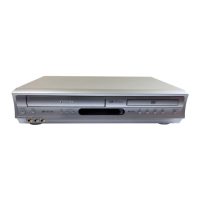

 To Next Page