EasyManua.ls Logo

Toshiba SD-M1612 - User Manual

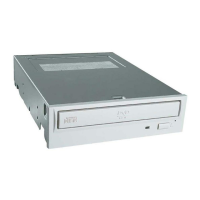
Toshiba SD-M1612
17 pages
Print Icon
To Next Page IconTo Next Page
Loading...
TOSHIBA AMERICA INFORMATION SYSTEMS
STORAGE DEVICE DIVISION
IRVINE, CALIFORNIA
SD-M1612
DVD-ROM DRIVE
USER MANUAL

Questions and Answers

  • J
    johnjohnsonJul 30, 2025
    Why is my Toshiba SD-M1612 not recognized by the system?
    • B
      Brian NelsonJul 30, 2025
      If your Toshiba DVD Drive is not being recognized, ensure all cables (Power, Interface, and Audio) are properly connected. Check if the drive configuration jumpers are correctly set. Also, verify that the software driver is loaded. If a step-by-step boot (F8) shows a 'device driver not found' error, or if a virus has corrupted the driver, running a virus scan might help. If issues persist after these steps, consider contacting Technical Support.
  • R
    Russell DavisAug 5, 2025
    What to do if Toshiba SD-M1612 DVD Drive is not recognized during boot?
    • M
      Mary GilbertAug 5, 2025
      If your Toshiba DVD Drive isn't recognized during the boot process but is recognized by the Operating System, ensure the DVD-ROM drive software driver is loaded. Check if the DVD-ROM drive is recognized during a step-by-step (F8) boot of the system. If not, contact Technical Support. Also, if a virus has corrupted the Windows DVD-ROM drive software driver program, run a Virus Scan program and repair if possible. Contact Technical Support if the Virus renders the software drivers not useable.
  • S
    sshortAug 12, 2025
    What to do if my Toshiba DVD-ROM can not play a DVD?
    • R
      Robert CarlsonAug 12, 2025
      If your Toshiba DVD-ROM drive can't play a DVD, first check if the DVD-ROM drive driver is loaded. Ensure the DVD disc is the correct format for your system (ISO9660 IBM compatible PC format). Verify that you have the correct software applications/drivers installed to run a DVD disc. If a virus has corrupted the Windows DVD-ROM drive software driver program, run a Virus Scan program and repair if possible. If the Virus renders the software drivers not useable, contact Technical Support.
  • R
    Rebecca DominguezAug 18, 2025
    What does it mean when BUSY Indicator LED flashes slowly on Toshiba DVD Drive?
    • G
      grahamrobertAug 18, 2025
      A slowly flashing BUSY Indicator LED on your Toshiba DVD Drive could indicate that the disc is dirty. Try cleaning it with a soft, damp cloth, wiping in a radial direction (from the inner side outward). If the laser lens may have become cloudy or blocked by particulate matter, contact Technical Support.
  • E
    Erin ChristensenAug 25, 2025
    What does it mean when BUSY Indicator LED is constantly ON on Toshiba SD-M1612 DVD Drive?
    • E
      Emily HayesAug 25, 2025
      If the BUSY Indicator LED on your Toshiba DVD Drive is constantly ON, it may indicate a possible hardware problem. Please contact Technical Support.

Summary

Setup and Installation

Jumper Settings

Explains how to set jumpers (CS, SL, MA) for drive configuration and master/slave settings.

Drive Installation

Instructions on how to physically install the drive into a computer slot.

Connecting Cables

Details connecting IDE BUS and Power cables to the drive's rear panel.

Completing Installation

Final steps for mounting the drive and securing the computer cover.

Software Driver Requirements

Information on driver requirements for Windows and DOS operating systems.

Drive Operation

Inserting Disc Horizontally

Step-by-step guide for inserting discs when the drive is horizontally mounted.

Inserting Disc Vertically

Step-by-step guide for inserting discs when the drive is vertically mounted.

Emergency Ejection Procedure

Detailed procedure for emergency disc tray opening when the button fails.

Troubleshooting

Disc Tray Not Opening

Solutions for when the disc tray fails to open.

Drive Not Recognized

Solutions for when the system does not recognize the drive.

Recognition Issues During Boot

Troubleshooting steps for recognition issues during boot vs. OS.

Playback Issues

Solutions for playback issues with DVDs or specific CD media types.

Specifications

Performance Specifications

Interface Pin Assignments

Interface Pin Assignment Table

Detailed table listing pin numbers, I/O status, signal names, and host signal names for the interface.

Toshiba SD-M1612 Specifications

General IconGeneral
BrandToshiba
ModelSD-M1612
CategoryDVD Drive
LanguageEnglish

Related product manuals