EasyManua.ls Logo

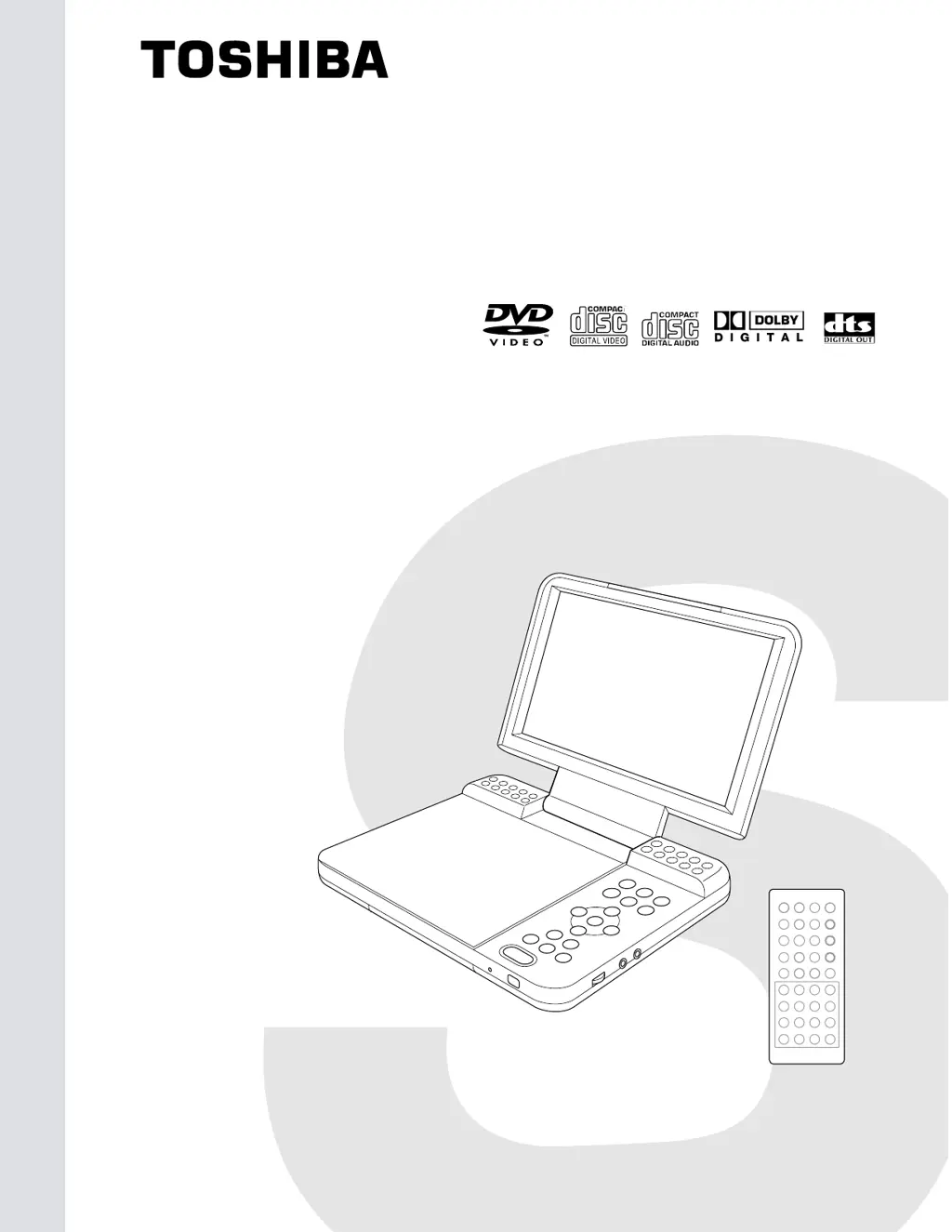
Toshiba SD-P1200 - User Manual

Toshiba SD-P1200
19 pages
Print Icon
To Next Page IconTo Next Page
Loading...
DVD
SERVICE
FILE
810-200339
SD-P1200
MANUAL
NO.
VIDEO PLAYER
DOCUMENT CREATED IN JAPAN, May, 2003

Questions and Answers

  • G
    Gabrielle VaughnAug 16, 2025
    How to fix a Toshiba DVD Player that won't turn on?
    • S
      Sara HansonAug 16, 2025
      If your Toshiba DVD Player isn't powering on, begin by checking the power supply cable, AC adapter, and the Power and Play buttons. If these steps don't resolve the issue, consider replacing the main board.
  • B
    Brenda DayAug 19, 2025
    What to do if Toshiba SD-P1200 drive doesn't work with the battery?
    • D
      David HensonAug 19, 2025
      If the DVD drive on your Toshiba DVD player isn't working when using the battery, check the connection of the battery harness inside the DVD player and replace the battery.
  • J
    Jeffrey MartinAug 22, 2025
    What to do if my Toshiba SD-P1200 has no sound or abnormal sound?
    • M
      megan26Aug 22, 2025
      If your Toshiba DVD player has no sound or is producing abnormal sounds, the issue might be with the DVD drive, connection, speakers, or main board. Try replacing the DVD drive, repairing the connection, or replacing the speakers or the main board.
  • G
    gbrewerAug 26, 2025
    Why is my Toshiba DVD Player drive not working?
    • J
      James MorrowAug 26, 2025
      If the DVD drive on your Toshiba DVD player isn't working, it could be due to several reasons. If the optical pick-up lens lights dim, replace the DVD drive. If the optical pick-up lens does not light, repair the connection. If the DVD-FFC is broken, replace the DVD-FFC. Alternatively, you might need to replace the DVD drive or the main board.
  • D
    Daniel BowmanAug 28, 2025
    What to do if Toshiba SD-P1200 stops at initializing display?
    • S
      stevenmuellerAug 28, 2025
      If your Toshiba DVD player stops during the initializing display, the DVD drive or main board might be defective. Check the DVD drive first, then the main board. Replace the DVD drive (especially if the optical pick-up is defective), or the main board.
  • L
    Leslie GuerreroAug 31, 2025
    How to troubleshoot a Toshiba SD-P1200 when the initial screen is not displayed?
    • M
      Michael GarrettAug 31, 2025
      If the initial screen isn't showing on your Toshiba DVD player's LCD, check the LED on the front and the LCD lighting. If the problem persists, consider replacing the LCD unit or the main board.
  • K
    Kyle FloresSep 3, 2025
    Why does my Toshiba DVD Player have no image or sound from external output?
    • D
      Darrell BuchananSep 3, 2025
      If there is no image or sound coming from the external output of your Toshiba DVD player, the main board or the connector may need to be replaced.
  • T
    terri26Sep 6, 2025
    What causes image output to stop during Toshiba SD-P1200 DVD Player operation?
    • E
      Elizabeth DuncanSep 6, 2025
      If the image output stops during operation of your Toshiba DVD player, replace the DVD drive.
  • T
    Thomas ChapmanSep 9, 2025
    How to fix a Toshiba DVD Player when there is no sound from the headphones?
    • A
      ayersdanielSep 9, 2025
      If no sound is coming from the headphones when using your Toshiba DVD player, consider replacing the main board or the connector.
  • K
    Kathy MclaughlinSep 12, 2025
    Why is there no image or sound output by the external input on my Toshiba SD-P1200?
    • A
      Alyssa WagnerSep 12, 2025
      If your Toshiba DVD player is not outputting any image or sound from the external input, you may need to replace the main board or the connector.

Toshiba SD-P1200 Specifications

General IconGeneral
TypePortable DVD Player
Battery LifeUp to 3 hours
Weight2.2 lbs
Playable File FormatMP3, JPEG
Audio OutputStereo
Video OutputComposite Video Output
BatteryRechargeable Lithium-ion
Screen Size7 in
Supported FormatsDVD, CD
Playable Media FormatDVD, CD
Playback FormatsMP3, JPEG
Power Consumption12W

Related product manuals