EN-14 User’s Manual
STOR.E TV+
Connecting to the audio/video device
STOR.E TV+ connects to the different external device via composite (AV),
HDMI, or coaxial ports for audio/video output.
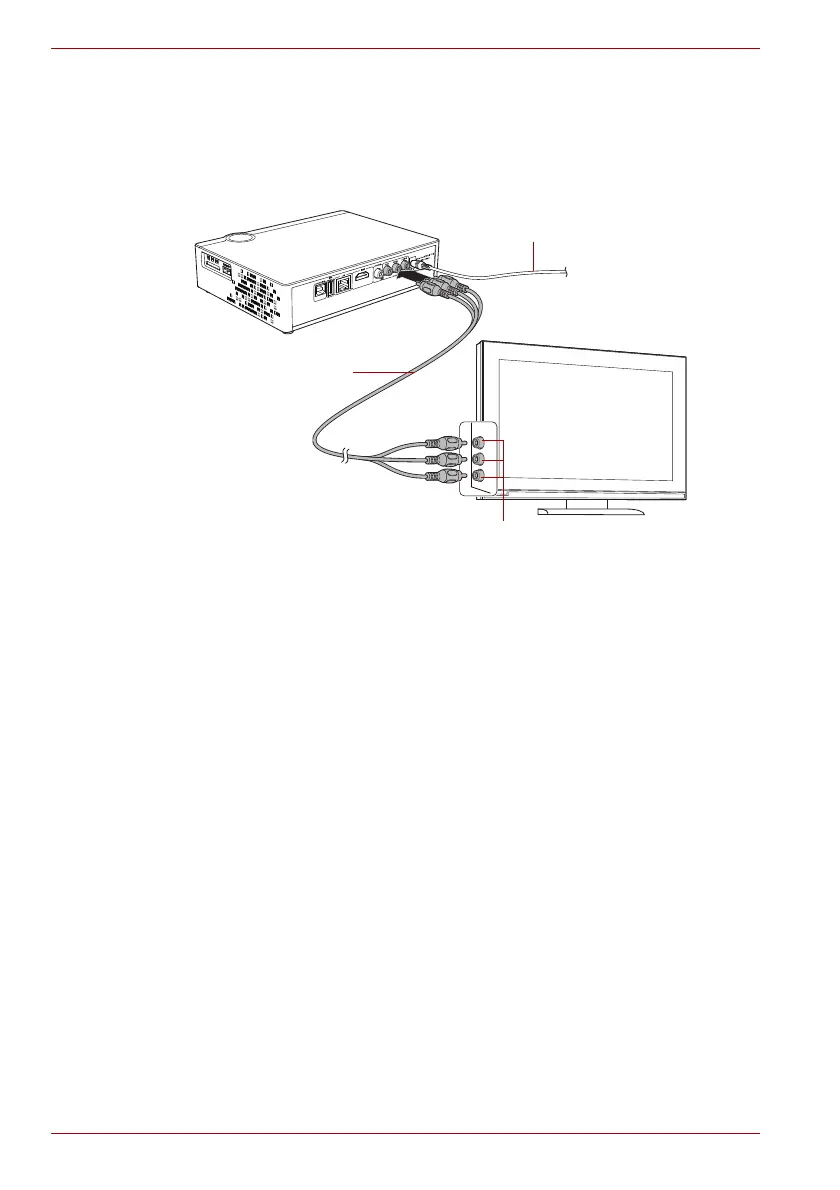
Composite AV output connection
(Sample Illustration) Composite AV output connection
To connect the device to TV:
1. Plug the yellow connector into the AV output of the device and AV input
on the TV.
2. Plug the red and white connector into the audio input of TV or HIFI.
3. Turn on the TV and select AV mode.
4. Turn on the STOR.E TV+ and the TV will display initialization interface.
AC adaptor cable
AV cable
AV jack



 To Next Page