2. Setting-Up OPC Server
9
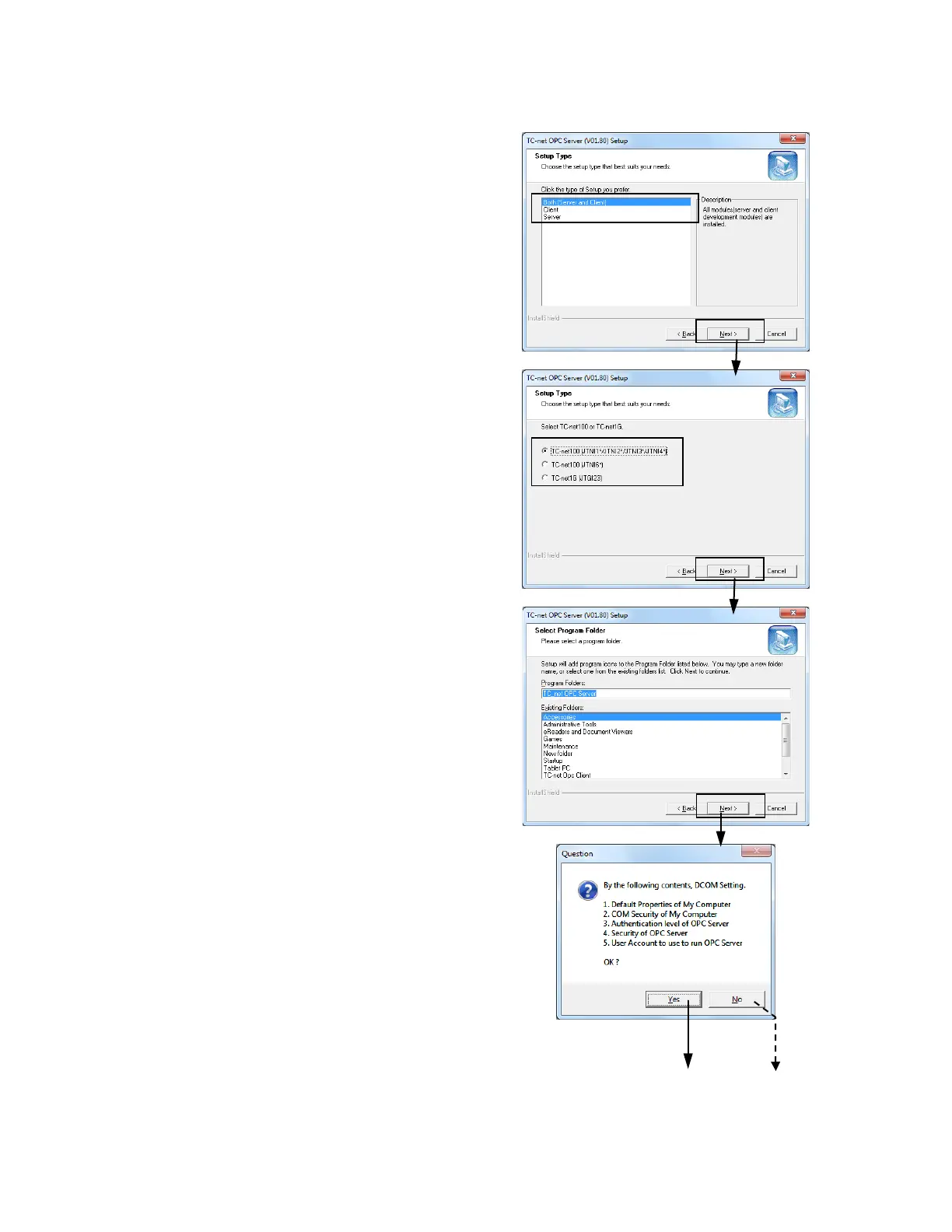
<6>Select type of installation.
Click < Next >.
<7>Select TC-net100(JTNI) or TC-net1G(JTGI)
Card Type.
Click < Next >.
When installation type that selected "Both" or
"Server" in <6>, this dialog is displayed.
* : This dialog added in V01.60
<8>Program group name is specified. Default is
[TC-net OPC Server]. Don’t change this.
Click < Next >.
<9>An inquiry doing DCOM setting is displayed.
When set it automatically, Click < Yes >.
When set a manual operation later, Click < No >.
A displayed message changes by the ins
type that selected in <6>.
About contents of setting, please refer to "3.1.
DCOM Setting ".
* : DCOM setting function added in V01.40



 To Next Page
 Loading...