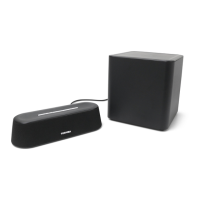
1
TY-ASC51
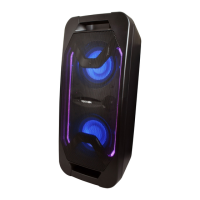
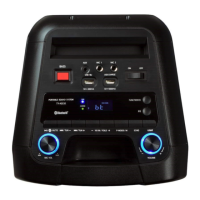
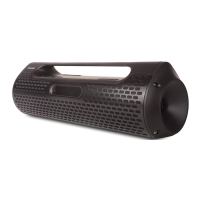
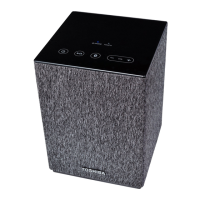
Toshiba Portable Sound System
Operation Manual
Thank you for purchasing this Portable Sound System.
To use this product safely, read and understand this operation manual
thoroughly before using. After reading this manual, keep it in a safe place
so that it can be referred to when necessary
5029300
Safety precautions
The information you need to prevent danger to the user and other people
as well as property damage is described below. “Description of signs”
shows different categories of the degree of danger or damage that may
occur due to wrong handling. “Description of symbols” shows the meaning
of the symbols.
Important notes
• This book is only a guide for user's operation, not a criterion for
configuration.
• Only use attachments/accessories specified by the manufacturer.
The lightning flash with arrowhead symbol, within an
equilateral triangle, is intended to alert the user to the
presence of uninsulated “dangerous voltage” within the
product's enclosure that may be of sufficient magnitude to
constitute a risk of electric shock to persons.
The exclamation point within an equilateral triangle is
intended to alert the user to the presence of important
operating and maintenance (servicing) instructions in the
literature accompanying the appliance.
Warning: To reduce the risk of electric shock, do not remove
cover (or back). NO user-serviceable parts inside. Refer RISK
servicing to qualified service personnel.
This symbol indicates that this product incorporates double
insulation between hazardous mains voltage and user
accessible parts.
WARNING
- Minimum 5cm around the apparatus for sufficient ventilation.
- The ventilation should not be impeded by covering the ventilation
openings with items, such as newspapers, table-cloths, curtains, etc.
- No naked flame sources, such as lighted candles, should be placed on the
apparatus.
Description of signs
WARNING
Indicates that there is a risk of
death or serious injury.
CAUTION
Indicates that there is a risk of
light injury or property damage.
Description of symbols
Indicates “Prohibition” or “You must not do” with pictures
and text.
Indicates “Mandatory Action” or “Do as indicated” with
pictures and text.
What to do in the case of an abnormality
WARNING
• Stop using the device immediately in the case of an
abnormality or failure.
• Remove the power plug from the receptacle immediately
when any water or foreign object enters the interior of the
device.
It may cause a fire or electric shock. Remove the power plug
immediately, and contact your dealer for a repair.
EN
What to do in the case of an abnormality
WARNING
• Stop using the device immediately in the case of an abnormality
or failure.
• Remove the power plug from the receptacle immediately when
any water or foreign object enters the interior of the device.
It may cause a fire or electric shock. Remove the power plug
immediately, and contact your dealer for a repair.
Power cord and power plug
WARNING
• If any dust exists on the power plug pin or pin installation surface,
remove the power plug and remove the dust.
• The mains plug is used as disconnect device, the disconnect
device shall remain readily operable.
• Observe the following when handling the power cord.
•Do not damage it.
•Do not modify it (e.g. extension).
•Do not heat it. •Do not pull it.
•Do not place a heavy
object on it.
•Do not pinch it. •Do not bend it forcefully.
•Do not twist it.
•Do not bundle it.
Doing so may cause a fire or electric shock.
• Do not insert or remove the power plug with a wet hand.
Doing so may cause a fire or electric shock.
CAUTION
• When removing the power plug from the receptacle, hold the
power plug.
• If the device will not be used for a long time, remove the power
plug from the receptacle.
Doing so may cause a fire or electric shock.
• Do not use any power cord other than the one that comes with the
device.
• Do not use the power cord that comes with the device for any other
product.
Doing so may cause a fire or electric shock.
Usage
WARNING
• Do not disassemble, repair, or modify the device.
• Do not insert any foreign object.
• When lightning starts, do not touch the antenna or power cord.
Doing so may cause a fire or electric shock.
• The use of apparatus in moderate climates.
CAUTION
• Before carrying the device, retract the antenna and remove the
power plug from the receptacle.
Failure to do so may cause a fire, electric shock, or injury.
• Do not get on top of the device.
• Do not place a heavy object on the device.
• Do not block the ventilation hole.
• When the appliance coupler is used as the
disconnect device, the appliance coupler shall
remain readily operable.
• To prevent possible hearing damage, do not
listen at high volume levels for long periods.
Doing so may cause an injury or fire.
If you leave the unit unused for a long period of time, the built-in
rechargeable battery will be in an over discharge state due to self
discharge, and the charging capacity may deteriorate or the battery
may be no longer rechargeable. Even if you are not using the unit,
charge the battery once or twice a year for 7 hours each time.
Installation
WARNING
• Place the unit on a flat surface away from sources of direct
sunlight or excessive heat.
• Do not install the device in a confined or build-in space such as
a book case or similar area, and keep it under a well-ventilated
condition. The ventilation should not be impeded by covering
the ventilation openings with items such as newspaper, table-
cloths, curtains, etc.

 Need help?
 General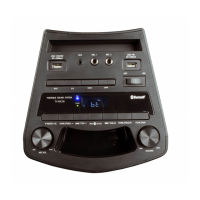

 To Next Page