Sleep Settings
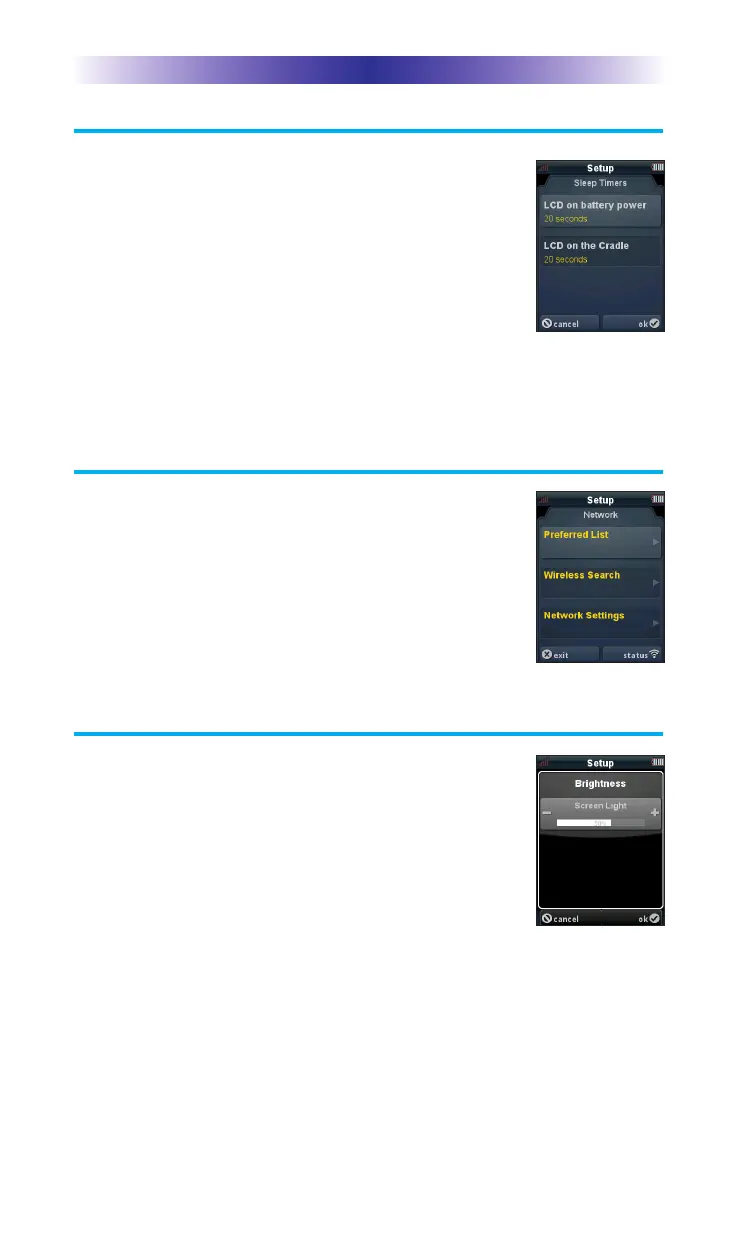
You can adjust the amount of time the LCD
remains ON when the remote is not in use.
The time can be set independently based on
whether the remote is using battery power or
sitting on the cradle.
Once the Sleep Timers are adjusted, press the
Ok button. Pressing the Cancel button will revert to the
remotes last saved setting.
Wireless Network Settings
WARNING! Only use this button when
instructed to by Technical Support or your
Custom Professional. The screen displays
network information about your TRC-1080 and
the wireless network it is connected to. Do not
make any changes on this screen!
Brightness
Adjust the screen brightness by pressing the
adjacent hardbuttons to increase or decrease
the brightness level.
Once the brightness is adjusted, press the Ok
button. Pressing the Cancel button will revert
to the remotes last saved setting.
Note: The higher the brightness, the faster the batteries will deplete.
Page 6
TRC-1080 TWO-WAY REMOTE


 To Next Page