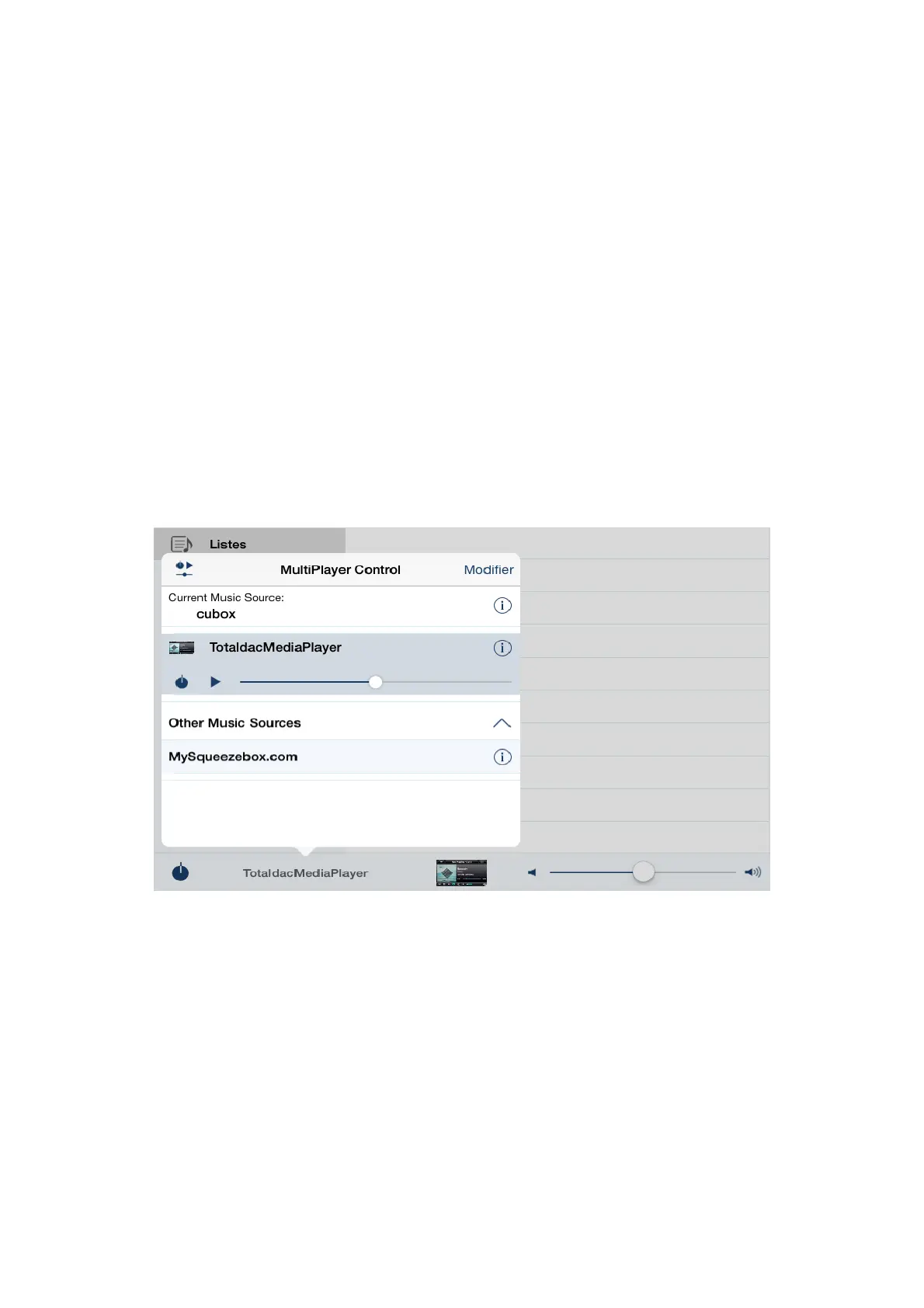
Ipeng application (LMS)
Ipeng Ipad application can control the embedded Logitec Media Server (LMS).
First connect your Ipad to the Internet using an Internet capable Wifi network. Buy and install the
application called “Ipeng squeezebox remote control” on the Apple Store.
Switch ON the d1-server (equipment with its loop USB cable), let it boot, it takes a few minutes.
This application can be used to play files from a NAS or a USB dongle/disk and can be used for
streaming (Tidal for example) from internet
Launch Ipeng application.
On Ipeng clic at the bottom of the page on TotaldacMediaPlayer
Then a menu appears (MusicPlayer Control)
6


 To Next Page