Visit WWW.TOTALPOND.COM for information and tips.
EN
10
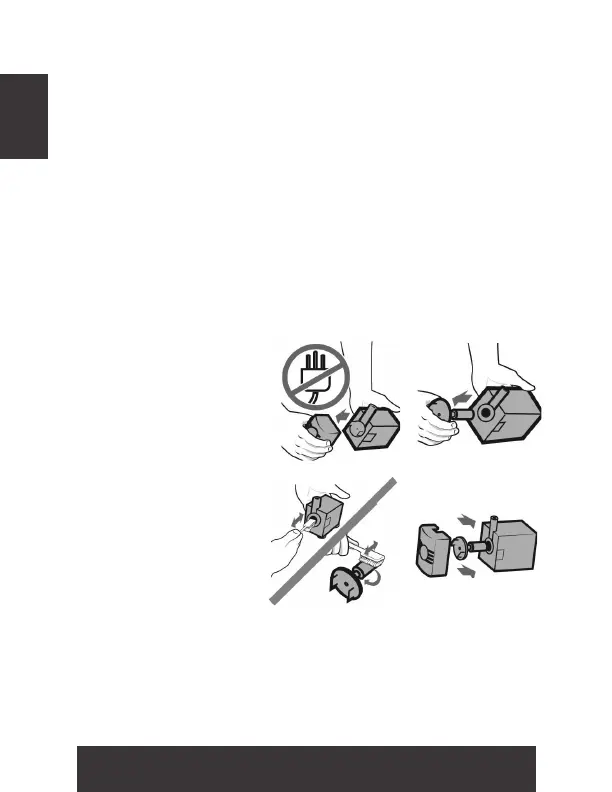
Step 1. Before cleaning,
always disconnect the
pump from the power
source and remove the
pump cover.
Step 2. Remove the
impeller cover to
expose the impeller
assembly. Remove the
impeller assembly by
gently pulling on the
impeller blades. The
impeller is held in place
by a magnet.
Step 3. Use a soft cloth or brush and warm water to clean
the impeller and the inside of the impeller housing.
Step 4. Reassemble all pump parts and place in water
before reconnecting to the power source.
Regular cleaning of the pump may be necessary depending
upon the environment which it is operated. Clean the pump
when it is visibly soiled or when a drop in performance is
detected.
1 2
3 4
MAINTENANCE & TROUBLESHOOTING
Always disconnect units from the power source
before beginning any maintenance or work on
the unit.


 To Next Page