Visit WWW.TOTALPOND.COM for information and tips.
EN
EN
6
Please call Customer Care before returning item to store: 1-888-412-6001
7
OPERATION INSTRUCTIONS (CONT.)
Step 2. Adjust the ow control to
the lowest setting. Once the pump
has been turned on (after step 3)
you may adjust the ow control to
the preferred setting.
Step 3. Place the pump into the
water and connect to a properly
grounded electrical outlet.
2
3
Max Flow Rate
800 GPH (at 0 ft.)
Max Pumping Height
13.9 ft. (at 0 GPH)
Power Consumption
52 watts / 1 amps
Cord Length
16 ft.
SPECIFICATIONS
Flow Rates (GPH)
Lift (feet)
12 130
11 190
10 243
9 285
8 322
7 362
6 412
5 470
4 528
3 589
2 650
1 713
0 800
Register your product online!
Use your smartphone camera
to scan the QR code or visit our
website totalpond.com/register
The 14 digit serial number located on the pump
___ ___ ___ ___ ___ ___ ___ ___ ___ ___ ___ ___ ___ ___
Date of purchase:
___ /___ /___
Item number:
______
Before installing your pump please write down the following information:
00000000000000
Pump date code:
____ /____
mm yy
item number
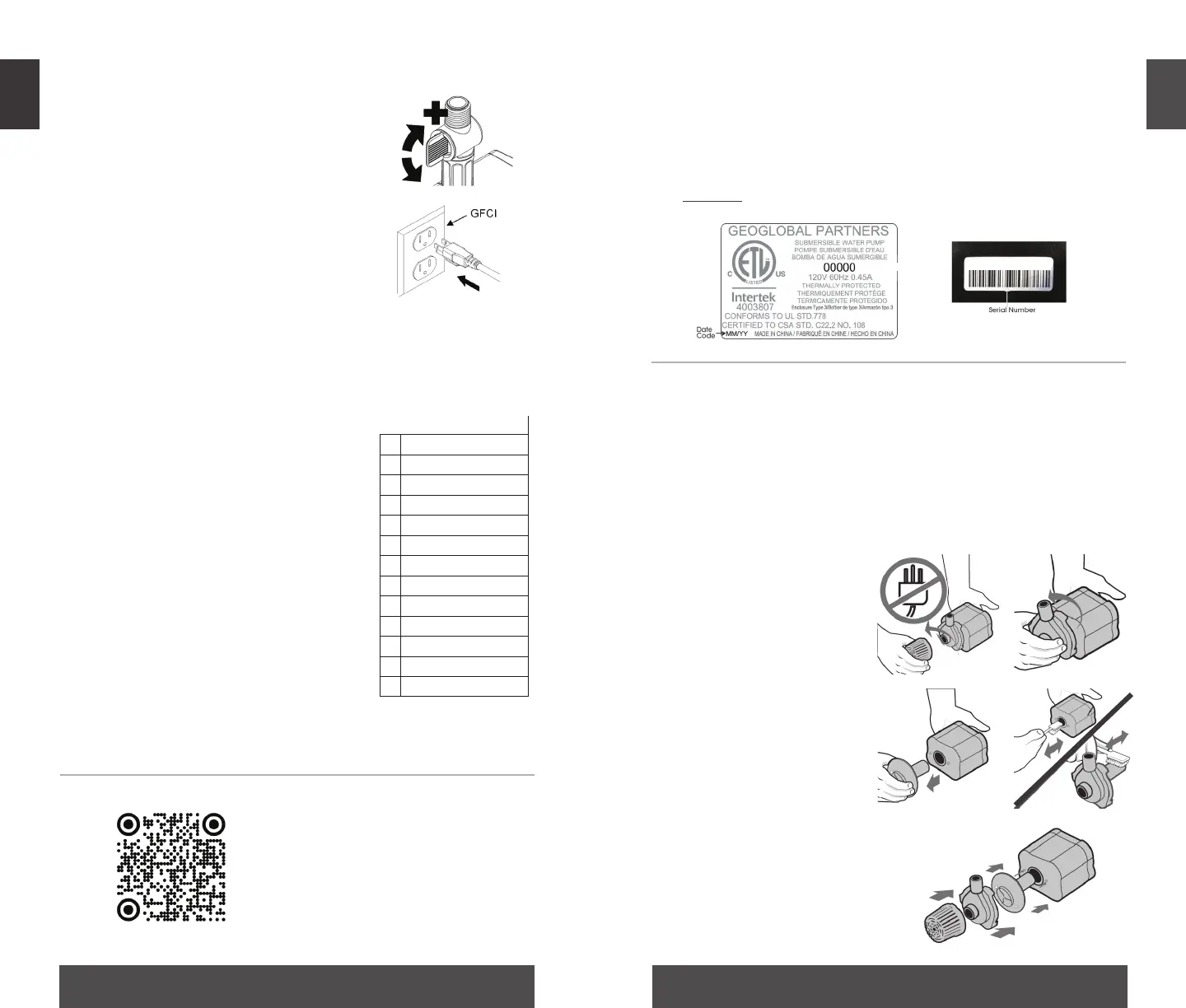
MAINTENANCE & TROUBLESHOOTING
Always disconnect units from the power source before
beginning any maintenance or work on the unit.
Regular cleaning of the pump may be necessary depending
upon the environment in which it is operated. Clean the pump
when it is visibly soiled or when a drop in performance is
detected.
1
2
3 4
Step 1. Remove the inlet
screen.
Step 2. Remove the
impeller housing to expose
the impeller assembly.
Step 3. Remove the
impeller assembly by gently
pulling on the impeller
blades. The impeller is held
in place by a manget
Step 4. Use a soft cloth
or brush and warm water
to clean the impeller, the
inside of the impeller
housing and the rotor
housing.
Step 5. Reassemble all
pump parts and place in
water before reconnecting
to the power source.
5



 To Next Page