
 Need help?
Do you have a question about the Toto Link CP900 and is the answer not in the manual?
Lists all items included in the product's gift box for verification.
Details copyright information, terms of use, and website for further information.
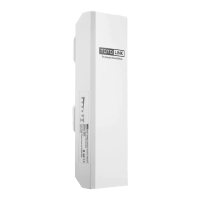
Provides a general introduction to the TOTOLINK Wireless Outdoor CPE features and applications.
Explains the function and meaning of each LED indicator on the device.
Describes the function of the GND, LAN (POE IN), and RESET ports on the CPE.
Details the ports and indicators of the Passive PoE box for power and data transfer.
Guides on how to open the CPE's sliding closure for cable connection.
Illustrates the complete network connection setup from router to laptop.
Instructions on how to fix the CPE to a pole using strips and adjust its orientation.
Emphasizes the importance of grounding for outdoor devices against ESD and lightning.
Provides instructions for connecting the CPE's GND port to earth for protection.
Steps to configure your PC's network adapter for the initial setup process.
Details how to access the CPE's web-based configuration interface through a browser.
Introduces the different operational modes available for the CPE.
Guides on setting up the CPE to function as an Access Point.
Illustrates a typical deployment scenario for the CPE in AP mode.
Demonstrates using the CPE to connect two office networks as an Access Point.
Guides on configuring the CPE to connect to an existing Wi-Fi network as a client.
Illustrates typical deployment scenarios for the CPE in Client mode.
Guides on configuring the CPE to extend an existing Wi-Fi signal.
Illustrates a typical deployment scenario for the CPE in Repeater mode.
Details selecting an SSID, entering the key, and setting up network parameters for Repeater mode.
Guides on configuring the CPE to connect to an ISP wirelessly.
Covers selecting the ISP Wi-Fi and entering the network key for WISP mode.
Explains DHCP, Static IP, and PPPoE options for WISP WAN connection.
Details entering username and password for PPPoE connection in WISP mode.
 General
| Brand | Toto Link |
|---|---|
| Model | CP900 |
| Category | Wireless Access Point |
| Language | English |

 To Next Page