2
1. Connecting the Touchjet App with Your WAVE
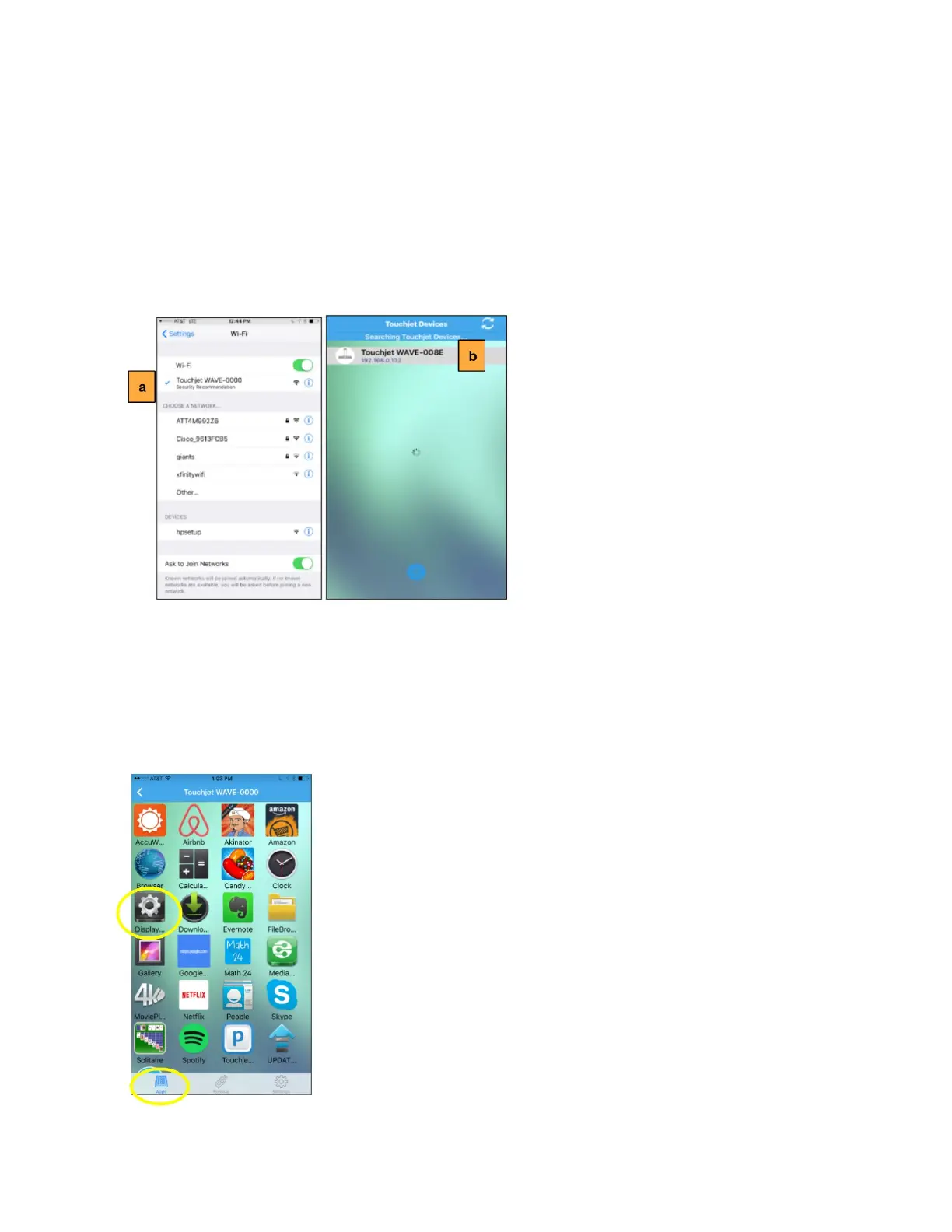
a. Connect your smartphone to your WAVE's Wi-Fi network.
b. Open the Touchjet App. The app should automatically connect to your WAVE. If
it doesn’t automatically connect, select your Touchjet WAVE™ device under
Touchjet Devices.
Your Touchjet App is now connected with your Touchjet device.
2. Adjusting the Screen Size (if needed)
If the screen size appears bigger or smaller than your actual TV, follow these steps to
adjust the screen size.
a. In the Apps mode, launch the Display Settings app.



 To Next Page