3
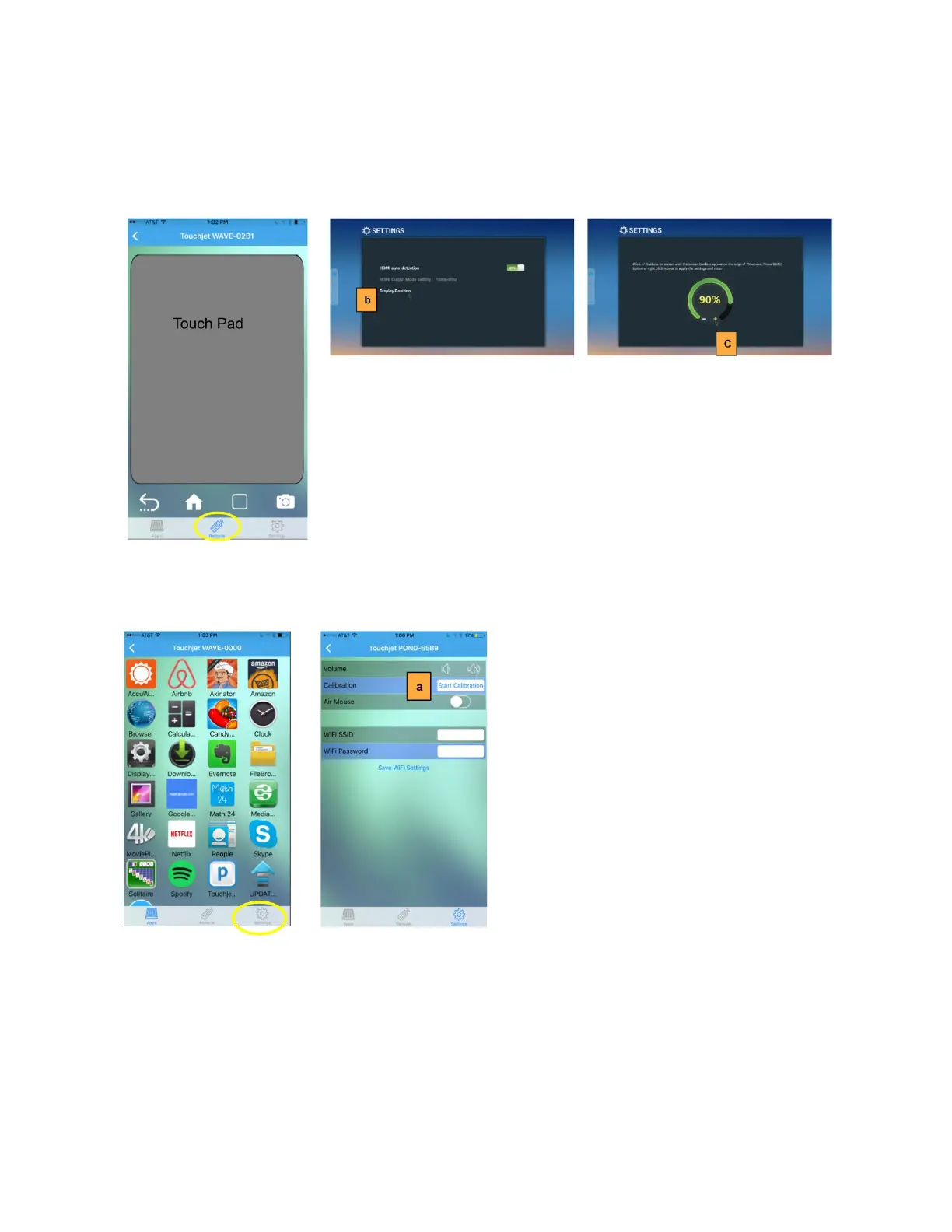
b. On your TV screen, you will see the Display Settings app launched. Using the
Touch Pad function in the Remote mode, tap on Display Position.
c. Using the Touch Pad, tap the - / + to adjust the screen size to fit your TV screen.
The blue screen should fit inside your TV screen.
3. Calibrating the Touchscreen
a. In the Settings mode, tap on Start Calibration.
The next few steps will be done directly on your TV screen with finger touch.
b. Touch the first point on the screen and lift your finger after the dot turns
completely yellow. There are a total of 5 points to touch.
c. After touching the last point, wait for the calibration to complete and then tap on
Press to Finish to complete calibration.



 To Next Page