4
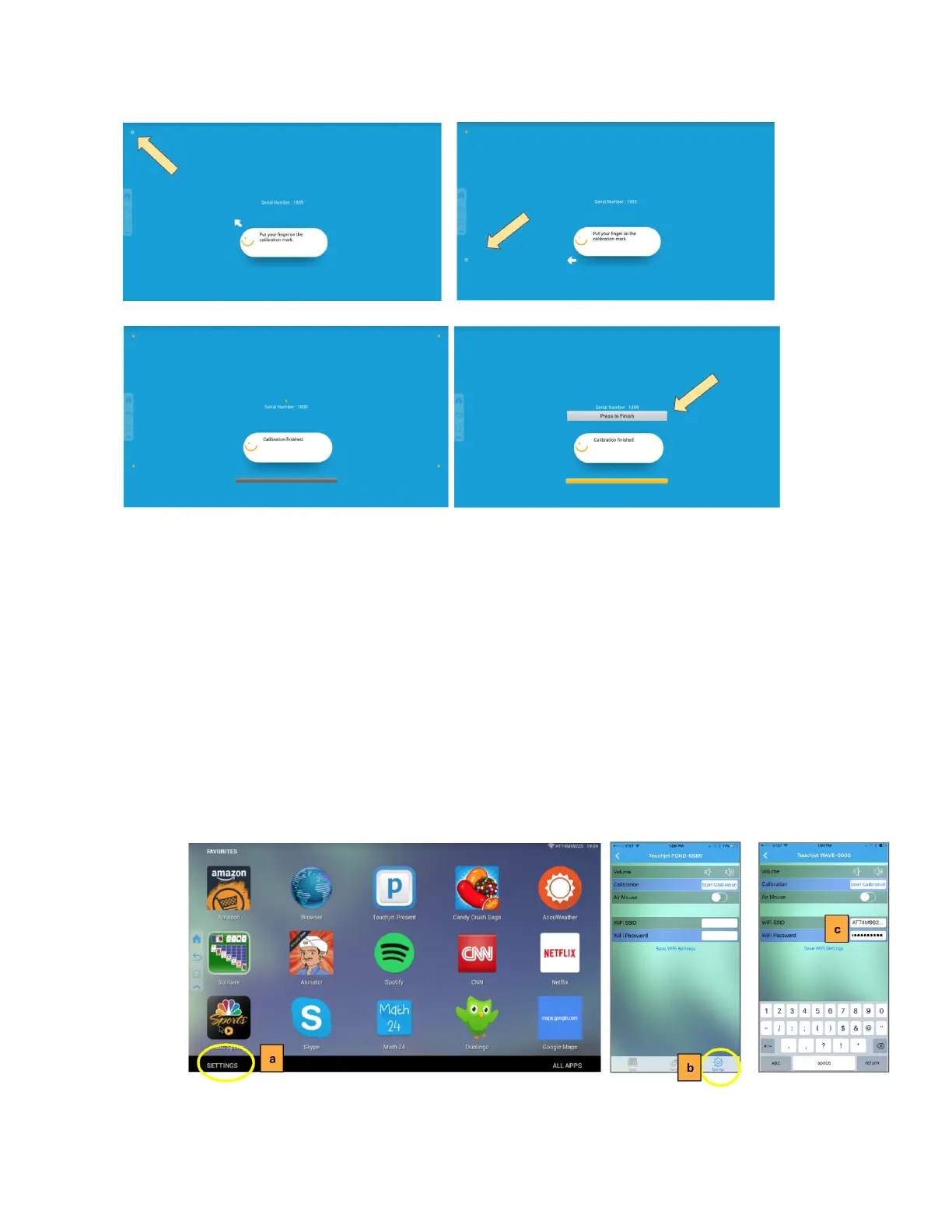
Once the calibration process is completed, you can use finger touch on the WAVE or
continue to use the Touchjet App on your smartphone as a smart remote control.
4. Setting Up the Wi-Fi on the WAVE
There are two options to set-up the Wi-Fi on the WAVE. You can set-up the Wi-Fi
directly
on the WAVE or in your Touchjet App on your smartphone.
a. On the WAVE, tap on Settings → All Settings → Wi-Fi
b. In the Touchjet App, tap on Settings.
c. Select your Wi-Fi network and enter password. Tap on Save WiFi Settings.
In Settings, you can also adjust the volume and switch to Air Mouse mode.



 To Next Page