5
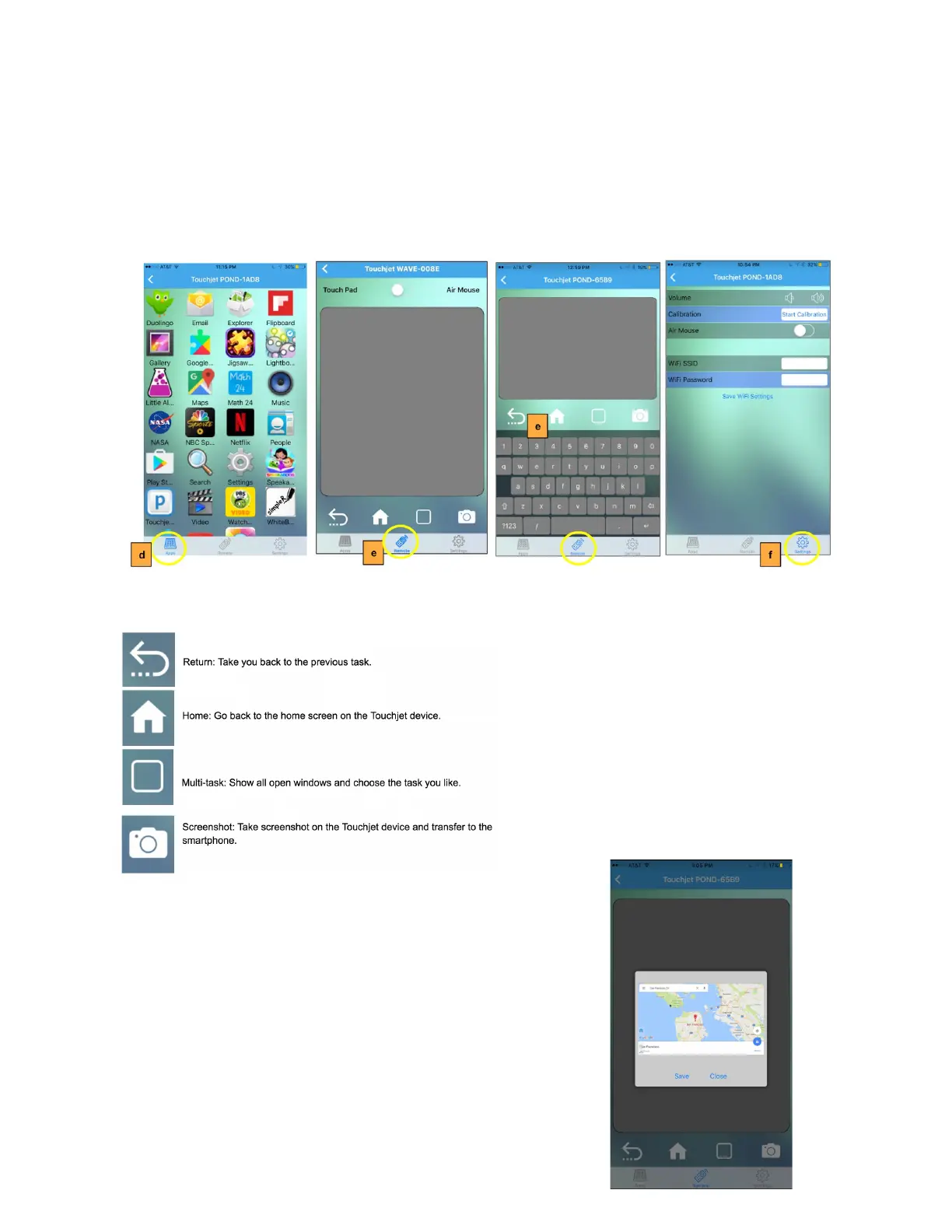
d. In the Apps mode, you can see all the apps that you’ve downloaded onto the
WAVE. Tap the app to launch it on the WAVE.
e. In the Remote mode, you can use the Touch Pad to navigate the WAVE. A
keyboard will appear when entering text is required.
f. In Settings mode, you can switch to Air Mouse mode so that you can use your
smartphone as a pointer, adjust volume and set-up Wi-Fi.
Also in Remote mode, you have the following shortcuts.
Using the Screenshot feature, easily capture images on your
WAVE for easy sharing on your mobile device.



 To Next Page