8 of 14
Note: The DA950-U amplifier provides RJ45 input and output connectors to enable daisy-chaining of components.
R L R L
+ - + -
+ - + -
+ - + -
R L
DA950-U Amplifier
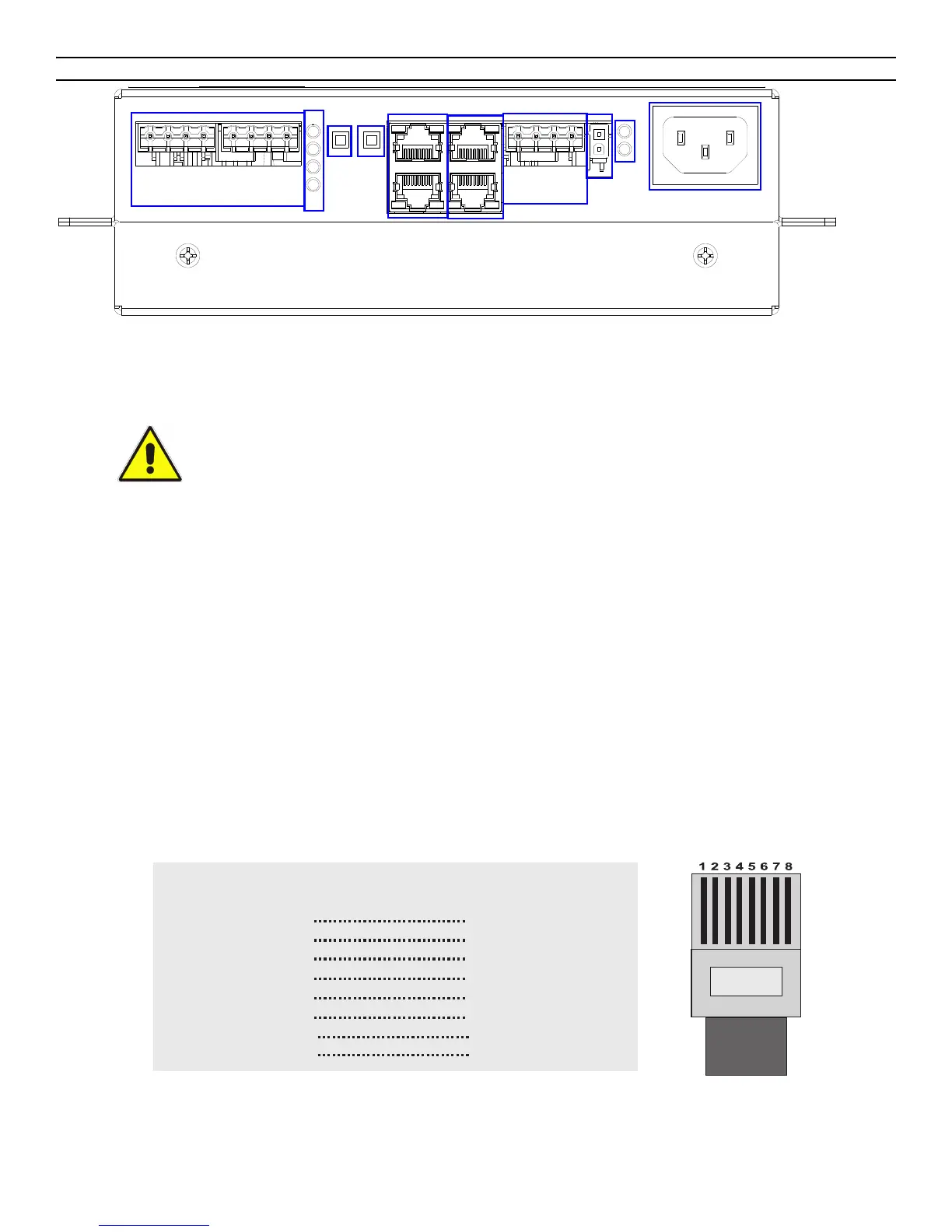
1. Power connector: Connect the supplied power cord here. The DA950-U will automatically turn on when the power
cord is plugged into a wall outlet (AC 120V /60Hz MAX 1000W). There is no power switch.
2. Power / Settings Lights:
• Bass Boost: Lights up when bass boost is on. Should always be on while this amplifier is in use inside the
PowerPack 725.
• 3-CH Mode: Lights up when 3-channel mode is on. Should always be on while this amplifier is in use inside the
PowerPack 725.
• Power Amp #1: Lights up when power amp #1 is on
• Power Amp #2: Lights up when power amp #2 is on
3. Prot
ection mode indicators, channels #1 and #2: lights up when a channel has gone into over-current protection
mode or thermal protection mode.
4. Balan
ced audio input/output connectors (unused in this configuration)
5. Balan
ced audio input/output connectors: Two RJ45 connectors are provided to connect the DA950-U to a jukebox
and/or other audio equipment via standard category 5 cable. Wired in parallel. One should be used as input, and the
other can then be used as a "thru" connection.
You can purchase pre-wired cable, or you can wire your own cable as follows:
RJ45 Cable Wiring
6. Satellite speaker outputs: The two connectors, wired in parallel. Provides two channels (stereo) of output, making it
easy to wire up to two speakers per channel for a total of four speakers. 125W / 4 ohms per channel.
CAUTION: Do not co
nnect the AC power cord to a wall outlet until all audio
connections have been completed.
1
2
3
4
5
6
7
8
white + orange
orange
white + green
blue
white + blue
green
white + brown
brown
white + orange
orange
white + green
blue
white + blue
green
white + brown
brown
1
2
3
4
5
6
7
8
Near
End
Color Color
Far
End
Straight-through category 5 cable wiring
RJ45 connector



 To Next Page