9 of 14
7. Speaker outputs (unused in this configuration)
8. Bas
s channel audio output connector: Provides audio out at 475W / 4 ohms for the subwoofers inside the
PowerPack 725.
9. Bass B
oost: Activates bass boost when pushed in. Must be left permanently on while this amplifier is used by
the PowerPack 725.
10. Cha
nnel Mode: 3-channel mode when pushed in, 4-channel mode otherwise. Must be kept permanently set to
3-channel mode while this amplifier is used by the PowerPack 725.
Making Connections
Your PowerPack 725 Powered Subwoofer is shipped without external satellite speakers and is designed for you to
use your own satellites. Two 4-terminal Euroblock connectors are included to connect your satellites to the
jukebox’s amplifier. These Euroblock connectors are preinstalled on the DA950-U amplifier.
This section explains how to make connections between the jukebox computer, EQ box, PowerPack 725 3-channel
amplifier, external satellite speakers, and bass box.
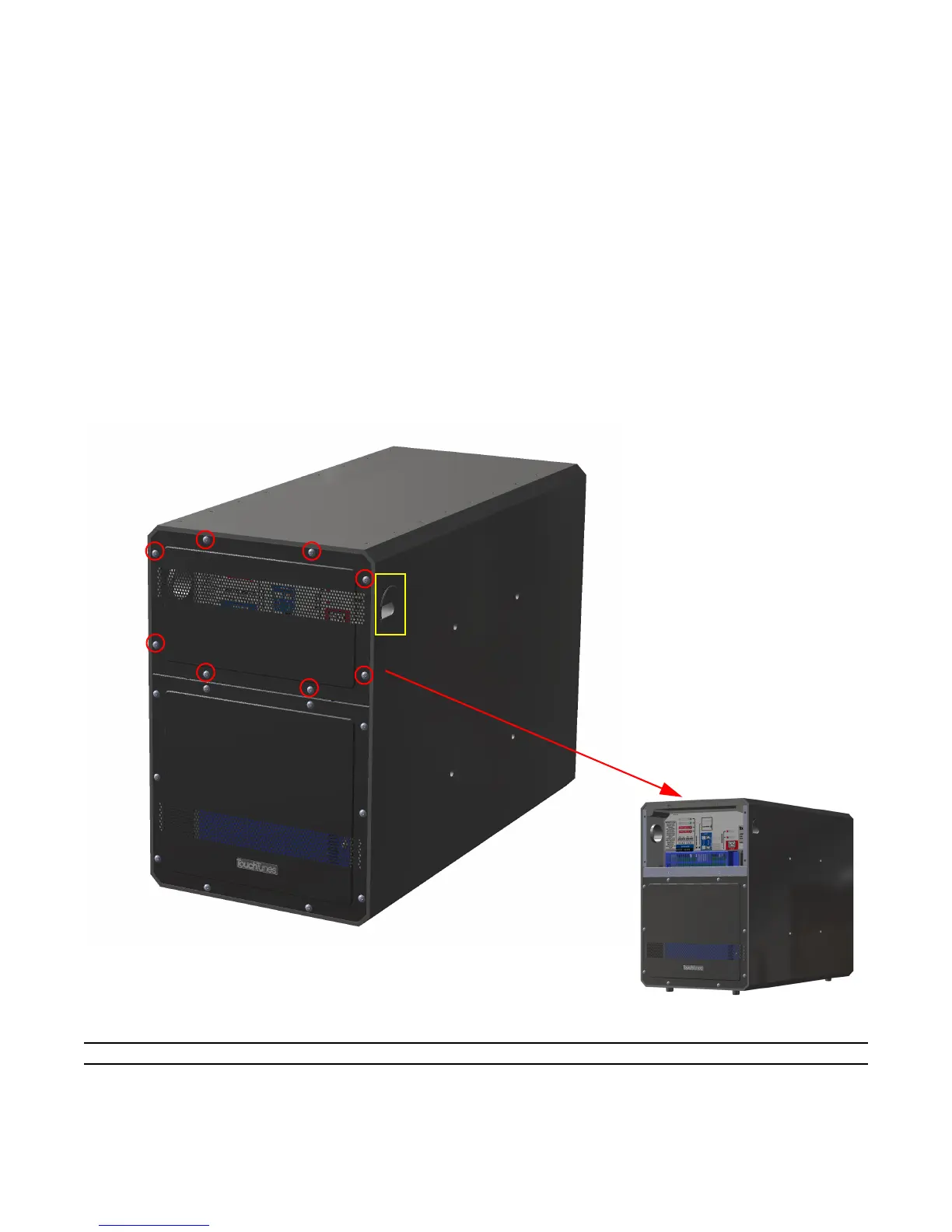
1. Remove the grille from the amplifier side of the bass
box by unfastening the eight (8) screws, and put the grille
aside
Routing channel
(on both sides
of bass box)
.
Removing Grille to Expose the Amplifier
Note: Pass all cables through the cable routing channel of the bass box.
2. Unlock and open your jukebox. Decide which Zone output you wish to use with the PowerPack 725.



 To Next Page