9
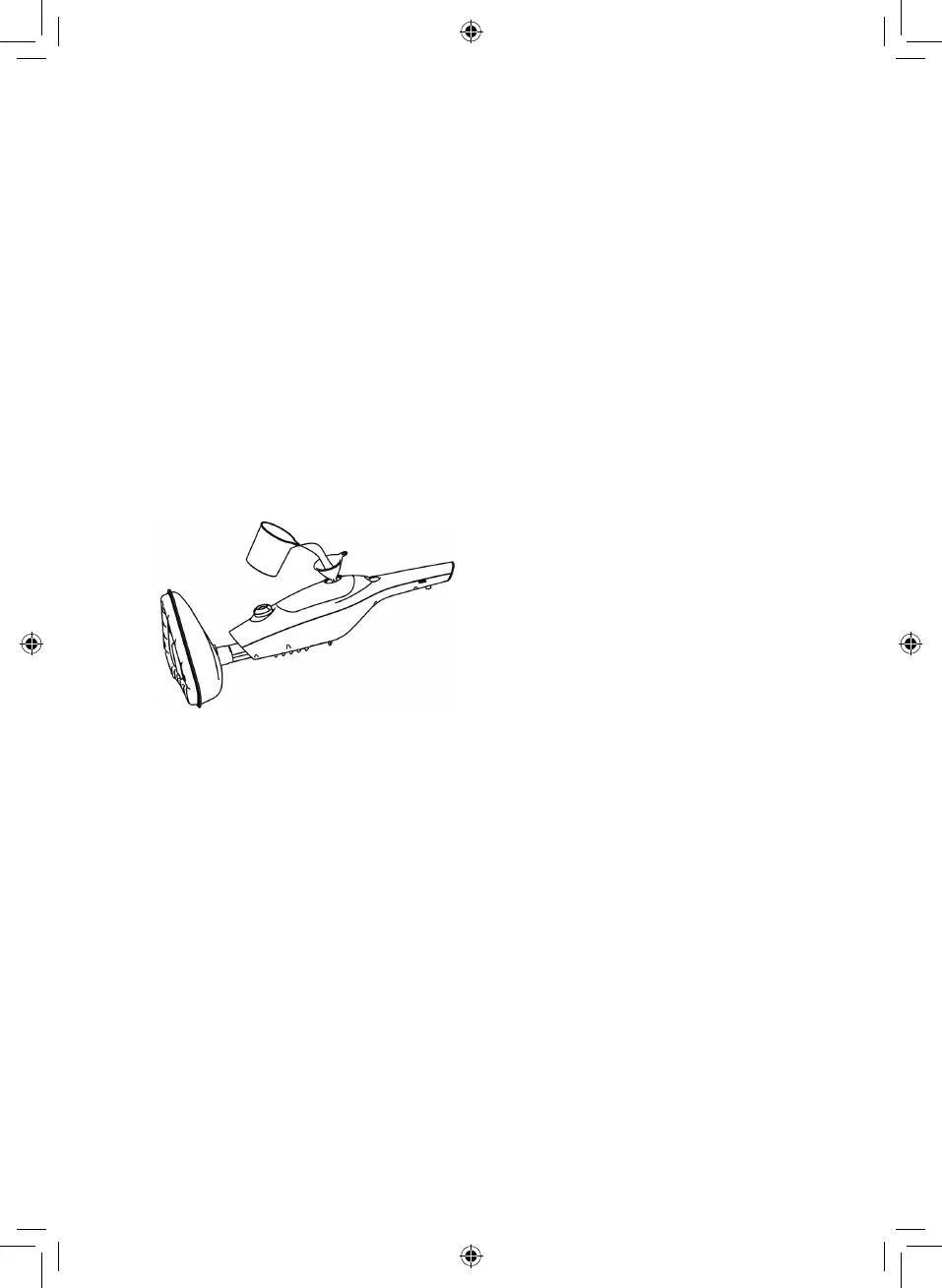
Filling the water tank:
IMPORTANT: Always ensure that the unit is disconnected from the wall socket prior
to initial lling and before tting the bottom of the mop head.
Never use the steam mop without the microbre cleaning pad securely in place.
1. Turn the cap anti-clockwise and then lift up to remove from the water tank.
(See below).
2. Using the lling cup and funnel, pour one cup of water into the water tank. Do
not overll the tank. (400ml) (See below).
3. Replace the cap onto the water tank.
4. After lling up the water tank, turn the power button on. The light on the
button will show red indicating that the boiler is beginning to heat the water,
the pump will also engage and steam will be produced from the base.
5. To switch off the steam mop set the power switch to the off position then
unplug from the main supply and allow to cool.
To attach the Jet Nozzle:
IMPORTANT: Never use the steam mop without the microbre cleaning pad
attached to the mop head or without water in the water tank.
Note: It’s better to sweep or vacuum oors before using the steam mop.
1. Twist the quick release cord holder to unwrap the power cord completely.
2. To turn on your steam mop, plug it in and the steam mop will power on
automatically.
3. Turn on the steam switch and steam will wet the microbre cloth. It is normal
for the pump to make a little noise and shake when begins working.
4. Adjust the steam output according to your preference.
5. When the water tank is empty, a noise will come from the pump and it will
shake. Switch off the appliance immediately and rell the water tank following
the instructions under the ‘Filling Your Appliance’ section.
6. When you have nished using the steam mop, unplug the unit from the
electrical outlet and carefully remove.
6 - Using Your Appliance


 To Next Page