12
10. Check if the ingredients are ready. If the ingredients are not ready yet, simply
place your food back into the fryer, close the door, then set the timer to a few
extra minutes.
11. To remove ingredients (e.g. fries), open the air fryer door and pull out the food
using the insulated kitchen gloves or other suitable safety accessory such as tongs.
12. When a batch of ingredients is ready, the air fryer is instantly ready for
preparing another batch.
Auto-Cook Menus:
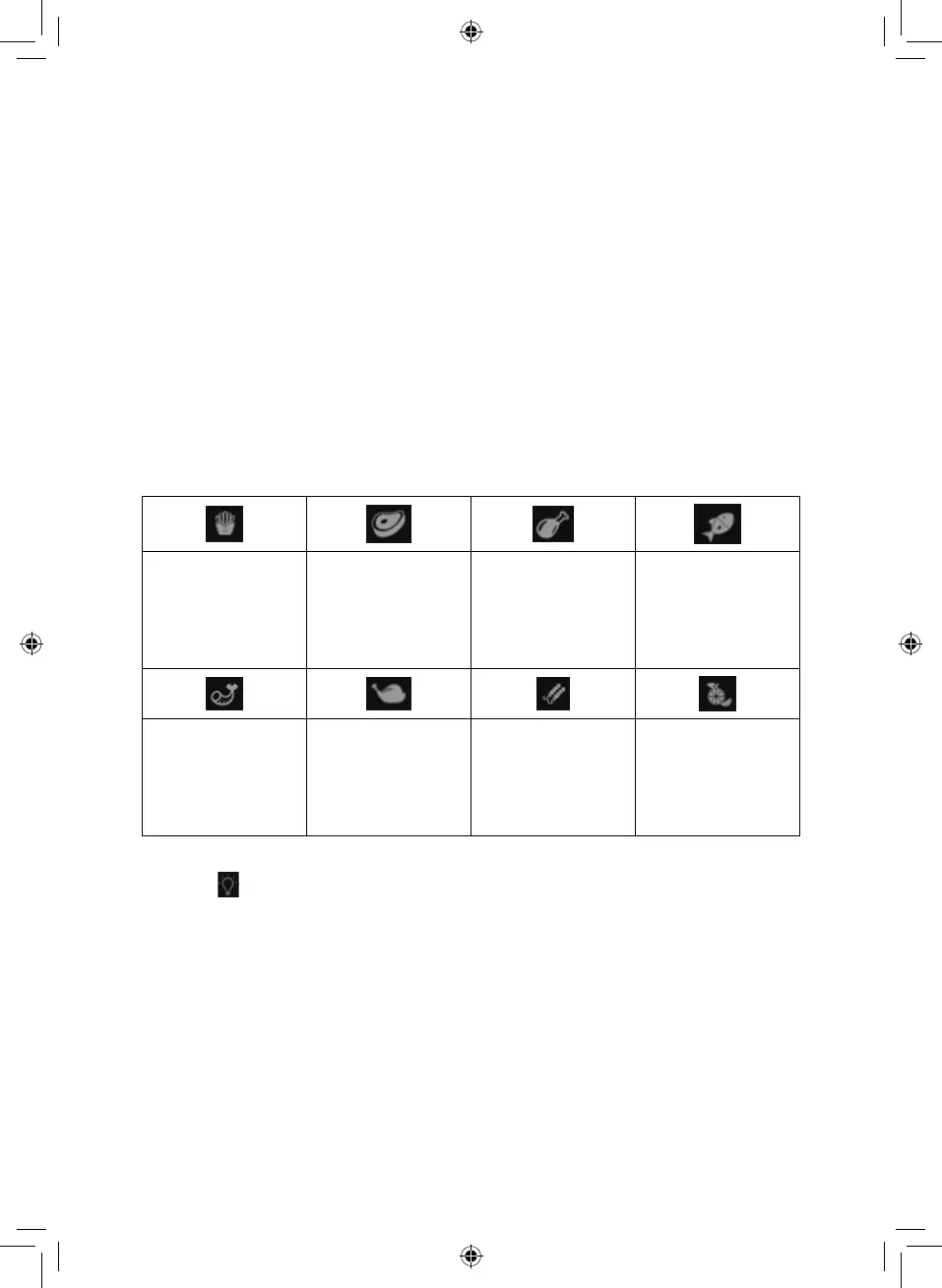
This air fryer is equipped with 8 auto-cook menus, pre-programmed with the ideal
settings to fit some of the most commonly air-fried meals. When one of these
menus is selected, the air fryer will automatically default to that program’s pre-set
temperature and time, and operate accordingly.
Each of these can be accessed by pressing the corresponding key in the unit’s
control panel. The corresponding indicator will light up to show each menu has
been selected.
The full list of auto-cook menus is as follows:
Fries. When this mode
is selected, the screen
will display “200” -
“20”, for temperature
and cooking time
respectively.
Steak. When this
mode is selected,
the screen will
display “180” - “20”,
for temperature
and cooking time
respectively.
Chicken Legs. When
this mode is selected,
the screen will
display “180” - “35”,
for temperature
and cooking time
respectively.
Fish. When this mode
is selected, the screen
will display “180”-
”18”, for temperature
and cooking time
respectively.
Shrimp. When this
mode is selected,
the screen will
display “160” - “12”,
for temperature
and cooking time
respectively.
Roast Chicken.
When this mode is
selected, the screen
will display “200” -
“35”, for temperature
and cooking time
respectively.
BBQ Rotisserie.
When this mode is
selected, the screen
will display “200” -
“20”, for temperature
and cooking time
respectively.
Dried Fruit. When
this mode is selected,
the screen will
display “40” - “04:00”,
for temperature
and cooking time
respectively.
Turning the Light On and Off:
Press the key to turn the air fryer’s inner light On or Off at any time.
Note: During the cooking cycle, the fryer’s inner light will turn on or off
automatically.
Settings:
The table on the next page will help you to select the basic settings for the
ingredients.
Note: Keep in mind that these settings are indications, as ingredients differ in
origin, size, shape and brand, we cannot guarantee the best settings for your
ingredients. Because the Rapid Air technology instantly reheats the air inside the
appliance instantly, opening the door briefly during hot air frying barely disturbs
the process.


 To Next Page