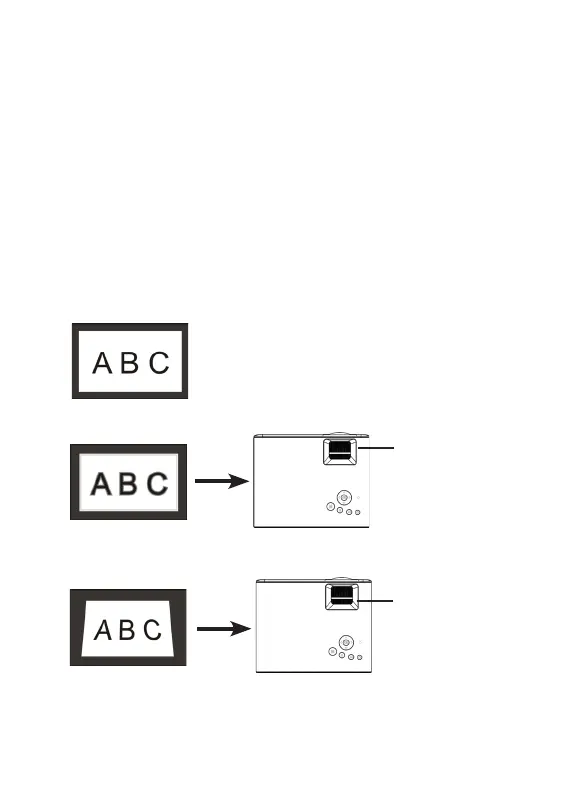
Projection screen debugging
● When the image of the screen is blurred (Figure 1), it is
recommended to adjust the focus knob until the image is clear.
Standard picture
3
● When the image is distorted in vertical trapezoid (Figure 2), it is
recommended to adjust the keystone correction knob until the
screen is vertical
● When the screen is rotated (Figure 3), please place the
projector on a horizontal surface.
● When the size of the two sides of the screen is different (Figure
4), please adjust the position of the projector so that the lens is
facing the screen.
Figure 1 Blur
Adjust the
focus knob
Figure 2 Trapezoidal tilt
Adjust the
keystone
correction knob


 To Next Page