英文 Page 2 of 8
Battery Installation
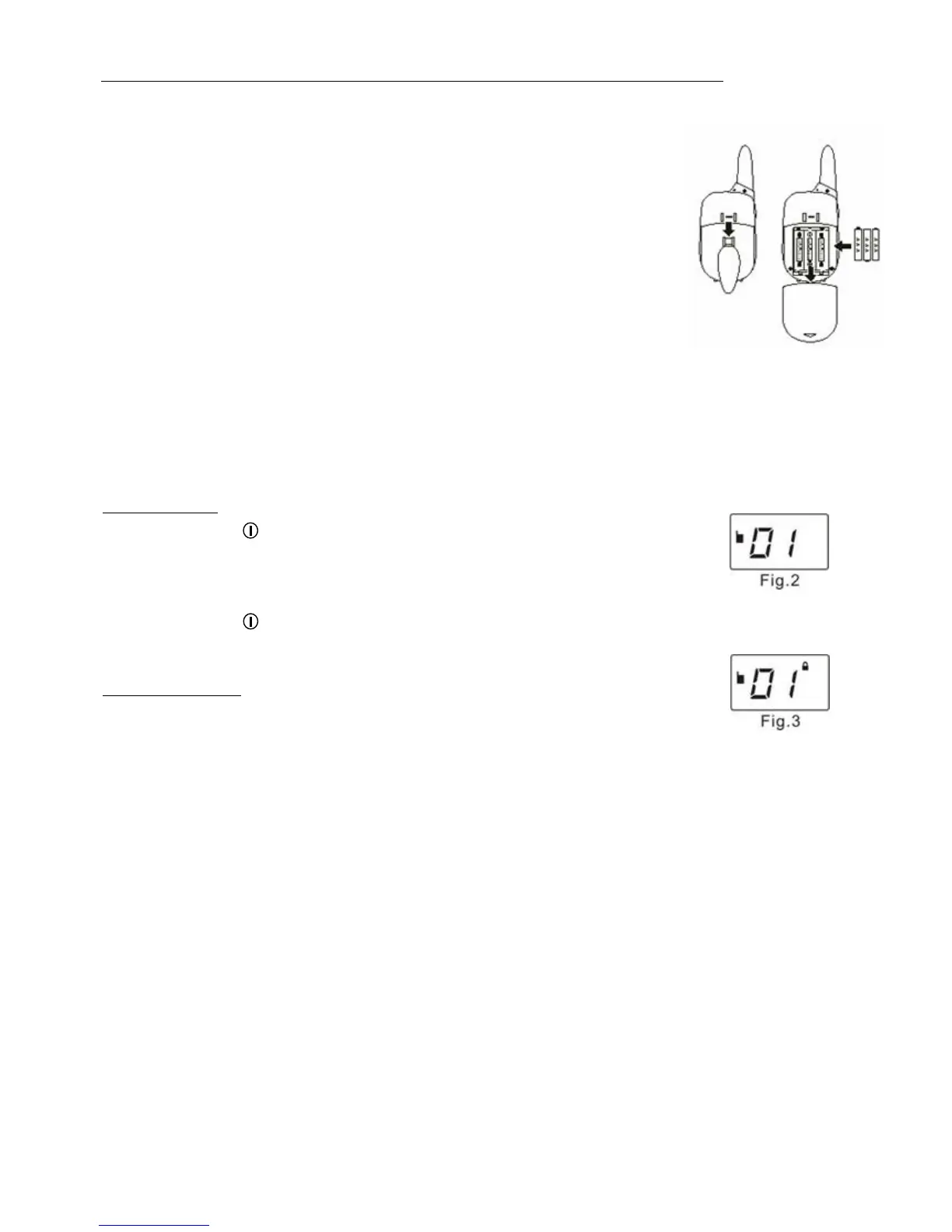
1. Turn off the radio and remove the belt clip.
2. Open the battery compartment door.
3. Insert 3 x “AAA” alkaline batteries according to the anode-cathode signs
shown in the battery compartment.
4. Close the battery compartment door.
Note:
1. Don’t mixed use new & old, different styles, alkaline & rechargeable and
different capacity batteries.
2. Danger of explosion if battery is incorrectly replaced. Replace only with
the same or equivalent type. (TSUEN SHING, BT-101-AC)
3. Attention should be drawn to the environmental aspects of battery disposal.
Quick Guide
A. Start to Operate
UPower On / Off
1. Press and hold key for 2 seconds to turn on the unit.
2. A “Bi” sound indicates the unit is ready for use and the LCD display will show all
icons.
3. After 1 second, the unit will go to standby mode. (Fig.2)
4. Press and hold key for 2 seconds again to power off the unit. A “Bi” sound
will also be heard, indicating the radio is going to be switched off.
ULock / Unlock Key
1. Press and hold MENU key for 2 seconds to lock the key. (Fig. 3)
2. Only PTT & CALL buttons can be activated during key locked operation.
2. To unlock the key, press and hold MENU button for 2 seconds.



 To Next Page