Need help?
Do you have a question about the TOZO GOLDEN X1 and is the answer not in the manual?
Connect TOZO Golden X1 earbuds to your device via Bluetooth for wireless audio.
Guide to inserting and fitting earbuds correctly for comfort, seal, and sound quality.
Control music playback (play/pause, skip) and adjust volume using earbud touch gestures.
Manage calls (answer, reject, end) and activate voice assistant with touch commands.
Switch between ANC, Transparent mode, and ANC off using intuitive touch controls.
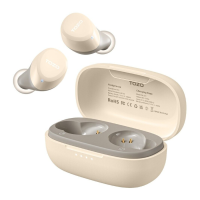
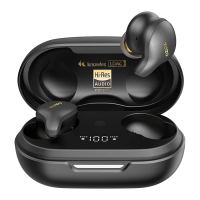
The TOZO Golden X1 is a pair of true wireless earbuds designed for an immersive audio experience, featuring advanced Bluetooth connectivity, smart touch controls, and versatile charging options. This quick guide outlines the essential steps for pairing, wearing, controlling, powering, resetting, and charging the device, ensuring users can maximize their enjoyment of the earbuds.
The primary function of the TOZO Golden X1 earbuds is to provide high-quality wireless audio playback and hands-free communication. They connect to devices via Bluetooth, allowing users to listen to music, podcasts, and other audio content without the constraints of cables. The earbuds also support voice calls, enabling users to answer, reject, and hang up calls directly from the earbuds. A key feature is the Active Noise Cancellation (ANC) mode, which helps to minimize ambient noise, providing a more focused listening experience. Additionally, a Transparent mode allows users to hear their surroundings while still enjoying audio, enhancing situational awareness. The earbuds are designed for comfort and a secure fit, making them suitable for various activities.
To begin using the TOZO Golden X1, the earbuds must first be paired with a Bluetooth-enabled device. This process is straightforward: open the charging case with the earbuds inside, and they will automatically power on and attempt to pair with each other. Once paired, the "TOZO Golden X1" will appear in the device list within your Bluetooth settings. Selecting it will establish the connection. If you need to pair with a new device, simply open the charging case with the earbuds inside and hold the charging case button for 3 seconds. This action forces the earbuds into pairing mode, allowing them to be discovered by a new device.
Proper wearing of the earbuds is crucial for both comfort and optimal sound quality. The guide emphasizes ensuring the eartip faces downwards before placing the earbuds into your ears. Once in place, rotate the earbuds back towards the auricle side to achieve a snug fit. It is explicitly stated that wearing the eartip facing upwards is incorrect and will likely result in a poor fit and reduced performance. The TOZO Golden X1 comes with multiple eartip sizes (XS, S, M, L, XL, XXL) to ensure users can select the perfect fit for their ears, enhancing both comfort and passive noise isolation.
The TOZO Golden X1 features intuitive smart touch controls, allowing users to manage various functions directly from the earbuds. These controls are divided into single, double, and triple presses, as well as a press-and-hold action, each mapped to specific commands.
X1 (Press once):
X2 (Press twice):
X3 (Press three times):
Hold (Press and hold for 2 seconds):
The TOZO Golden X1 earbuds offer a convenient automatic power management system.
In situations where only one earbud is working, or if the earbuds fail to pair with each other or with a device, a reset procedure is available. To reset the TOZO Golden X1:
The TOZO Golden X1 charging case offers two convenient methods for recharging:
The charging case provides visual indicators for its battery status:
A critical maintenance instruction is to never put wet earbuds into the charging case. Before charging, ensure that the earbuds are fully dry. This prevents potential damage to both the earbuds and the charging case due to moisture.
The TOZO Golden X1 is designed to be a user-friendly and reliable audio companion, with features that cater to both casual listening and active lifestyles. The comprehensive guide ensures that users can easily set up, control, and maintain their earbuds for a consistent and enjoyable audio experience.
 General
| Bluetooth Version | 5.3 |
|---|---|
| Water Resistance | IPX6 |
| Wireless Charging | Yes |
| Touch Controls | Yes |
| Noise Cancellation | Active Noise Cancellation |
| Driver Size | 12mm |
| Impedance | 32Ω |
| Bluetooth Range | 10 meters (33 feet) |
| Charging Time | 1.5 hours (earbuds) |
| Weight (charging case) | 45 grams |
| Microphone | Yes |
| Codecs | AAC, SBC |
| Driver Type | Hybrid Dual-Driver ( Knowles Balanced Armature Driver + 12mm Dynamic Driver) |

 To Next Page