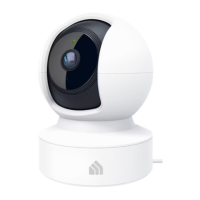
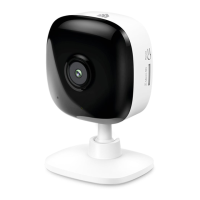
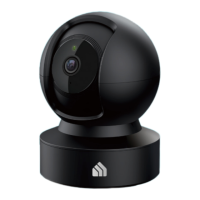
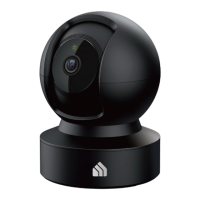
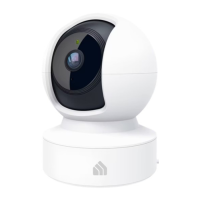
This document is a user guide for the Kasa Spot Pan Tilt, 24/7 Recording camera, model KC410S, manufactured by TP-Link.
The Kasa Spot Pan Tilt is a smart home camera designed to provide comprehensive surveillance with a 360° horizontal view and 113° vertical view. It connects to your home network and offers various features for monitoring and security.
Function Description:
The camera provides crystal clear 3MP Full HD video, allowing users to view high-quality live video from anywhere at any time via the Kasa Smart app. Its pan and tilt functionality enables users to remotely rotate the camera's point of view by swiping up, down, left, and right on their smartphone. A key feature is Motion Tracking, which automatically tracks and follows subjects when motion activity is detected, keeping them within the camera's field of view. Patrol Mode allows users to set up to four distinct viewpoints and program the camera to monitor these regions at chosen intervals. For low-light conditions, Night Vision provides clear video up to 30 feet, ensuring continuous monitoring even in the dark.
The camera offers Instant Activity Alerts, notifying users automatically when motion is detected, which is useful for monitoring pets, roommates, or potential intruders. Two-Way Audio enables crisp communication through the camera, allowing users to speak and listen. Activity Zones can be customized, with up to 16 custom zones, to control which areas trigger alerts, focusing on what's most important without additional charges. For continuous recording, the camera supports 24/7 Recording with a Micro SD card (sold separately). Cloud Storage Plans are also available through Kasa Care subscriptions, offering video recordings for up to 30 days.
Important Technical Specifications:
- Video Resolution: 3MP Full HD
- Pan Range: 360° horizontal view
- Tilt Range: 113° vertical view
- Night Vision Range: Up to 30 feet
- Storage: Supports Micro SD card for local recording; Cloud Storage available via Kasa Care subscription.
- Connectivity: Wi-Fi enabled.
- Operating Frequency: 2400 MHz - 2483.5 MHz (20dBm)
- Power: Micro USB Port for power connection, uses provided power cord.
- Adapter Model: NBS05B050100VUU (FCC Identifier: NA)
Usage Features:
The Kasa Spot Pan Tilt is set up and managed using the Kasa Smart app, available on Apple App Store and Google Play.
- Setup: Users download the Kasa Smart app, log in (or create a TP-Link ID), and then add the camera by selecting "Cameras > Kasa Spot Pan Tilt" in the app. The app guides users through configuring the camera and connecting it to their home network.
- Placement: The camera can be placed on a flat surface or installed on a wall or ceiling using the provided indicator label and mounting screws. Instructions are provided for both soft surfaces (direct screwing) and cement walls (drilling holes, inserting plastic expansion tubes, then screwing).
- Live Video Viewing: Users can view live video from anywhere and control the pan/tilt functions.
- Camera Settings: The app allows users to change camera name, set activity notifications, enable Motion Tracking, customize Patrol Mode, adjust video quality (e.g., Better/720P), set video rotation (Normal), and configure Night Vision (Auto).
- Add Viewpoints: Users can save specific camera positions as viewpoints for quick access.
- Schedules: Users can create schedules to automatically turn alerts, activity clips, camera privacy, and Patrol Mode on or off at specific times.
- Local Storage Playback: Footage saved on a Micro SD card can be played back directly through the Kasa Smart App.
- Smart Home Integration: The camera can work with other smart home products and TP-Link devices through the Kasa app, including Amazon Alexa, Google Assistant, IFTTT, and Samsung SmartThings.
Maintenance Features:
- System LED: The camera features a system LED that indicates its status:
- Solid amber: Rebooting
- Alternating amber and green: Ready for setup
- Flashing red: Connecting to Wi-Fi
- Flashing green: Connected to Wi-Fi
- Solid green: Bound to Cloud
- Flashing amber: Resetting to SoftAP/Factory mode
- RESET Button: Located by tilting the camera lens up.
- Press and hold for 3 to 15 seconds: Resets to SoftAP mode.
- Press and hold for over 15 seconds: Resets to Factory mode.
- Microphone: Built-in internal microphone. Users are cautioned NOT to insert objects into the microphone hole.
- Speaker: Sound is emitted from the camera.
- SD Card Slot: For inserting a Micro SD card for recording.
- General Safety and Maintenance:
- Keep the device away from water, fire, humidity, or hot environments.
- Do not attempt to disassemble, repair, or modify the device; contact support if service is needed.
- Use only the provided power cord and recommended chargers.
- Do not use the device where wireless devices are not allowed.
- The adapter should be easily accessible.
- Do not use liquid, spray cleaners, or wet cloths for cleaning; unplug the power cord before cleaning.
- Ensure proper ventilation and do not block slots or openings to prevent overheating.
- Avoid placing the product near heat sources.
The device complies with FCC and CE regulations, including RF radiation exposure limits, and is restricted to indoor use. It also includes warnings and compliance information for Canadian, Korean, and BSMI (Taiwan) regulations. The manual emphasizes that any unauthorized changes or modifications could void the user's authority to operate the equipment.

 Need help?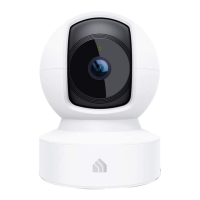

 To Next Page
 General