16
Chapter 4
Set Up Internet Connections
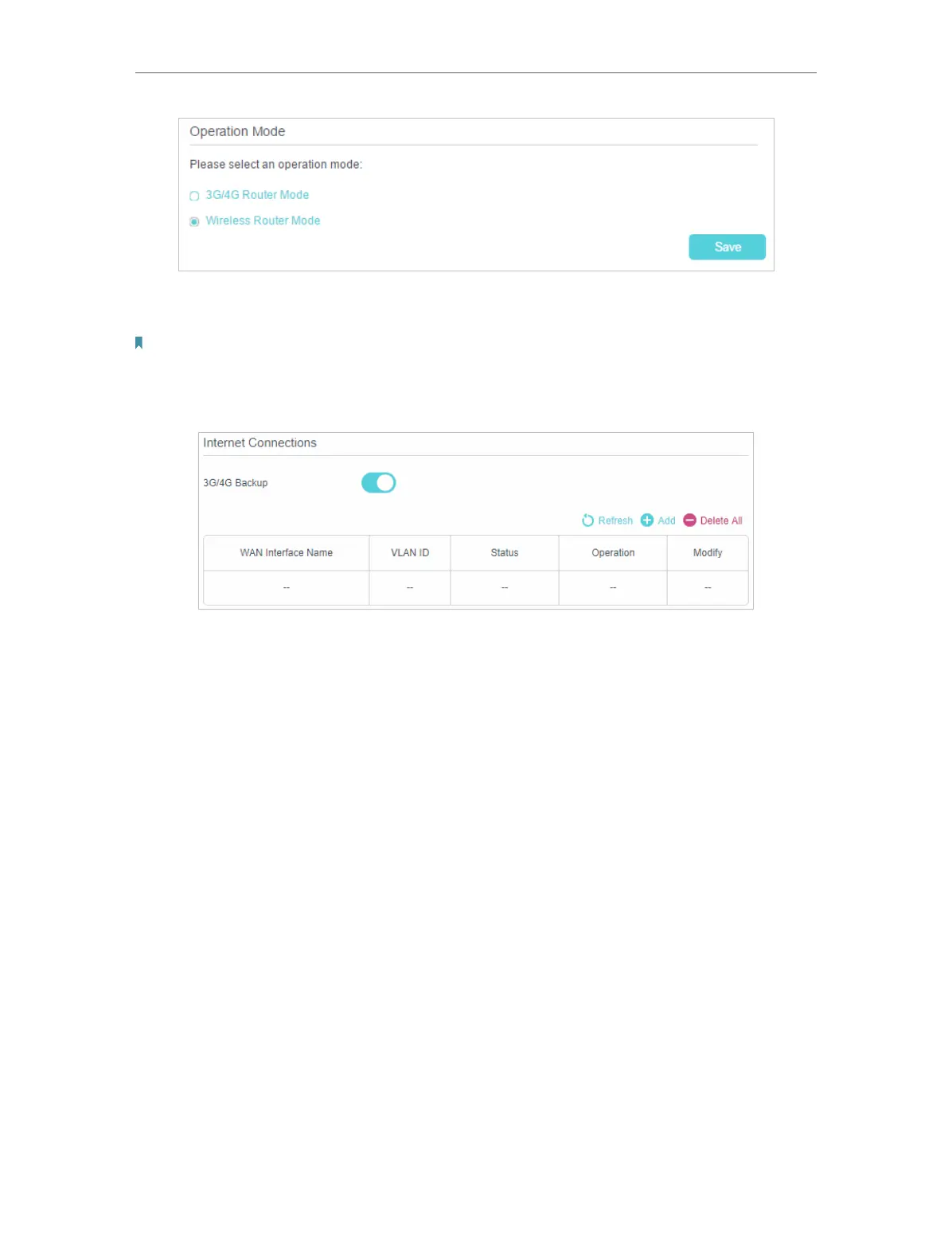
4. Select the Wireless Router Mode option and click Save to make the settings
effective.
Note:
In wireless router mode, you can use 3G/4G network as a backup solution for internet access. When 3G/4G Backup is
enabled, your router will be directly connected to the 3G/4G network when the original network service fails. To enable
or disable 3G/4G Backup, go to Advanced > Network > Internet.











 To Next Page