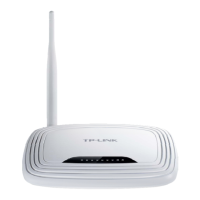
TL-WR720N 150Mbps Wireless N Router
3. If you select IP Address, the screen shown is Figure 4-63.
Figure 4-63 Add or Modify an Access Target Entry
1) In Target Description field, create a unique description for the target (e.g.
Target_1).
2) In IP Address field, enter the IP address of the target.
3) Select a common service from Common Service Port drop-down list, so that the
Target Port will be automatically filled. If the Common Service Port drop-down list
doesn’t have the service you want, specify the Target Port manually.
4) In Protocol field, select TCP, UDP, ICMP or ALL from the drop-down list.
4. If you select Domain Name, the screen shown is Figure 4-64.
Figure 4-64 Add or Modify an Access Target Entry
1) In Target Description field, create a unique description for the target (e.g.
Target_1).
2) In Domain Name field, enter the domain name, either the full name or the keywords
(for example, google) in the blank. Any domain name with keywords in it
-69-












 To Next Page

