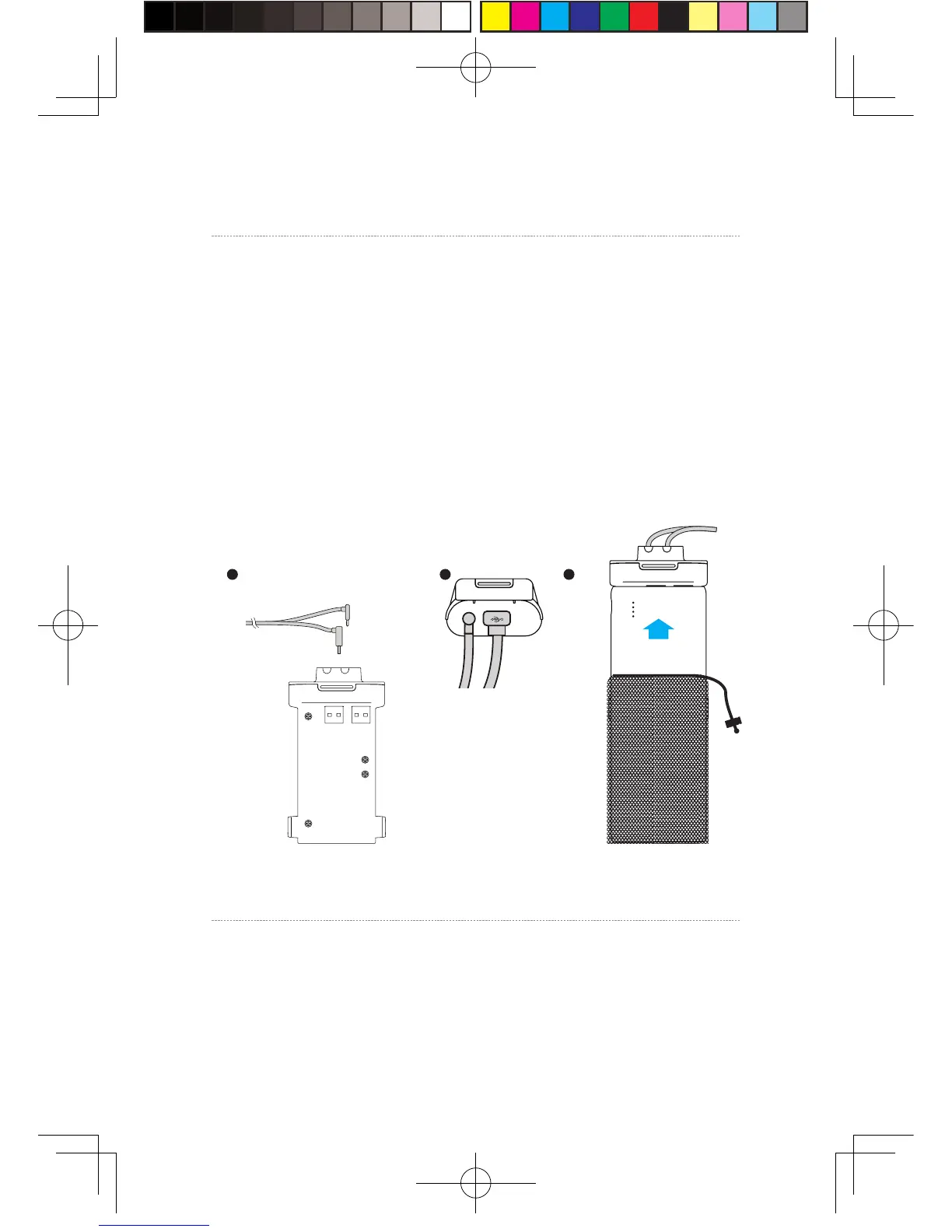
St e p one: As show n i n t he figure, resp ective l y connect t he d and
e i n terfaces of l ong connection cable t o the p o wer b o x and HDMI
port ;
St e p two : As show n in t he figure, connect the p ort a ble p o w er
bank to t he po wer b o x an d wh en successfu lly connected, t h e blue
ba ttery ligh t on t he p ort a ble p o wer bank t urns on t o i n dicate
the s ta t e of charge. In ord er to i mp r ov e t he utiliza tion r at e o f
ba ttery charg e, pleas e only connect to t he p orta ble p o w er b ank
pr i or t o op e r ation o f t he prod uct . And a fter o p e ra tion, remo v e
the p ort able p o w er b ank i n t he f i rst place.
St e p t hree: P u t t he complet e d p o w er supply as w e ll as t he p o w er
bo x i n a p ort a ble p ack and s t r i n g t he p ack t o p rev ent f allin g o f
po w er supply i n motion.
2
、
Power box connection instructions
1 2 3
10
St e p one: Disconnect po w er s u pply for VIVE st reami ng bo x .
St e p two : As f or t he exis tin g VIVE 3 -in - 1 cable d e t ached f rom
the H M D, connect the DCI N po w er i n t erface and the HDMI
in t erface t o t he c orresp ondin g p ort on t he PC t ransmitte r, and
3
、
Instructions on connection of PC transmitter


 To Next Page
 Loading...