4
、
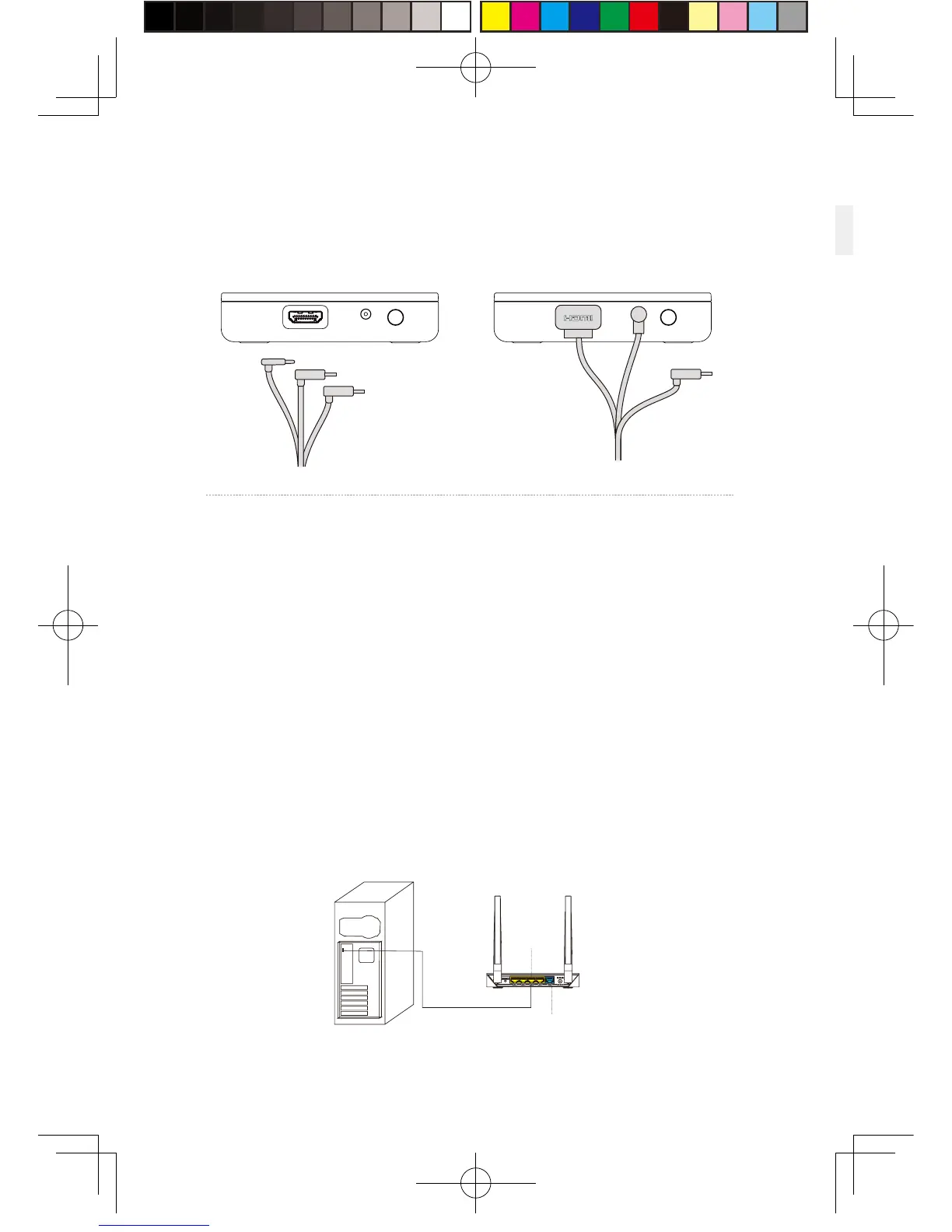
Instructions on connection of router
St e p one: C onnect the rout er p o w er ad a pter and confirm p ow er
in dicat or on the f ront of p anel i s on.
St e p two : C onnect the ye llo w port of rout er t o the PC host
throug h network c a ble, as show n i n t he figure.
St e p t hree: In PC’s network connection Settin gs o f Wi n do w s
system, s e lect “Local connection” to connect the rout er of
wireless ada pto r, chang e t he connection of TCP/I P Settin gs to
automatica lly obta in I P address and DNS serv er address.
No t e : DO NOT make an y setting s in t he route r. DO N O T restore
factory s e tting s. Please use it directly w hen connectin g
network c a ble. In ord er to optim i ze user's p rod uct exp eri ence,
we recommend to place t he rout er i n an o p en l ocation with a
90-deg ree ant enna, t here i s no ob vi ous ob s t acl es b e tween t he
router and VIVE prod uct.
In order to ensure PC can access to the Internet normally while wireless adaptor
is in usage, it need to insert the original network cable to WAN port of the
router.
11
the USB i n terf ace is not req u i red t o b e connect e d .
St e p t hree: Connect power supply for VIVE streaming box.
LAN Port
WAN Port


 To Next Page
 Loading...