1
、
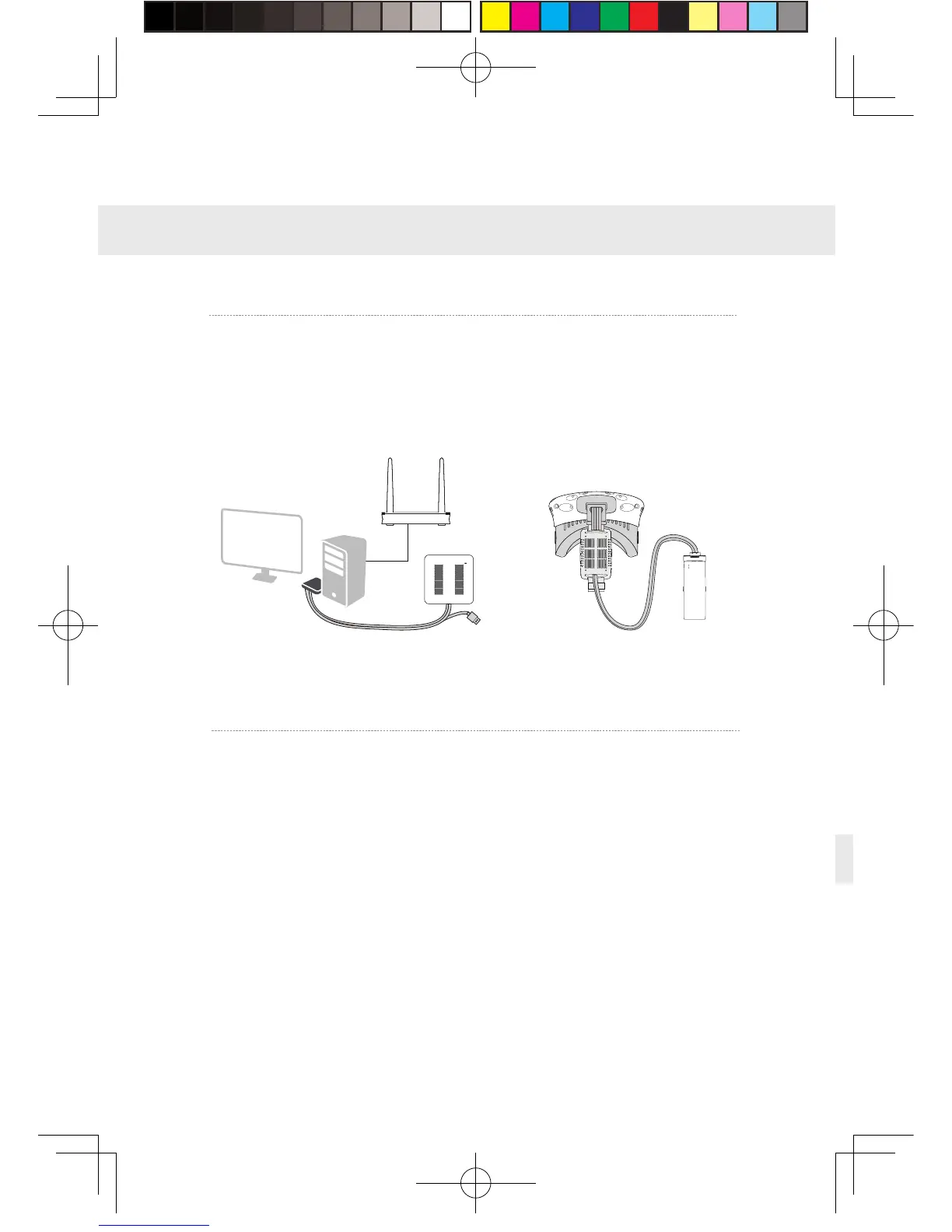
Installa tion v erif y
2
、
Pai r H M D recei v er with PC t rans m itte r
Verify a ll connections of t he wirel ess adaptor i nclu din g the H M D
Rec e iv e r, PC t ransmitte r, p ow er b ox & p ort a ble p o w er bank,
route r, and mak e sure t he p ort a ble p o w er bank i s fully charg e d.
5. Operation instructions
Pai r HM D rece i ver with PC tr ansmitter f or t he f i rst time ope ra tion
only.
①
When t he p ow er is on, t he video s ignal connection i n dica t ors
on bo t h rec e i v er end and t ransmitter will s t art blinki n g s l o wly.
②
Then keep p ushi n g the p a i r i n g b utton on bo t h ends for at l east
5 s econds till all i n dicat ors are off.
③
Ensure t here i s no ob st acl es be tween t he t ra nsmitter and
rece i ver end and rel eas e t he p a i r i n g b u ttons. T he video signal
in dicat or will ret urn t o s l o w blinki ng mod e aft er about 5 second s.
④
No more op e ra tion and wait for ab out 10 seconds till the signal
in dicat or c hang e t o fast blinki n g mod e w h ich means t he pa i ri n g
is comple t ed . In t he second o p e ra tion, t he signal i n dicat or will
qu i ckly blink about 10 second s aft
er t he energiza tion.
13


 To Next Page
 Loading...